Buying Guide
Choosing among the best laptop network cards starts with identifying what kind of internal slot the laptop actually has. The selected products fall mainly into two designs: M.2 2230 modules and half Mini PCIe cards. These interfaces are not interchangeable. An M.2 card may use an A, E, or A+E key, while a Mini PCIe card requires the older half-size Mini PCIe connector. Check the existing module, socket key, antenna leads, and laptop service documentation before selecting a replacement.
Match the wireless generation to the router
Wi-Fi 7 is represented by the EDUP BE9300 card. Its listing documents 320MHz bandwidth on 6GHz, Multi-Link Operation, Multi-RU, and 4K-QAM. Those features are relevant only when the laptop and router environment can use them, so the card is best suited to a newer network setup.
Wi-Fi 6E cards add the 6GHz band while retaining 5GHz and 2.4GHz connectivity. The NICGIGA, OKN, WAVLINK, QFly, EDUP AX210HMW, and both REKONG Wi-Fi 6E modules document this three-band design. The supplied listings describe 6GHz as a less congested band, but actual connection behavior depends on the router, channel configuration, distance, and local conditions. A Wi-Fi 6E card can still connect to older 5GHz and 2.4GHz networks.
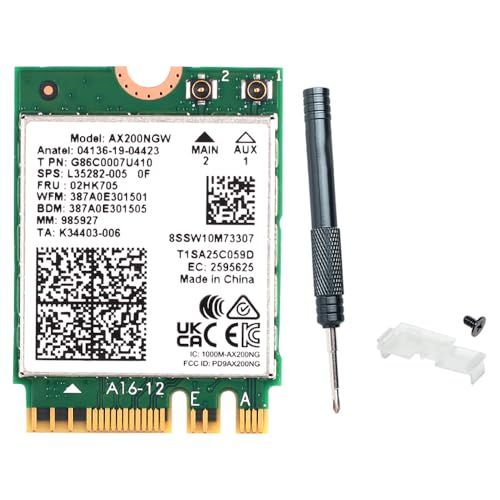
Wi-Fi 6 dual-band modules such as the REKONG AX200NGW and MPE-AX3000H use 2.4GHz and 5GHz rather than 6GHz. That can be appropriate when the available network does not use 6GHz or when the laptop’s slot limits the choice. Their listings document features including OFDMA and MU-MIMO for handling multiple connected devices.
Check M.2 and Mini PCIe compatibility
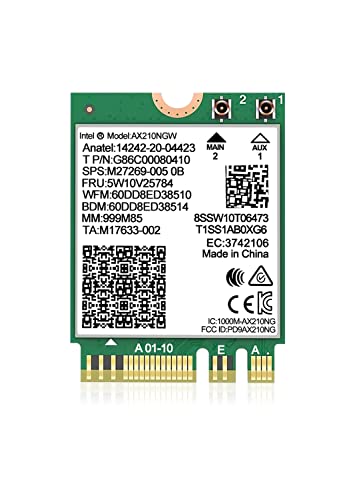
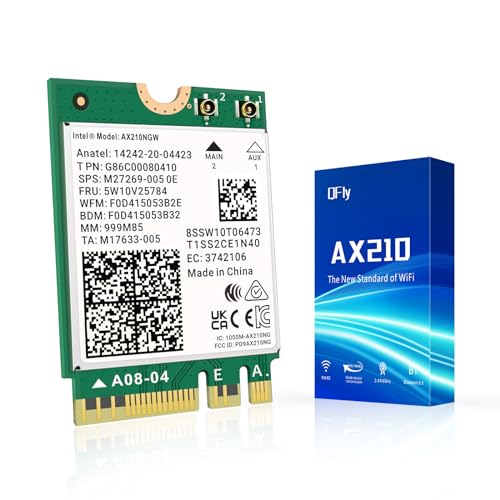
M.2 2230 cards are the most common internal design in this selection. The NICGIGA AX210, OKN AX210, WAVLINK AX210, QFly AX210NGW, and REKONG AX200NGW all describe M.2 or NGFF compatibility. Several specify an A/E or A+E key, and the WAVLINK listing explicitly excludes Key M and B sockets. Do not assume that an available M.2 connector is suitable; laptop sockets may be intended for another module type.
The EDUP AX210HMW, REKONG MPE-AX3000H, and REKONG Wi-Fi 6E Mini PCIe card use Mini PCIe. These are useful only where the laptop has the corresponding half-size slot. The REKONG Mini PCIe listings also contain brand exclusions, including Lenovo, HP, or IBM for the Wi-Fi 6E model and many Lenovo, IBM, and HP systems for the AX3000H. Treat those statements as compatibility checks rather than minor notes.
Consider Bluetooth and antenna connections
Most selected internal cards include Bluetooth: Bluetooth 5.4 appears on the EDUP Wi-Fi 7 card, Bluetooth 5.3 appears on the AX210 and Wi-Fi 6E products, and Bluetooth 5.2 appears on the AX200 and MPE-AX3000H. Bluetooth can support peripherals such as keyboards, mice, headphones, controllers, and speakers, but the laptop may need the card’s Bluetooth cable connected to an internal USB header or equivalent connection. The supplied listings do not provide a universal wiring layout, so inspect the original card before installation.
The REKONG Wi-Fi 6E Mini PCIe listing says existing antennas can be reused. Other cards do not make that same claim, so antenna connector compatibility should be verified separately. A card that fits the slot may still require the correct antenna leads and mounting screw.
Review operating-system and driver requirements
Operating-system support varies considerably. The EDUP Wi-Fi 7 card specifies Windows 11 64-bit and Linux kernel 6.8 or newer. WAVLINK lists Windows 10/11 64-bit and Linux 5.10+, while EDUP’s AX210HMW lists Windows 10/11 and Linux 5.10+ with a possible compilation step. Several other AX210 products focus on Windows 10/11 64-bit.
Driver preparation is part of the installation process. NICGIGA, OKN, WAVLINK, QFly, and EDUP instruct users to obtain drivers, generally from Intel or the manufacturer. Save the appropriate wireless and Bluetooth drivers before removing the existing card when possible. A module can be physically compatible but unusable until both functions receive their required drivers.
Compare security and networking features
WPA3 is documented on the EDUP Wi-Fi 7 card, OKN AX210, and REKONG AX200NGW, while other listings describe modern Wi-Fi 6 or Wi-Fi 6E features without the same security detail. OFDMA and MU-MIMO appear across several selected cards and are intended to coordinate traffic among multiple devices. These are specification features, not independent performance results, so they should be viewed as capabilities rather than guarantees.
Final recommendation
EDUP WiFi 7 BE9300 M.2 Card ranks first overall in this specification-based comparison under the published weighted criteria.
EDUP WiFi 7 BE9300 M.2 Card is the first overall specification-based choice among these best laptop network cards. Its Wi-Fi 7 platform, 320MHz 6GHz support, Bluetooth 5.4, and WPA3 give it the broadest documented feature set, provided the laptop uses the required M.2 slot and a compatible operating system.
For a more broadly documented Wi-Fi 6E installation, the NICGIGA Intel AX210 Wi-Fi 6E Card and OKN AX210 Wi-Fi 6E M.2 Module are compelling alternatives. WAVLINK is the clearest choice when Linux 5.10+ support matters. QFly is useful when an M.2 2230 installation kit is helpful. For older laptops with Mini PCIe, the EDUP AX210HMW and REKONG Wi-Fi 6E Mini PCIe Card cover different three-band approaches, while the REKONG MPE-AX3000H offers a dual-band Wi-Fi 6 path.
The top laptop network cards are not interchangeable parts. Slot type, keying, operating system, driver availability, antenna connectors, and laptop-specific restrictions should determine the final choice more than the wireless generation alone.
Frequently Asked Questions
Are these best laptop network cards compatible with every notebook?
No. Compatibility depends on the physical interface, key type, antenna connectors, processor or platform requirements, BIOS restrictions, and operating system. M.2 2230 cards such as the NICGIGA AX210 require a suitable M.2/NGFF A/E-style slot, while the EDUP AX210HMW and REKONG Mini PCIe models require half Mini PCIe. Confirm the existing card and laptop documentation first.
What is the difference between Wi-Fi 6, Wi-Fi 6E, and Wi-Fi 7?
Wi-Fi 6 uses the 2.4GHz and 5GHz bands in the selected products. Wi-Fi 6E adds 6GHz, as documented by the AX210 and other 6E modules. Wi-Fi 7 is represented by the EDUP BE9300, whose listing adds features such as 320MHz bandwidth, MLO, Multi-RU, and 4K-QAM. The router must also support the relevant standard for those features to be available.
Do internal laptop cards include Bluetooth automatically?
Many selected cards do, including the EDUP Wi-Fi 7 card, AX210 modules, REKONG Wi-Fi 6E card, and AX200-based modules. Bluetooth still may require a separate internal cable or header connection, and drivers may need separate installation. Inspect the laptop’s original wiring before replacing the module.
Should drivers be downloaded before replacing a card?
That is a practical precaution. Several listings require driver installation from Intel or the manufacturer for Wi-Fi and Bluetooth. Downloading the correct files before removing the old card can help when the laptop has no active network connection after installation. Follow the instructions for the specific card and operating system.
Can a Mini PCIe card replace an M.2 card?
No. Mini PCIe and M.2 are different interfaces and physical formats. The EDUP AX210HMW, REKONG MPE-AX3000H, and REKONG Wi-Fi 6E Mini PCIe Card are designed for Mini PCIe laptops, while the NICGIGA AX210, OKN AX210, WAVLINK, QFly, and REKONG AX200NGW are M.2 or NGFF designs. Match the replacement to the laptop’s actual socket.