Buying Guide
The best google assistant security cameras are not all designed for the same job. A compact indoor camera can watch a nursery or pet area, while an outdoor model needs weather resistance, suitable power, and night visibility. Before choosing, identify the location, the amount of movement you need, and whether you want a live feed on a compatible Google display or app-based alerts.
Start with the installation location
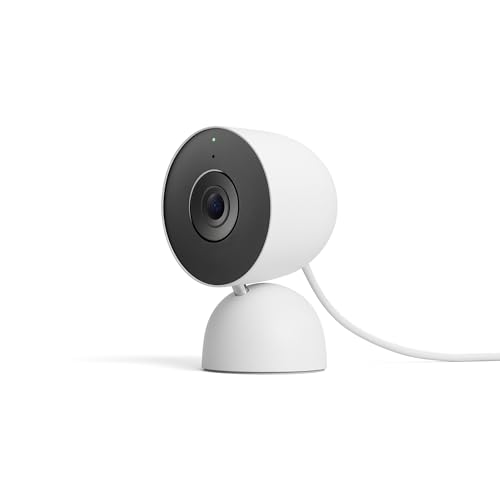
Indoor cameras are generally easier to place because they do not need weather protection. The Google Nest Cam Indoor Wired 3rd Gen is intended for rooms and hallways, while the Tapo C110 and Tapo C210P2 focus on indoor monitoring such as pets, babies, and family areas. A wired design provides continuous power, but the camera must remain close to an outlet.
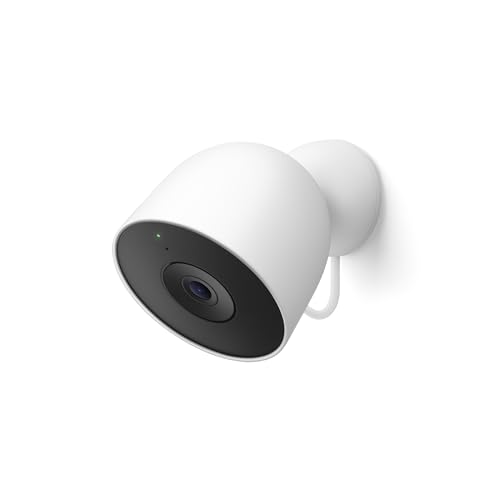
Outdoor placement calls for more careful matching. The Google Nest Cam Outdoor Wired 2nd Gen is designed around always-on power. The WYZE Cam Pan v4, WYZE Cam Pan v3, and Tapo C560WS document IP65 protection, while the Tapo C500 is also presented as an outdoor wired camera. The Tapo SolarCam C402 KIT is a flexible choice when running a power cable is difficult because its solar panel charges the built-in battery. Solar performance will depend on the installation environment, so placement and available sunlight remain important practical considerations.
Match resolution to the viewing distance
Resolution affects how much fine detail is recorded. The Google Nest Cam Indoor, Google Nest Cam Outdoor, and Tapo C560WS document 2K or 4K video, giving them an advantage on paper when detail is a priority. The WYZE Cam Pan v4 also specifies 4K video. These models are appropriate starting points for larger rooms, driveways, or users who want more image detail.
The Tapo SolarCam C402 KIT, Google Nest Cam with Floodlight, Tapo C500, and WYZE Cam Pan v3 use 1080p-class video. That does not make them unsuitable; it places more emphasis on camera positioning, lighting, and the area being monitored. A well-positioned 1080p camera may be a sensible fit for a doorway, small yard, or ordinary indoor room.
Night visibility also varies by design. Color night vision is documented for the Tapo SolarCam, WYZE Cam Pan v4, WYZE Cam Pan v3, and Tapo C560WS. The Google Nest cameras and other selected models document night vision without specifying the same type of color output. The Tapo C560WS is particularly flexible because its listing identifies black-and-white IR, color, and automatic night modes.
Decide whether pan and tilt are useful
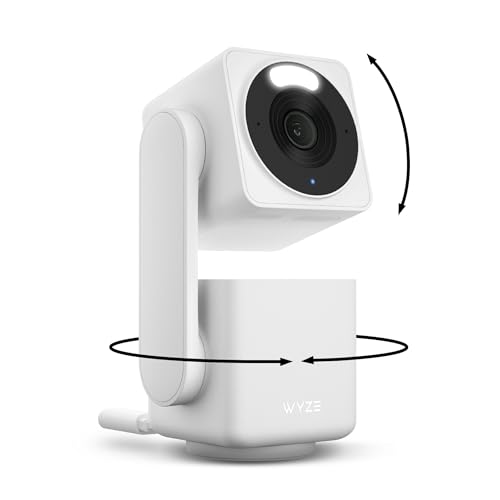
Pan-tilt cameras can cover more of a room or yard than a fixed camera, but movement is not the same as simultaneous coverage. The Tapo C560WS, Tapo C500, WYZE Cam Pan v4, and WYZE Cam Pan v3 document broad horizontal movement and vertical tilt. The Tapo C210P2 uses pan and tilt for indoor areas, and its two-camera package can cover separate rooms.
Tracking is another consideration. WYZE Cam Pan v4 and v3, Tapo C560WS and C500, and the Tapo indoor models document motion tracking or detection functions. Tracking may help keep a moving person or pet in view, but the camera still needs an unobstructed location and a stable network connection. If you only need a doorway or a fixed section of a room, a simpler stationary design may be easier to position.
Review detection features carefully
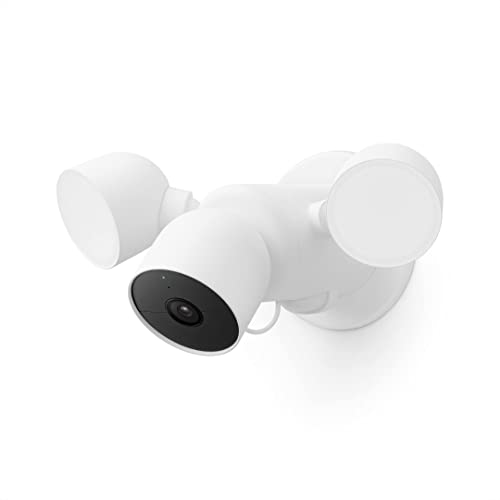
Detection tools determine what kinds of activity can trigger alerts. The Google Nest Cam with Floodlight documents person, animal, and vehicle distinctions. The Tapo C110 and C210P2 list person, motion, and baby-cry detection. The Tapo SolarCam focuses on person and motion detection, while the WYZE cameras describe AI-based person and pet tracking.
These labels should be treated as documented capabilities, not as a guarantee that every alert will be correct in every environment. Activity zones can help narrow the monitored area where supported. The Tapo SolarCam and WYZE Cam Pan v3 specifically document activity or motion-zone controls. The Tapo C560WS also lists alerts for people, pets, vehicles, faces, and loud sounds, with local processing described for sensitive detection data.
Check Google Assistant behavior and display limits
A camera can be compatible with Google Assistant without offering identical controls across every device. Several Tapo listings state that live streaming through Google is limited to Chromecast and Nest devices with a screen. That makes the Tapo C110, Tapo C210P2, and Tapo C500 useful for users who already have compatible displays, but buyers should not assume every Google Assistant command is available in every setup.
The Google Nest Cam models are directly aligned with Google Home features in this selection. WYZE, Tapo, and the other compatible cameras can still fit a mixed smart-home environment. Confirm the intended display, account, app, and Wi-Fi requirements before installation.
Compare storage and privacy choices
Storage is a major difference between cameras. The Tapo SolarCam, Tapo C110, Tapo C500, WYZE Cam Pan v4, and WYZE Cam Pan v3 document microSD support, with some listing capacities reaching 512GB. Cloud recording can offer easier access across devices, but it may involve a service plan depending on the feature. The Google Nest Cam Indoor and Outdoor listings identify subscription requirements for some enhanced history and Gemini functions. The Google Nest Cam with Floodlight documents free event history alongside expanded subscription options. Read the storage terms for the exact feature you need rather than assuming that all recordings are stored in the same way.
Privacy features also differ. Google Nest Cam Indoor and Outdoor document encrypted video and two-step verification. Tapo SolarCam documents encryption and two-factor authentication, while Tapo C500 includes a physical privacy mode that blocks the lens. These features do not replace good account security, but they can matter when cameras monitor private rooms or sensitive areas.
Final Recommendation
WYZE Cam Pan v4 ranks first overall in this specification-based comparison under the published weighted criteria.
WYZE Cam Pan v4 is the first overall specification-based choice among the best google assistant security cameras in this comparison. Its 4K video, 360-degree pan, 180-degree tilt, person and pet tracking, IP65 protection, dual-band Wi-Fi 6, and local storage support give it a well-rounded documented feature set.
Google Nest Cam Indoor Wired 3rd Gen is a strong alternative for an indoor Google Home setup. Its 2K HDR video, night vision, encrypted video, two-step verification, and wide, tall field of view suit a typical room. For a permanently powered exterior, choose Google Nest Cam Outdoor Wired 2nd Gen. Tapo C560WS is the detail-focused outdoor pan-tilt alternative, while the Tapo SolarCam C402 KIT suits locations where wire-free solar placement is the priority.
Among the top google assistant security cameras for broader movement, Tapo C500 and WYZE Cam Pan v3 offer useful outdoor pan-tilt coverage. For indoor multi-room monitoring, Tapo C210P2 supplies two cameras, while Tapo C110 is a simpler single-room option. These recommendations are based on supplied specifications and compatibility claims, not hands-on testing or customer sentiment.
Frequently Asked Questions
What should I look for in the best google assistant security cameras?
Start with the camera’s location and power source. Then compare resolution, night vision, detection categories, pan-tilt movement, storage, privacy tools, and the Google display you intend to use. A camera with more features is not automatically a better match if its power or connectivity requirements do not suit the installation.
Which selected camera is best for an outdoor area without a nearby outlet?
The Tapo SolarCam C402 KIT is the clearest fit because its listing documents a modular solar panel, built-in battery, and wire-free installation. It also includes person detection, full-color 1080p video, local storage support, and encrypted video. The amount of available sunlight and the chosen mounting location will still affect practical suitability.
Do all of these cameras support live viewing through Google Assistant?
The selected listings identify Google Assistant compatibility, but capabilities can differ. Tapo C110, Tapo C210P2, and Tapo C500 specifically state that Google streaming is limited to Chromecast and Nest devices with a screen. Check the camera’s current app and display requirements before buying.
Is 4K necessary for a home security camera?
Not always. 4K can provide more documented image detail for larger areas, and the Tapo C560WS and WYZE Cam Pan v4 offer that resolution in this selection. A 2K or 1080p model may be adequate for a small room, doorway, or close viewing area. Positioning, lighting, and storage needs should be considered alongside resolution.
Do these cameras require a subscription?
Requirements vary by model and feature. Several selected cameras document local microSD storage, while Google Nest listings identify subscription requirements for certain enhanced history or Gemini features. Review the specific recording and notification function you want, because basic camera compatibility does not necessarily mean every advanced feature is included without a service plan.