Buying Guide
The best intel pentium silver laptops are designed for focused everyday computing rather than demanding creation work. The selected models use Pentium Silver N5000-, N5030-, or N6000-series processors, paired with different amounts of memory, storage, and display hardware. The processor name alone does not determine the best fit. A laptop with 8GB or more RAM and an SSD can be more practical for regular Windows use than one with a similar processor and only 4GB of memory.
Start with the operating system
Windows is the familiar choice for users who depend on traditional desktop software. S mode is a more restricted Windows configuration, and the HP 17.3-inch model states that switching to regular Windows 11 is possible. The HP ProBook x360 11 G5 EE is the only selected model listing Windows 11 Pro.
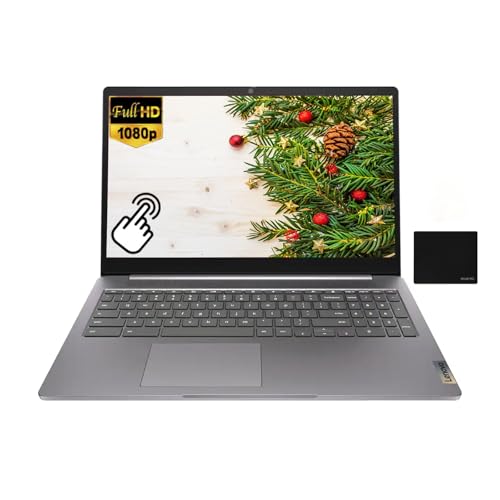
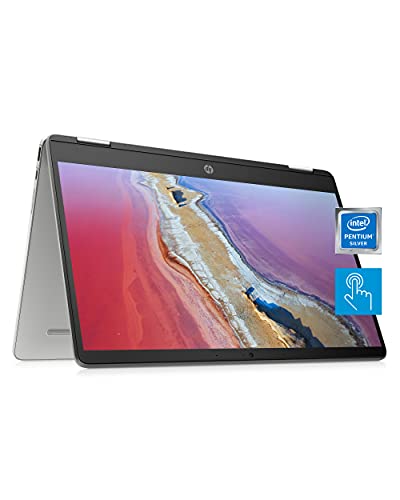
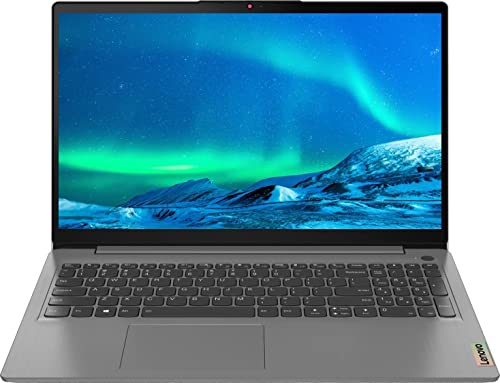
ChromeOS models include the Lenovo IdeaPad 3i, Acer Chromebook 315, and HP Chromebook x360 14a. ChromeOS suits browser-based work, online documents, streaming, and other web-centered tasks. It is not interchangeable with Windows, so check software compatibility before choosing a Chromebook. The Lenovo IdeaPad 3i includes a touchscreen, Full HD IPS panel, and Wi-Fi 6, while the HP Chromebook x360 adds a documented convertible hinge.
Choose memory for your workload
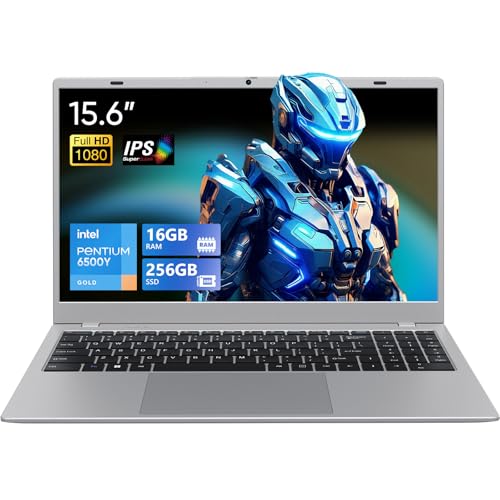
Memory is one of the clearest differences among these laptops. The HP 17.3-inch model lists 20GB, and the HP 15.6-inch student laptop lists 16GB. Those are the most specification-aligned documented choices for keeping more browser tabs and applications open. Several balanced options provide 8GB, including the HP 14-inch Daily Laptop, HP 15.6-inch Student Laptop, Lenovo IdeaPad 3i, and HP ProBook x360.
The 4GB models can suit lighter browser or document work, but they leave less headroom for multitasking. This applies to the Lenovo IdeaPad 1i, Lenovo IdeaPad 1, Acer Chromebook 315, and HP Chromebook x360 14a. If you regularly switch between many tabs, video calls, and office applications, prioritize an 8GB or higher configuration.
Compare SSD, eMMC, and flash storage
Storage type and capacity both matter. The HP 17.3-inch and HP 15.6-inch student laptop use 1TB PCIe NVMe SSDs, giving them the largest documented internal capacity. The HP 14-inch Daily Laptop and HP 15.6-inch Student Laptop list 256GB PCIe SSDs, which is a useful middle ground for documents, applications, and media.
Several other models use eMMC or flash storage. The Lenovo IdeaPad 3i lists 128GB eMMC, while the HP Chromebook x360 has 64GB eMMC. The Acer Chromebook 315 lists 128GB eMMC plus a 128GB microSD card. Cloud storage and web applications can reduce the importance of internal capacity on ChromeOS, but Windows users should consider the space required for applications and personal files.
Pick the right screen size and resolution
The selected range runs from the 11.6-inch HP ProBook x360 to the 17.3-inch HP touchscreen. A smaller screen makes a convertible easier to carry, while a 15.6-inch or larger panel gives more room for spreadsheets and side-by-side windows. The HP 17.3-inch is the largest option, and the Lenovo IdeaPad 3i and Lenovo IdeaPad 1 offer 15.6-inch Full HD displays.
Many other screens are HD at 1366 x 768. That resolution is adequate for basic tasks, but Full HD provides more workspace and sharper text on a similarly sized screen. Touch capability appears on the Lenovo IdeaPad 3i, HP 17.3-inch, HP ProBook x360, and HP Chromebook x360. Do not assume every laptop in this category has a touchscreen.
Consider portability and connectivity
The HP ProBook x360 lists a two-pound weight, followed by the Lenovo IdeaPad 1i at the current price and the HP 14-inch Daily Laptop at the current price. The larger HP 17.3-inch is better treated as a stationary or occasional-carry model. The HP 15.6-inch student laptop lists a 3.64-pound weight and a thin 0.71-inch profile.
Ports vary, but useful connections across the selection include USB-A, USB-C, HDMI, headphone or microphone jacks, SD or microSD readers, and wireless networking. The Lenovo IdeaPad 3i stands out with Wi-Fi 6 and USB-C DisplayPort support. The HP 14-inch Daily Laptop includes HDMI, USB-A, USB-C, and an SD card reader. Check the exact listing when a specific port is essential.
Match the laptop to your priorities
Choose the HP 17.3-inch model when memory, storage, and screen size matter most. Select the HP 15.6-inch student laptop for a more portable 16GB and 1TB configuration. The Lenovo IdeaPad 3i is the display-focused Chromebook choice, while the HP ProBook x360 is the clearest pick for a compact convertible. For lighter workloads, the Lenovo IdeaPad 1i and HP Chromebook x360 provide smaller designs with different operating systems.
Final Recommendation
HP 17.3-inch Pentium Silver Laptop ranks first overall in this specification-based comparison under the published weighted criteria.
HP 17.3-inch Pentium Silver Laptop is the first overall specification-based choice in this comparison.
The final choice among the best intel pentium silver laptops depends on the documented features that match your intended use. It is followed by the HP 15.6-inch Student Laptop with 16GB RAM and 1TB SSD, then the Lenovo IdeaPad 3i Chromebook for its Full HD IPS touchscreen and Wi-Fi 6.
The top intel pentium silver laptops are not identical, so the best choice depends on the platform and hardware balance you need. Windows buyers should focus on the HP 15.6-inch Student Laptop, HP 14-inch Daily Laptop, or HP 15.6-inch Student Laptop with numeric keypad when memory and SSD capacity are priorities. ChromeOS buyers should consider the Lenovo IdeaPad 3i for its display, the Acer Chromebook 315 for its large screen and storage package, or the HP Chromebook x360 for its convertible design and stated battery runtime.
Frequently Asked Questions
Are the best intel pentium silver laptops suitable for schoolwork?
Yes, the selected laptops can support common school tasks such as web research, document editing, email, video calls, and streaming, based on their listed processors, operating systems, memory, and storage. Models with 8GB or more RAM, such as the HP 17.3-inch and Lenovo IdeaPad 3i, offer more multitasking headroom than the 4GB options. Confirm that required school software supports Windows or ChromeOS before buying.
Is 8GB RAM enough for a Pentium Silver laptop?
For everyday browsing, documents, streaming, and ordinary multitasking, 8GB is a more comfortable specification than 4GB. The HP 14-inch Daily Laptop, HP 15.6-inch Student Laptop, and HP ProBook x360 all list 8GB. Users who keep many applications open may prefer the 16GB HP student laptop or 20GB HP 17.3-inch model.
Should I choose Windows or ChromeOS?
Choose Windows when you need traditional desktop applications or the familiar Windows environment. Choose ChromeOS when your work is primarily browser-based and you want a Chromebook interface. The Lenovo IdeaPad 3i, Acer Chromebook 315, and HP Chromebook x360 use ChromeOS, while the other selected products list Windows versions.
Is a Full HD screen important on these laptops?
Full HD is useful when you want sharper text or more workspace, especially on a 15.6-inch display. The Lenovo IdeaPad 3i and Lenovo IdeaPad 1 list 1920 x 1080 screens. Several alternatives use 1366 x 768 HD panels, which may still be adequate for basic documents and web browsing but show less content at once.
Which selected model is easiest to carry?
The HP ProBook x360 lists a two-pound weight and has an 11.6-inch convertible design. The Lenovo IdeaPad 1i and HP 14-inch Daily Laptop are also relatively compact, with listed weights of 3.08 and the current price. The larger HP 17.3-inch offers more screen area but is less suited to frequent transport.