Buying Guide
The best intel pentium all-in-one computers are defined by the combination of processor generation, memory, storage, screen, and operating system rather than by the Pentium name alone. The selected products range from renewed business desktops to newer home-office systems and a specialized thin client. Start by deciding whether you need a conventional Windows workstation, a touch display, optical media, or a larger screen.
Choose the Pentium processor carefully
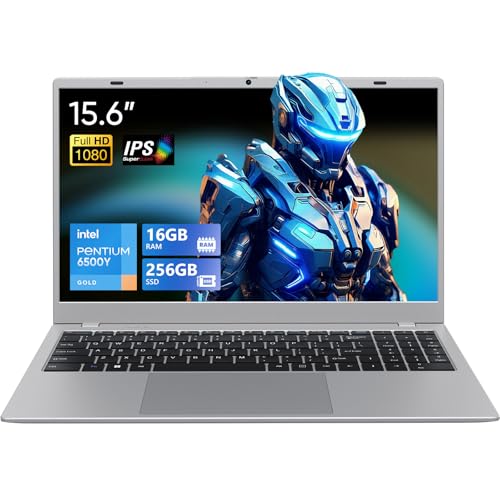
The processor names in this comparison are not interchangeable. The Pentium Gold 8505 appears in the three Lenovo IdeaCentre 3 configurations and receives the most specification-aligned processor assessment in this group. The Pentium G4560 in the HP ProOne 600 G3 and Dell OptiPlex 5250 is a dual-core, four-thread chip listed at 3.50GHz. The Pentium Silver J5040 in the two HP 21.5-inch models is listed with four cores and four threads, while the Lenovo G6400T is a dual-core processor listed at 3.40GHz. The ALNERUZL lists a Pentium G5400, and the LG uses a Pentium N6005.
For browsing, documents, email, streaming, and other routine work, any of these processor families may fit a basic-use brief when paired with sufficient memory. The processor alone does not determine the complete experience, so consider storage and RAM alongside it. A listing that provides core, thread, cache, and frequency details is easier to compare than one with only a processor name.
Prioritize memory for multitasking
Memory is one of the clearest differences between these systems. The Lenovo IdeaCentre 3 configurations with 16GB are the most specification-aligned choices when you expect many browser tabs, office applications, or simultaneous lightweight tasks. The ALNERUZL also lists 16GB. The HP ProOne, Dell OptiPlex, and HP 22-dd0009 each list 8GB, a more moderate configuration for everyday work. The older Lenovo and the HP 22-dd0120 list 4GB, which may be restrictive for heavier multitasking.
Do not confuse RAM with storage. RAM supports active applications, while the SSD, hard drive, or eMMC stores files and programs. If your routine includes several applications at once, prioritize 8GB or 16GB over a lower-memory configuration.
Compare storage type and capacity
Solid-state storage appears in most of the selected products. The Lenovo 1TB configuration offers the largest SSD capacity, followed by the 512GB Lenovo and ALNERUZL versions and the 480GB HP ProOne. The 256GB Dell and Lenovo models provide a middle ground. The HP systems with 128GB SSDs may suit light local storage, but users with large photo, video, or application collections may need external or cloud storage.
The older Lenovo IdeaCentre is different: it lists a 1TB hard drive and a DVD drive. That makes it useful for DVD and CD workflows, but a hard drive may be less responsive than an SSD. The LG thin client lists only 16GB of eMMC storage, so it is better considered for a specialized thin-client environment than as a general local-storage computer.
Match the display to your workspace
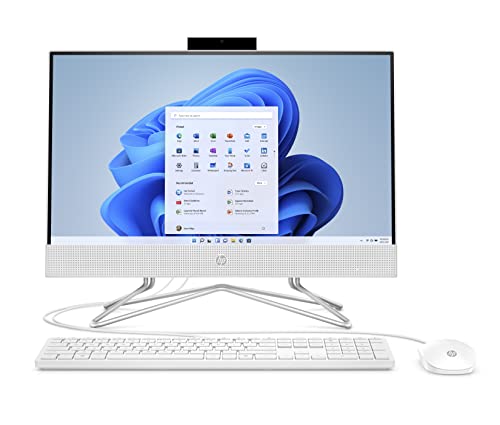
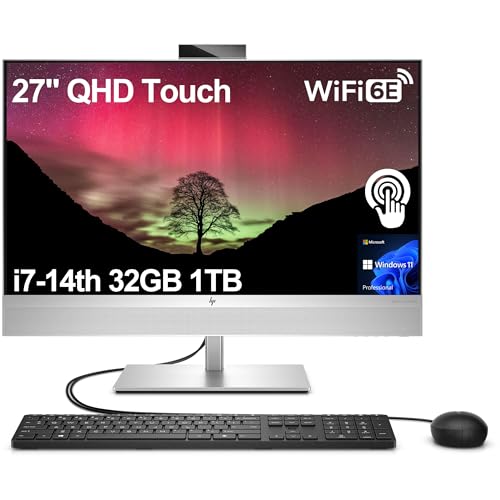
Most selected products use a 21.5-inch Full HD screen. The Lenovo IdeaCentre models specify IPS technology, anti-glare treatment, and 250-nit brightness. The Dell specifies a 21.5-inch Full HD IPS display, while the HP 22-dd0009 lists a VA panel with anti-glare treatment. The ALNERUZL is the only selected model that explicitly lists a touchscreen.
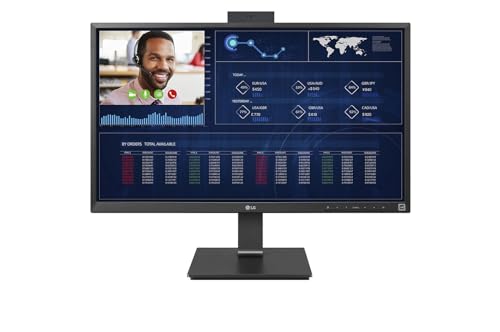
The LG provides the largest screen at 27 inches and retains 1920x1080 resolution. Its larger panel may be useful when viewing a wider workspace, though its thin-client purpose matters more than screen size for deployment decisions. Check whether touch input, viewing technology, brightness, and anti-glare treatment are documented before assuming a display feature is included.
Review ports, wireless features, and accessories
Connectivity varies significantly. The Dell OptiPlex has the most detailed wired-port listing, including USB 3.0, USB 2.0, HDMI, DisplayPort, and Gigabit Ethernet. The Lenovo 24-inch designs are not selected because they use Intel N100 processors rather than Pentium processors, so they should not be used as category examples here. Among the selected products, Lenovo IdeaCentre listings document Wi-Fi 6E, while the HP and Dell systems list Wi-Fi and Bluetooth.
Bundled keyboards and mice appear with many products, which can simplify initial setup. Built-in cameras also vary: the HP 22-dd0009 lists a 720p privacy camera, the HP 22-dd0120 lists a pop-up camera, and the LG lists a 1080p webcam. The Dell specifically states that it has no camera. Choose based on whether video calls, privacy, wired peripherals, or optical media are central to your use.
Check the operating system and product condition
Windows 11 Pro is listed on the HP ProOne and Dell OptiPlex, while the newer Lenovo IdeaCentre 3 models list Windows 11. The HP consumer models use Windows 11 Home, with S mode noted in the supplied evidence. The Lenovo G6400T model lists Windows 10 Home. The ALNERUZL evidence does not identify an operating system, so confirm that detail before purchase.
Several products are renewed, including the HP ProOne, Dell OptiPlex, HP 22-dd0009, and HP 22-dd0120. Renewed systems can offer a practical route to a compact desktop, but warranty terms and included accessories should be checked carefully. This comparison uses listing specifications and does not make claims about hands-on condition or performance.
Final Recommendation
Lenovo IdeaCentre 3 21.5-inch, 16GB, 1TB SSD ranks first overall in this specification-based comparison under the published weighted criteria.
Lenovo IdeaCentre 3 21.5-inch, 16GB, 1TB SSD is the first overall specification-based choice among these best intel pentium all-in-one computers. Its Pentium Gold 8505, 16GB RAM, 1TB SSD, IPS display, Wi-Fi 6E, and included peripherals form the most complete documented package.
Choose the HP ProOne 600 G3 if Windows 11 Pro and a 480GB SSD are more important than newer processor branding. The Dell OptiPlex 5250 is a better fit when a clearly documented port selection and IPS display matter. For a touchscreen, consider the ALNERUZL, while the LG is the specialist choice for a larger 27-inch thin-client display. Those are useful distinctions within the top intel pentium all-in-one computers, but the best match depends on your required storage, memory, screen type, and software environment.
Frequently Asked Questions
What should I look for in the best intel pentium all-in-one computers?
Compare the exact Pentium model, RAM, storage type and capacity, display technology, operating system, ports, and warranty. A Pentium Gold 8505 system with 16GB RAM and an SSD has a different specification profile from a 4GB Pentium Silver system with 128GB storage.
Is 8GB RAM enough for an Intel Pentium all-in-one?
The supplied evidence supports 8GB as a practical middle configuration for routine browsing, documents, email, and light multitasking. If you regularly keep many applications or browser tabs open, a documented 16GB model such as the selected Lenovo IdeaCentre or ALNERUZL provides more memory headroom.
Do these all-in-one computers include keyboards and mice?
Many selected listings include a keyboard and mouse, including the Lenovo IdeaCentre configurations, the HP ProOne, the Dell OptiPlex, the HP models, and the ALNERUZL. Confirm the exact bundle because included accessories can vary by listing.
Which selected model has a touchscreen?
The ALNERUZL listing explicitly identifies a 22-inch Full HD touchscreen. The other selected display descriptions identify non-touch or do not document touch capability, so do not assume touch input without confirmation.
Is a renewed Pentium all-in-one worth considering?
A renewed model may be suitable when its documented specification fits your needs and the warranty is acceptable. The HP ProOne, Dell OptiPlex, and both selected HP consumer models are identified as renewed. This comparison does not independently assess physical condition or performance.