Buying Guide
Choosing among the best amd radeon vega 8 laptops starts with identifying the Vega 8 implementation in the listing and then checking the rest of the system around it. Radeon Vega 8 appears here with several Ryzen processors, from the Ryzen 5 3500U and 3450U to newer Ryzen 7 configurations. The graphics label alone does not describe the whole laptop, so processor, memory, cooling, screen, and storage should be considered together.
Match the processor and memory to your workload
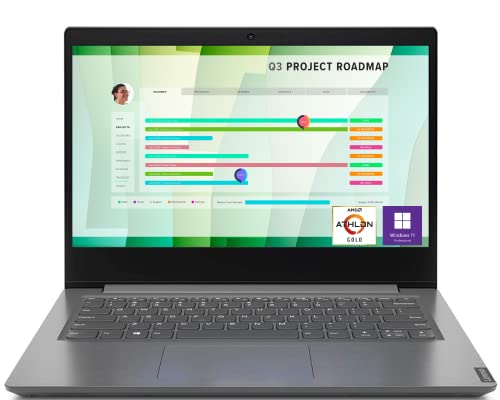
For browsing, documents, video calls, streaming, and schoolwork, a Ryzen 5 system with 8GB can suit a focused setup. The Lenovo IdeaPad 3 is the compact example, with a Ryzen 5 3500U, 8GB DDR4, and 256GB SSD. Its memory and storage provide less room than the 16GB and 512GB combinations in many of the other selected products.
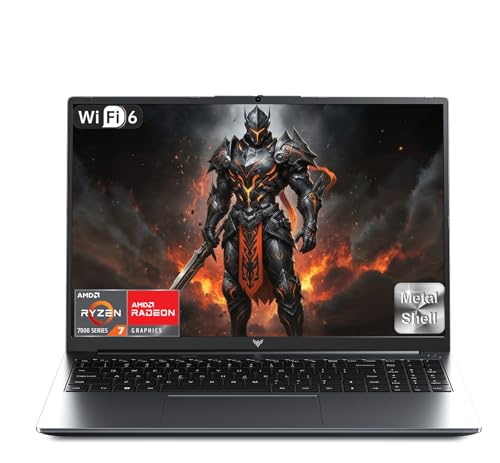
The 16GB configurations provide more room for many browser tabs, office applications, and light creative work. The FLORINIX YH15A models, KurieTim T160RB, ACEMAGIC AX16PRO, and KAIGERR systems document 16GB. The KAIGERR RX16 with Ryzen 7 H255 lists 24GB DDR5, while the Ryzen 7 7735HS RX16 uses 16GB DDR5. Those configurations rank highly because the evidence specifies both newer processors and DDR5 memory.
Do not treat gaming-oriented wording as proof of a particular frame rate. The supplied listings describe Vega 8 or RX Vega 8 graphics and, in several cases, mention light gaming, but they do not provide independent game benchmarks. These systems are best evaluated as integrated-graphics laptops whose suitability depends on the software, settings, and workload.
A 14-inch display can make a laptop easier to carry. The Lenovo IdeaPad 3 uses a 14-inch FHD screen with narrow bezels. The trade-off is a smaller workspace than the 15.6- and 16-inch alternatives.
Most selected models use a 15.6-inch FHD display. The larger options include the 16-inch KAIGERR and KurieTim models and the 16.1-inch ACEMAGIC AX16PRO. These can be more comfortable for spreadsheets, split-screen work, and media viewing, but the extra screen area may be less convenient in a small bag. The ACEMAGIC listing is particularly clear about its 16.1-inch FHD IPS panel, while the KAIGERR listings describe IPS screens with a wide color gamut and high refresh rate without supplying exact refresh-rate figures.
Check storage capacity and upgrade paths
A 256GB SSD may suit a focused school or office setup, while users storing videos, games, photo libraries, or large project files may prefer 512GB or more. The KAIGERR LX15PRO title and features emphasize a 1TB NVMe SSD, although its supplied size field shows a conflicting 512GB entry. Verify the exact configuration before ordering.
The 512GB models offer a practical middle ground. The KAIGERR TX16PRO and RX16 listings describe 512GB NVMe storage and specify expansion paths. The TX16PRO listing says storage can expand to 2TB, while the RX16 listing says up to 4TB. SSDs are useful for responsive boot and application loading, but the supplied evidence does not establish identical drive speeds across products.
Review ports and wireless connectivity
Port selection matters if you connect monitors, storage devices, wired accessories, or memory cards. The KAIGERR LX15PRO and ACEMAGIC AX16PRO listings name USB 3.2 ports, HDMI, full-function USB-C, audio, and TF card slots. The FLORINIX YH15A portable notebook specifically describes USB-C support for data, external display, and PD charging.
Wireless standards differ. The KAIGERR and ACEMAGIC models list Wi-Fi 6, while several older or other configurations list Wi-Fi 5. Bluetooth versions vary as well. Match the documented wireless standard to your router and accessory needs.
Consider privacy and productivity features
The Lenovo and FLORINIX models provide the clearest privacy-shutter evidence. These features can be useful in shared spaces, but they should be weighed against memory and storage configuration.
A numeric keypad is another distinction. The ACEMAGIC AX16PRO and selected FLORINIX YH15A listings document a numpad, which may help with spreadsheets and frequent numeric entry. A 180-degree hinge is also listed for the FLORINIX YH15A designs. These are design conveniences rather than evidence of faster graphics performance.
Read battery claims carefully
Battery evidence is uneven. ACEMAGIC specifies a 54.72Wh battery, and the KAIGERR TX16PRO lists a 53Wh battery. These claims are not directly comparable because testing conditions are not supplied. Consider the figures useful for specification matching, and confirm the precise battery configuration for the exact listing.
Final recommendation
KAIGERR RX16 Ryzen 7 H255 ranks first overall in this specification-based comparison under the published weighted criteria.
KAIGERR RX16 Ryzen 7 H255 is the first overall specification-based choice among the best amd radeon vega 8 laptops. Its listed Ryzen 7 H255 processor, 24GB DDR5 memory, 512GB NVMe SSD, 16-inch IPS display, dual-fan cooling, and stated upgrade paths give it the highest combined specification score in this comparison.
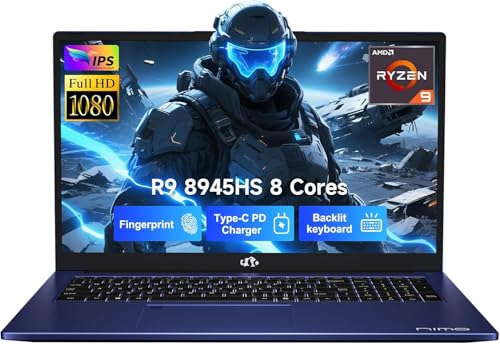
The KAIGERR Ryzen 7 7735HS RX16 is a close alternative for users who want 16GB DDR5 and a similar large-screen, dual-fan design. Choose the KAIGERR TX16PRO if a 16-inch screen, 53Wh battery listing, and Ryzen 7 5700U are more relevant. The LX15PRO is notable for its stated 1TB SSD, but the conflicting size field should be checked.
For a productivity setup, ACEMAGIC AX16PRO supplies a 16.1-inch FHD IPS screen, numeric keyboard, 54.72Wh battery, and extensive ports. FLORINIX models emphasize privacy shutters, numeric keypads, USB-C charging, and everyday portability. KurieTim adds fingerprint login to a 16-inch design, while Lenovo remains the compact pick with its 14-inch screen and 3.3-pound listed weight. These are the top amd radeon vega 8 laptops here for different specification priorities rather than hands-on performance claims.
Frequently Asked Questions
Are the best amd radeon vega 8 laptops suitable for gaming?
The supplied listings position several models for light gaming, but none of the evidence includes independent game benchmarks, frame rates, or tested settings. Treat them as integrated-graphics laptops for everyday work, streaming, creative tasks, and lighter games rather than assuming performance in demanding titles.
Is 16GB RAM better than 8GB for a Vega 8 laptop?
It can provide more room for multitasking, many browser tabs, and larger applications. The right choice still depends on the software and whether the laptop offers an upgrade path.
Should I choose a 14-inch, 15.6-inch, or 16-inch model?
Choose 14 inches when portability is the priority; the Lenovo IdeaPad 3 is the compact option. A 15.6-inch model is a common middle ground for work and study. A 16- or 16.1-inch model, such as the KAIGERR, KurieTim, or ACEMAGIC designs, gives more screen area but may be less convenient in a small bag.
Which selected laptops have a webcam privacy shutter?
The Lenovo IdeaPad 3 and several selected FLORINIX YH15A configurations document a physical webcam privacy shutter. Confirm the exact configuration because listings and colors can vary.
Does every laptop here use the same wireless standard?
No. Match the laptop’s documented wireless standard to your router and connectivity needs.