Buying Guide
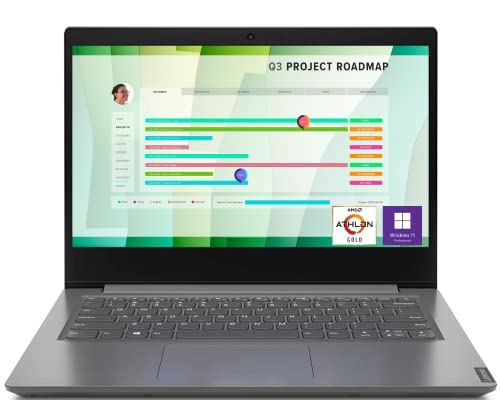
The best amd radeon rx vega 10 laptops in this comparison use integrated Radeon RX Vega 10 graphics, most often paired with the AMD Ryzen 7 3700U. These are specification-based recommendations rather than hands-on test results. The practical differences come from the surrounding configuration: screen resolution and panel type, memory capacity, SSD size, chassis dimensions, operating system, and included productivity features.
Choose the display before the graphics label
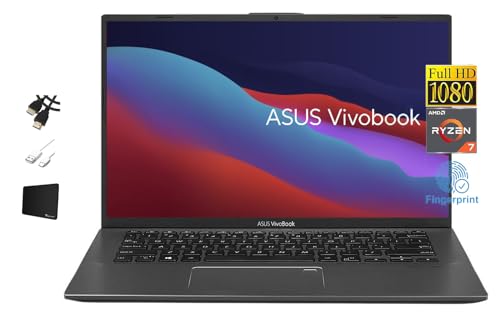
A display is one of the most important differences between these laptops. Several selected models document 1920 x 1080 resolution, including the ASUS VivoBook 14 configurations, the Acer Aspire 5 models, and the Lenovo IdeaPad S540. Full HD provides more workspace than the 1366 x 768 panel listed for the HP 15, making it a better fit for documents, spreadsheets, and side-by-side windows.
Panel type also matters. The Acer Aspire 5 listings specify IPS, as does the Lenovo IdeaPad S540, while the HP 15 specifies an HD SVA touchscreen. The ASUS VivoBook 14 models use NanoEdge anti-glare displays. Buyers who work near windows or under office lighting may prefer an anti-glare specification, while shoppers who specifically want touch input should focus on the HP 15.
The ASUS VivoBook 17 takes a different approach. Its 17.3-inch IPS screen is physically larger, but its documented resolution is 1600 x 900 rather than Full HD. That makes it suitable for shoppers who value a spacious panel and number pad more than maximum pixel density. It is also a less convenient choice for frequent travel than the 14-inch systems.
Match memory and storage to your workload
Memory and storage should be evaluated separately. The 24GB Acer Aspire 5 configurations provide the largest documented memory allocation in the selected group. That extra capacity is useful in principle for keeping more applications and browser tabs open, although this guide does not claim a measured performance advantage. The 12GB models, including the ASUS VivoBook 14, Lenovo IdeaPad S540, HP 15, and ASUS VivoBook 17, provide a comfortable middle tier on paper.
The 8GB ASUS and Acer configurations are more appropriate for routine browsing, writing, streaming, and basic office work. They may offer less headroom when many applications are open at once. This is a specification-based distinction, not a laboratory result.
SSD capacity affects how much local content the laptop can hold. The 1TB ASUS VivoBook 14 and Acer Aspire 5 systems provide the most listed space. The 512GB models offer a common middle ground, while the HP 15 has a 256GB PCIe NVMe SSD. Consider the size of your application library, photo collection, and offline media before choosing. All of these storage statements come from the supplied listings; upgradeability is not assumed.
Consider size, weight, and desk mobility
The 14-inch ASUS VivoBook and Lenovo IdeaPad S540 are the most compact screen formats in the list. The Lenovo listing specifies a 0.6-inch height, while the ASUS listing provides a 3.75-pound weight. The figures are useful for comparison, but they should not be treated as a universal travel ranking because the supplied dimensions are not presented consistently across every listing.
The 15.6-inch Acer and HP models provide a larger working area. Acer’s selected configurations list weights around the current price and include full-size backlit keyboards with number pads. The HP 15 is listed at the current price and adds touch input. The ASUS VivoBook 17 is the largest option and weighs the current price in its specifications, so it is better viewed as a stationary or occasional-mobility computer.
Review ports and wireless features
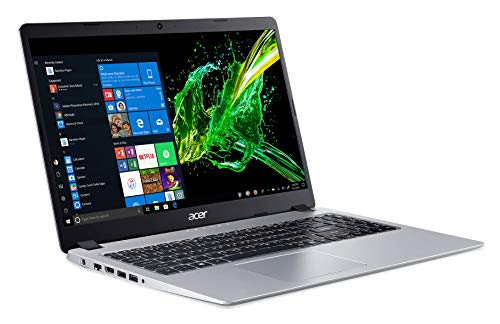
Port selection varies enough to affect buying decisions. The Acer Aspire 5 upgrade configurations document USB-C, multiple USB-A ports, HDMI, Gigabit Ethernet, and Wi-Fi 6. That combination suits a desk with wired networking or several older peripherals. The standard Acer Aspire 5 lists Wi-Fi 5 rather than Wi-Fi 6, along with HDMI and three USB ports.
The ASUS VivoBook 14 listings include USB-C, USB-A, HDMI, a combination audio jack, and an SD card reader. The ASUS VivoBook 17 also lists a card reader, HDMI, USB-C, and USB 3.0 connections. The HP 15 provides USB-C, two USB-A ports, HDMI, and an audio connection. The Lenovo listing contains less port detail, so shoppers who need a specific connector should verify the individual configuration before ordering.
Look for convenience features
A backlit keyboard appears on the selected ASUS and Acer models, and the ASUS VivoBook 14 configurations also list a fingerprint sensor activated through Windows Hello. The Acer Aspire 5 upgrades list both a backlit keyboard and fingerprint sensor. These features can improve usability in dim environments or simplify sign-in, but the guide does not infer effectiveness beyond the documented specifications.
The ASUS VivoBook 17 adds a number pad, which can benefit frequent numeric entry. The HP 15’s touchscreen is its defining convenience feature. Card readers appear on several ASUS models, while the selected Acer configurations emphasize Ethernet and networking. Choose the features that support your actual routine rather than treating every extra as essential.
Confirm the operating system and listing details
The selected products include Windows 10 Home, Windows 11 Home, and Windows 11 Pro listings. Some ASUS listing descriptions contain conflicting operating-system references, so shoppers should confirm the exact configuration shown at checkout. The Acer upgrade listings state that the seal was opened and resealed for the memory and storage upgrade. That detail is not inherently disqualifying, but it is important to understand when comparing configurations.
The supplied products are older Ryzen 7 3700U laptop designs, and the presence of RX Vega 10 graphics does not by itself establish suitability for modern demanding games or professional GPU workloads. The documented evidence supports everyday productivity, media use, basic photo editing, and casual graphics-oriented tasks; it does not support benchmark claims.
Final recommendation
Acer Aspire 5 24GB/1TB Windows 11 ranks first overall in this specification-based comparison under the published weighted criteria.
Acer Aspire 5 24GB/1TB Windows 11 is the first overall specification-based choice among the selected best amd radeon rx vega 10 laptops. Its 24GB memory, 1TB NVMe SSD, FHD IPS display, Wi-Fi 6, Ethernet, backlit keyboard, and fingerprint reader give it the broadest documented configuration for multitasking and general productivity.
The ASUS VivoBook 14 12GB/1TB is the better fit for shoppers who want a smaller 14-inch format without giving up generous storage. The ASUS VivoBook 14 12GB/512GB and Windows 11 Pro version are sensible alternatives when Full HD resolution, fingerprint access, and a backlit keyboard matter more than maximum capacity. For a large workspace, choose the ASUS VivoBook 17, while the HP 15 is the clearest touchscreen option.
Among the top amd radeon rx vega 10 laptops, the Acer Aspire 5 8GB/512GB offers a straightforward 15.6-inch FHD IPS setup, and the Lenovo IdeaPad S540 emphasizes a slim 14-inch IPS design. Check the exact operating system, memory, storage, and listing condition before purchase, especially where bundled or upgraded configurations are involved.
Frequently Asked Questions
Are these laptops suitable for everyday work?
The supplied specifications support everyday categories such as web browsing, office documents, video calls, media playback, and basic photo editing. Many use a quad-core Ryzen 7 3700U with 12GB or 24GB of memory and an SSD. However, this comparison does not include hands-on testing, benchmark results, or claims about sustained application performance.
Which selected laptop has the most storage?
The ASUS VivoBook 14 12GB/1TB and the selected Acer Aspire 5 24GB/1TB configurations each list a 1TB SSD. The ASUS is the more compact 14-inch option, while the Acer provides a larger 15.6-inch FHD IPS display and a broader networking specification.
Which model has a touchscreen?
The HP 15-ef0875ms is the selected model that explicitly documents a 15.6-inch HD touchscreen. Its other listed strengths include 12GB of DDR4 memory, a 256GB PCIe NVMe SSD, USB-C, two USB-A ports, and HDMI. Its display resolution is lower than the FHD screens on most other selected models.
Is a 14-inch or 15.6-inch laptop better here?
A 14-inch model such as the ASUS VivoBook 14 or Lenovo IdeaPad S540 is easier to position in a smaller workspace and may be preferable for routine mobility. A 15.6-inch Acer Aspire 5 or HP 15 provides a larger physical work area. The right choice depends on whether portability, screen space, or a number pad is more important.
What should I verify before buying one of the best amd radeon rx vega 10 laptops?
Verify the exact RAM, SSD capacity, operating system, screen resolution, and included accessories on the individual listing. Some supplied ASUS descriptions mention different Windows versions, and the Acer upgraded listings state that their seals were opened and resealed. Also confirm any connector you require, since port details vary by model.