Buying Guide
The best amd ryzen 9 laptops are not one uniform type. The supplied models range from heavy gaming systems with discrete NVIDIA graphics to thin OLED notebooks using integrated Radeon graphics. Start by deciding whether your priority is sustained gaming, AI-assisted productivity, creative display quality, or carrying comfort. The processor name matters, but the graphics processor, cooling-oriented chassis design, memory, storage, and screen determine how useful the complete laptop will be.
Choose the processor class for your workload
The Ryzen 9-9955HX in the MSI Vector A18 HX and ASUS ROG Strix G18 64GB/4TB is the most substantial CPU specification in this group, with the ASUS listing identifying 16 cores and 32 threads. These are appropriate starting points for buyers prioritizing demanding multitasking and gaming configurations. The Ryzen 9-8940HX models, including the MSI Crosshair A16 HX and HP OMEN 16, also provide high-core-count laptop processors.
Ryzen AI 9 models take a different approach. The Ryzen AI 9 HX 370 appears in the ASUS ROG Zephyrus G14 AI and GIGABYTE AERO X16, while the Acer Nitro 16S AI uses Ryzen AI 9 365. Their listings emphasize Copilot+ features and dedicated AI processing. That can be useful for buyers who expect local AI tools or want a newer AI PC platform, but the supplied data does not establish application benchmarks.
Match graphics to the work
A dedicated NVIDIA GPU is the clearest dividing line. The MSI Vector A18 HX lists an RTX 5080 Laptop GPU, while the ASUS ROG Zephyrus G14 AI and Acer Nitro 16S AI list RTX 5070 Ti graphics. The ASUS ROG Strix G18 configurations and GIGABYTE AERO X16 list RTX 5070 GPUs. These systems are the more logical choices for modern gaming, GPU-accelerated creative applications, and workloads that benefit from dedicated graphics.
The MSI Crosshair A16 HX and HP OMEN 16 use RTX 5060 graphics, which still give them a dedicated-GPU profile but place them below the higher RTX tiers in the comparison. The Vivobook and Zenbook choices use integrated Radeon graphics. They are better aligned with office work, media, study, coding, and light creative tasks than with the dedicated-GPU gaming systems.
Pay attention to screen size and panel type
Large 18-inch displays offer more workspace. The MSI Vector A18 HX has an 18-inch QHD+ 240Hz screen, while both selected ROG Strix G18 configurations list 18-inch 2.5K 240Hz displays. These are attractive for desk use, gaming immersion, and side-by-side content, but their listed weights exceed those of the smaller alternatives.
For a middle size, the Acer Nitro 16S AI, MSI Crosshair A16 HX, and HP OMEN 16 provide 16-inch screens. Their listed refresh rates range from 144Hz to 240Hz. The GIGABYTE AERO X16 also offers a 16-inch 165Hz 2560x1600 panel.
OLED models emphasize contrast and color rather than dedicated graphics. The ASUS ROG Zephyrus G14 AI has a 14-inch 2.8K OLED display, while the Vivobook S16, Zenbook S 16, and Vivobook S 14 list OLED or AMOLED panels. The Zenbook S 16 adds a touchscreen. Refresh rates range from 120Hz to 165Hz on the selected OLED and IPS options, so compare panel technology with the motion smoothness you actually need.
Set memory and storage targets
Thirty-two gigabytes of memory is a useful target among these configurations. It appears in the MSI Vector A18 HX, ASUS ROG Zephyrus G14 AI, Acer Nitro 16S AI, GIGABYTE AERO X16, and MSI Crosshair A16 HX. The ASUS ROG Strix G18 64GB/4TB and HP OMEN 16 go further with 64GB RAM, making them especially suitable for large files, extensive multitasking, and sizeable software libraries.
Storage varies more widely. The ASUS ROG Strix G18 64GB/4TB and HP OMEN 16 list 4TB SSDs, the Acer Nitro 16S AI lists 2TB, and most other selected models list 1TB. The ASUS Vivobook S 14 has a 512GB SSD, so buyers with large game or media libraries should plan for external storage or a different configuration.
Consider portability and ports together
The lightest selected laptop is the 2.87-pound ASUS Vivobook S 14 OLED. The Zenbook S 16 and Vivobook S16 are also relatively light for 16-inch productivity machines. Dedicated-GPU systems generally weigh more, although the 3.5-pound ROG Zephyrus G14 AI and 4.18-pound AERO X16 show that performance-oriented designs can still be portable.
Port selection also affects how mobile a setup feels. USB 4 appears in several selected models, while HDMI 2.1 is listed on the ASUS ROG Strix G18, MSI Crosshair A16 HX, HP OMEN 16, Vivobook S16, and Vivobook S 14. The Zenbook S 16 lists support for three monitors, and the ROG Zephyrus G14 AI includes an SD reader. Check the specific model’s listed ports before assuming a preferred dock, display, or camera will connect directly.
Final Recommendation
MSI Vector A18 HX ranks first overall in this specification-based comparison under the published weighted criteria.
MSI Vector A18 HX is the first overall specification-based choice among the best amd ryzen 9 laptops because its Ryzen 9-9955HX, RTX 5080 Laptop GPU, 32GB memory, and 18-inch 240Hz QHD+ display form the most specification-aligned documented performance-oriented package. Choose the ASUS ROG Strix G18 64GB/4TB instead if memory and storage capacity matter more than GPU tier.
The Acer Nitro 16S AI and ASUS ROG Zephyrus G14 AI are compelling middle paths: both bring Ryzen AI 9 processors and strong dedicated graphics, while the Zephyrus is substantially more compact. The GIGABYTE AERO X16 is the better fit for buyers who want a thin dedicated-GPU machine.
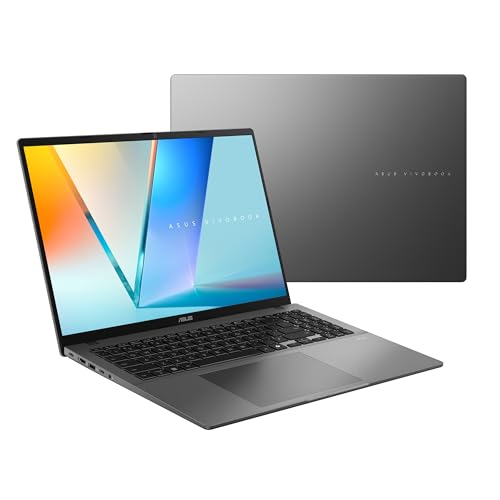
For less gaming-focused use, the ASUS Vivobook S16, ASUS Zenbook S 16, and ASUS Vivobook S 14 emphasize OLED viewing and portability. The MSI Crosshair A16 HX provides a fast 240Hz QHD+ panel, while the HP OMEN 16 is the storage-and-memory specialist. These are the top amd ryzen 9 laptops for different priorities rather than interchangeable choices.
Frequently Asked Questions
What are the best amd ryzen 9 laptops for gaming?
The MSI Vector A18 HX has the most specification-aligned listed gaming hardware, with an RTX 5080 Laptop GPU and 18-inch QHD+ 240Hz display. The Acer Nitro 16S AI, ASUS ROG Zephyrus G14 AI, ASUS ROG Strix G18 models, GIGABYTE AERO X16, and MSI Crosshair A16 HX also list dedicated NVIDIA graphics. Select among them by GPU tier, display size, storage, and portability.
Is a Ryzen AI 9 laptop different from a Ryzen 9 laptop?
The supplied listings identify Ryzen AI 9 processors as AI PC parts with dedicated NPU capabilities or Copilot+ positioning. Conventional Ryzen 9 models such as the Ryzen 9-9955HX and Ryzen 9-8940HX are still high-performance laptop processors, but the listings do not describe them with the same AI PC specifications. Compare the complete platform rather than the name alone.
Which selected laptop is easiest to carry?
The ASUS Vivobook S 14 has the lowest listed weight at the current price. The ASUS Zenbook S 16 lists the current price, the ASUS ROG Zephyrus G14 AI lists the current price, and the ASUS Vivobook S16 lists the current price. These models are more travel-oriented than the 18-inch gaming laptops.
How much memory and storage should a buyer target?
For general productivity, the selected 24GB and 32GB configurations provide documented multitasking capacity. Buyers working with large files or many applications should consider the 64GB options in the ASUS ROG Strix G18 64GB/4TB and HP OMEN 16. For storage, 1TB is common here, while 2TB and 4TB options provide more room for games and media.
Are integrated Radeon graphics enough for every Ryzen 9 laptop use?
The ASUS Vivobook and Zenbook models with integrated Radeon graphics are documented for productivity, media, AI features, and general creative use. They do not list dedicated NVIDIA GPUs, so buyers focused on demanding modern gaming or GPU-heavy rendering should look at the selected systems with RTX graphics instead.