Buying Guide
This specification-based guide to the best nvidia quadro rtx 3000 laptops uses public listing data for graphics, processor, memory, storage, display, and connectivity. It is not a hands-on test and does not summarize customer opinions or volatile marketplace signals.
Start with the graphics specification
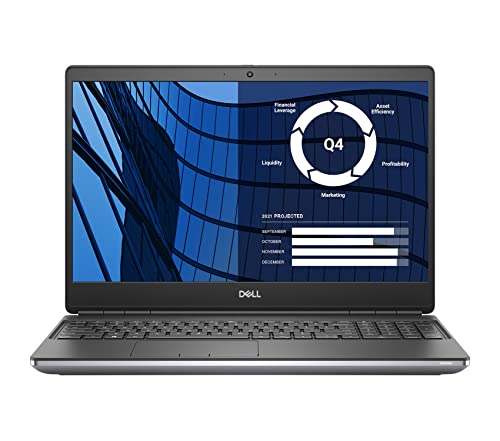
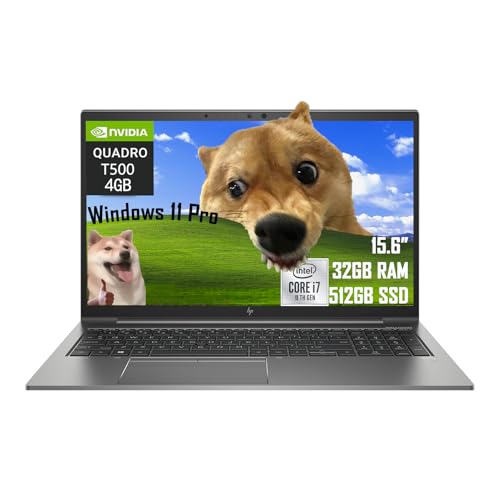
Most selected Dell Precision listings specify RTX 3000 6GB graphics. The ASUS ProArt StudioBook Pro 17 instead lists RTX 3000 Max-Q, while the Dell Precision 7550 B0BLGTQX4Y identifies 4GB of dedicated graphics memory in its title and features. These differences should be checked against the requirements of the software you plan to use.
The supplied evidence does not include benchmark results, application certifications, thermal testing, or measured frame rates. This guide therefore compares the stated GPU configuration without predicting application performance.
Match the processor to the workload
Processor choices include the eight-core Xeon W-10885M in the Dell Precision 7750, Xeon E-2276M configurations in the Precision 7540 and 7740, and six-core Intel Core i7 processors in the Precision 7550, 7740, and 7750. The ASUS model lists an i7-9750H.
For CPU-dependent work, compare the processor model and documented core count rather than relying on the RTX name alone. The eight-core Xeon listing provides the largest stated core count in this selection, while several i7 configurations provide six cores.
Choose memory and storage deliberately
Selected configurations range from 16GB to 64GB of RAM and from 512GB to 2TB of solid-state storage. The 64GB products, including the Dell Precision 7540 B0C6WBPZZT and Precision 7750 B0CSGCZFYG, provide more documented memory capacity than the 16GB and 32GB alternatives. The listings do not establish upgradeability, so do not assume that every configuration can be expanded.
A 512GB SSD may suit a focused software installation, while 1TB or 2TB gives more room for project files. Storage is described as SSD, NVMe, PCIe, M.2, or solid state across the listings; verify the exact drive configuration before ordering.
Compare display size and panel evidence
The selected laptops cover 15.6-inch, 17-inch, and 17.3-inch formats. A 15.6-inch Dell Precision 7540 or 7550 may be easier to position or carry than a 17.3-inch Precision 7740 or 7750. The ASUS ProArt StudioBook Pro 17 lists a 16:10 WUXGA panel.
Display evidence varies by listing. Dell Precision 7750 B0CSG9LBDD documents a 17.3-inch FHD anti-glare WVA display, 100% DCI-P3, and 500 nits. ASUS ProArt StudioBook Pro 17 B08C9NS79L documents 97% DCI-P3, Pantone validation, Delta E below 2, and 8-bit color depth. Other products mainly identify screen size and resolution. If color work matters, prioritize listings with the panel details you need and confirm the exact seller configuration.
Check ports before buying
Several Dell Precision models list Thunderbolt, HDMI, Mini DisplayPort, and Ethernet. Dell Precision 7740 B0DQXZHD13 documents four USB ports, two Thunderbolt 3 Type-C ports, an SD reader, Mini DisplayPort, HDMI, RJ-45, and a smart-card reader. The ASUS ProArt StudioBook Pro 17 lists HDMI, USB-C Thunderbolt 3, an SD card reader, and three USB 3.2 Type-A ports.
Check the port list if you need external displays, wired networking, card transfers, or docking. Port names may be abbreviated in public listings, so confirm the current configuration before purchase.
Consider size and renewed status
The supplied Dell listings are renewed products and frequently mention a limited warranty or certified-refurbished process. Review warranty, return, and included-accessory details before purchase. The Dell 17.3-inch systems list weights around the current price in several detailed specifications, while the ASUS ProArt StudioBook Pro 17 lists the current price. One Precision 7550 listing documents the current price. Treat these as listing specifications because configurations can differ.
Final recommendation
Dell Precision 7750, Xeon W-10885M, 64GB, 2TB ranks first overall in this specification-based comparison under the published weighted criteria.
The final choice among the best nvidia quadro rtx 3000 laptops depends on the documented features that match your intended use.
Dell Precision 7750, Xeon W-10885M, 64GB, 2TB is the first overall specification-based choice in this comparison.
It combines RTX 3000 6GB graphics, an eight-core Xeon processor, 64GB RAM, and a 2TB SSD. Buyers who prioritize display detail may prefer Dell Precision 7750 B0CSG9LBDD, which documents a wide-gamut, 500-nit panel. For a 15.6-inch format, Dell Precision 7540 B0C6WBPZZT offers 64GB RAM and a 2TB solid-state drive. Dell Precision 7740 B0DQXZHD13 suits multi-device setups because its listing documents an extensive port selection.
The top nvidia quadro rtx 3000 laptops differ in display evidence, processor, memory, storage, chassis size, and ports. Confirm the exact configuration, operating system, warranty, and renewed condition before ordering.
Frequently Asked Questions
What should I prioritize when comparing the best nvidia quadro rtx 3000 laptops?
Start with the exact GPU wording and graphics-memory amount, then compare processor core count, RAM, SSD capacity, display specifications, and ports. The selected listings include RTX 3000 6GB configurations and an RTX 3000 Max-Q configuration, so they should not be treated as identical.
Is a 15.6-inch or 17.3-inch workstation better?
A 15.6-inch Dell Precision 7540 or 7550 may be more convenient when desk space and carrying size matter. A 17.3-inch Dell Precision 7740 or 7750 provides a larger display format but may take more room in a bag or on a desk. Choose according to your workspace and travel needs.
Which selected laptop has detailed display evidence?
Dell Precision 7750 B0CSG9LBDD lists a 17.3-inch FHD anti-glare display with 100% DCI-P3 and 500 nits. ASUS ProArt StudioBook Pro 17 B08C9NS79L lists a 17-inch WUXGA panel with 97% DCI-P3, Pantone validation, Delta E below 2, and 8-bit color depth. These are listing specifications rather than independent test results.
Do all selected models use the same RTX 3000 configuration?
No. Most selected Dell Precision listings specify RTX 3000 6GB graphics, while ASUS ProArt StudioBook Pro 17 B08C9NS79L specifies RTX 3000 Max-Q. Dell Precision 7550 B0BLGTQX4Y states 4GB of dedicated graphics memory. Verify the exact GPU and memory before ordering.
What should I verify on a renewed workstation listing?
Check the operating system, warranty, accessories, return terms, storage capacity, RAM amount, and exact GPU configuration. Several selected Dell listings describe renewed or certified-refurbished condition, and specifications vary within each Precision family. Use the ASIN and full listing details to confirm the specific product.