Buying Guide
The best laptops with amd radeon graphics are not one uniform category. Radeon branding can refer to integrated graphics built into a Ryzen processor or to a dedicated mobile GPU, and those designs serve different buyers. The HP Victus is the clearest graphics-focused choice because its listing identifies a dedicated Radeon RX 6550M and a 144Hz screen. Models such as the NIMO, WVX, and Lenovo IdeaPad 5 instead document integrated Radeon 780M, 680M, or 760M graphics paired with capable processors.
This comparison uses listing titles, feature descriptions, and technical specifications. It is not a hands-on test, so the rankings reflect documented hardware and design features rather than measured frame rates, battery testing, thermals, display calibration, or customer sentiment.
Choose the graphics design first
A dedicated Radeon GPU gives a laptop a more graphics-focused configuration than an unspecified integrated Radeon option. The HP Victus lists the Radeon RX 6550M and a 144Hz Full HD display, making it a suitable fit here for buyers who prioritize gaming-oriented hardware. It also includes a backlit keyboard, numeric keypad, Ethernet, HDMI 2.1, and a media card reader.
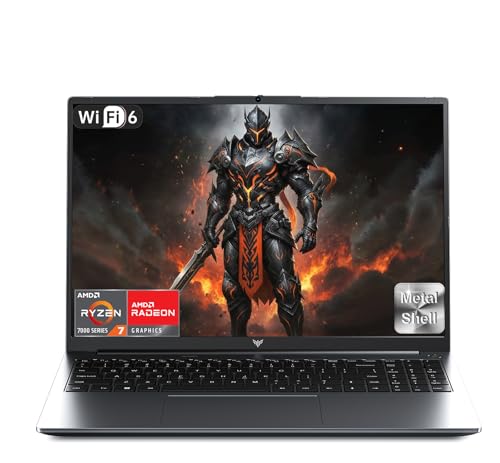
Integrated Radeon graphics can still be a sensible choice for office software, study, streaming, light creative work, casual games, and everyday media. The NIMO lists Radeon 780M graphics, the WVX lists Radeon 680M, and the Lenovo IdeaPad 5 lists Radeon 760M. These systems also pair graphics with Ryzen processors and fast memory, but the supplied evidence does not provide comparable gaming benchmarks. Avoid treating a model name alone as proof of a particular frame rate.
Match the processor to your workload
Processor class is important because integrated graphics share a platform with the CPU. The NIMO’s Ryzen 9 8945HS and the WVX’s Ryzen 9 6900HX are high-end processor combinations among the selected products. The Lenovo Yoga 7 uses an eight-core Ryzen 7 8840HS, while the Lenovo IdeaPad 5 uses a six-core Ryzen 5 8645HS.
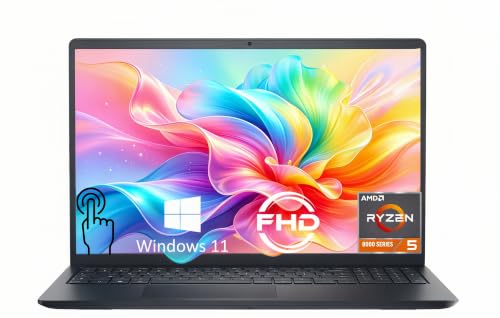
For general work, a six-core Ryzen 5 such as the HP Victus or Dell Inspiron 15 may be sufficient, especially when paired with 16GB RAM and an SSD. Eight-core Ryzen 7 systems such as the Acer Aspire Go 15 and Lenovo IdeaPad Slim 3 offer more documented multicore headroom for heavier multitasking. These descriptions establish processor specifications, not actual application performance, so workload expectations should remain realistic.
Prioritize memory and storage for daily comfort
Most selected laptops provide 16GB RAM, which provides a stronger multitasking starting point than the Lenovo V15’s 8GB configuration. The NIMO goes further with 32GB DDR5 memory and documents user-replaceable memory.
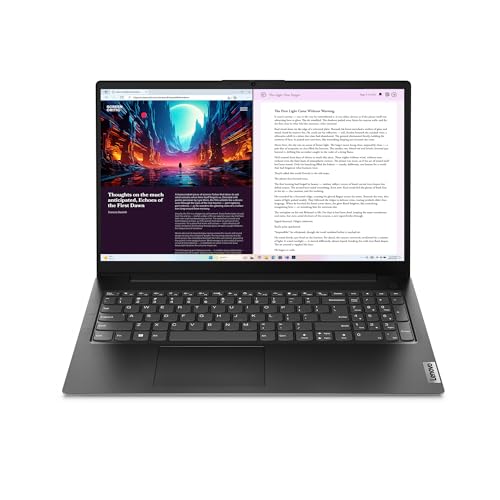
Storage is equally relevant. The NIMO and Acer Aspire Go 15 each list a 1TB SSD, as does the selected HP 17.3-inch laptop. The 512GB systems may be easier to manage if you mainly store documents and stream media, but a large local game library, photo collection, or video archive may benefit from 1TB. The Lenovo V15’s 8GB RAM is its clearest compromise, despite its otherwise useful business specification.
Compare display size and resolution
The selected range covers compact 14-inch touch designs, mainstream 15.6-inch screens, a 16-inch convertible, and 17.3-inch large-format laptops. The Lenovo IdeaPad 5 is the most compact convertible, with a 1920x1200 WUXGA IPS touchscreen. The Yoga 7 provides a larger 16-inch WUXGA touchscreen with Dolby Vision. These formats offer additional vertical workspace compared with standard 16:9 Full HD panels.
The HP Victus is the display specialist for motion-focused use because its listing specifies a 144Hz refresh rate. Most everyday models list Full HD screens, including the Acer Aspire Go 15, Dell Inspiron 15, Lenovo IdeaPad Slim 3, and Lenovo V15. The HP 17.3-inch laptop trades some resolution for a larger HD+ touchscreen. Check brightness, color coverage, refresh rate, and viewing environment before purchase because those details vary across listings.
Consider portability and ports
Weight and dimensions help separate desk-oriented laptops from travel-friendly choices. The Lenovo V15 lists a weight of the current price, while the IdeaPad 5, Dell Inspiron 15, and IdeaPad Slim 3 are also in the mid-three-pound range. The HP Victus is much heavier, and the HP 17.3-inch model lists a weight of the current price. A bigger display can be useful, but it usually takes more room in a bag.
Port selection is another practical difference. The Lenovo Yoga 7 lists USB4 and HDMI 2.1. The IdeaPad 5 documents USB-C power delivery and DisplayPort. The Acer Aspire Go 15 and Lenovo V15 include Ethernet, while the HP Victus also offers Ethernet and HDMI 2.1. For wireless use, Wi-Fi 6E appears on the NIMO and Yoga 7, and Wi-Fi 6 appears on several mainstream models. The Dell Inspiron 15 lists Wi-Fi 5, so buyers should account for their network equipment and usage location.
Privacy shutters appear on the Lenovo IdeaPad 5, IdeaPad Slim 3, and Lenovo V15. Fingerprint readers are listed on the IdeaPad 5, Yoga 7, and NIMO. The Lenovo V15 additionally documents TPM 2.0 and a Kensington lock, giving it a more explicit business-security profile. Numeric keypads appear on the HP Victus, Yoga 7, IdeaPad Slim 3, and Dell Inspiron 15.
Touchscreens can make navigation and document work more direct, but they are not essential for every buyer. Decide whether you value touch and convertible flexibility more than a conventional clamshell design, and confirm the operating system and memory configuration on the exact listing before ordering.
Final recommendation
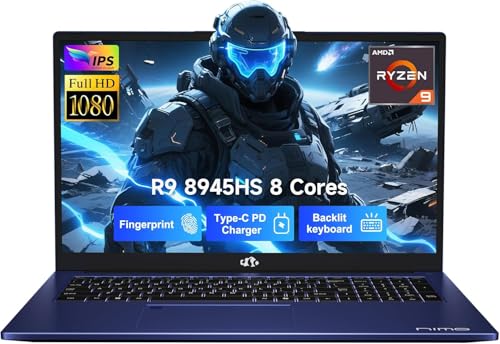
NIMO N175 17.3-inch Ryzen 9 Laptop ranks first overall in this specification-based comparison under the published weighted criteria.
NIMO N175 17.3-inch Ryzen 9 Laptop is the first overall specification-based choice in this comparison.
The NIMO N175 leads the best laptops with amd radeon graphics list on the published specification-based criteria. Its Radeon 780M graphics, Ryzen 9 processor, 32GB RAM, 1TB storage, and documented user-replaceable memory and drives give it a particularly well-equipped integrated-graphics configuration.
The HP Victus 15.6-inch Gaming Laptop is a graphics-focused alternative because it lists a dedicated Radeon RX 6550M and a 144Hz Full HD display. The Lenovo Yoga 7 is better suited to buyers who want a large touchscreen convertible, while the Lenovo IdeaPad 5 offers a more compact touch design. For everyday work, the Acer Aspire Go 15 and Lenovo IdeaPad Slim 3 provide balanced 16GB configurations and useful storage.
Among the top laptops with amd radeon graphics, the right choice depends on whether you prioritize dedicated graphics, integrated graphics with a high-end processor, a touchscreen, a large display, business security, or portability. Treat the list as a specification-based starting point and verify the exact configuration before purchase.
Frequently Asked Questions
Are the best laptops with amd radeon graphics suitable for gaming?
Some are better suited than others. The HP Victus specifically lists a dedicated Radeon RX 6550M and a 144Hz display, giving it the clearest gaming-oriented specification. The NIMO and WVX list Radeon 780M and 680M integrated graphics, respectively, but the supplied evidence does not include independent gaming benchmarks. Integrated-graphics laptops are more naturally matched with general productivity and lighter creative or gaming workloads than with assumptions about demanding titles.
Is integrated Radeon graphics different from a dedicated Radeon GPU?
Yes. Integrated graphics are part of the processor platform, while a dedicated GPU is a separate graphics component. In this list, the HP Victus identifies a dedicated Radeon RX 6550M. The NIMO, WVX, and IdeaPad 5 identify Radeon 780M, 680M, and 760M graphics in systems built around Ryzen processors. The distinction affects how you should interpret the specification, but listing data alone does not establish measured performance.
How much RAM should I look for?
The selected products mostly list 16GB, which provides a stronger multitasking starting point than the Lenovo V15’s 8GB configuration. The NIMO lists 32GB and documents replaceable memory, while the WVX states support for expansion to 64GB. For ordinary school, office, browsing, and streaming tasks, 16GB is a practical target in this comparison. Buyers handling large projects should also check whether the memory is replaceable or soldered.
Should I choose a 14-inch, 15.6-inch, 16-inch, or 17.3-inch laptop?
Choose based on workspace and portability. The Lenovo IdeaPad 5’s 14-inch screen is the most compact selected touch format. Fifteen-inch models such as the Dell Inspiron 15 and Acer Aspire Go 15 offer a common balance. The Yoga 7’s 16-inch WUXGA touchscreen adds workspace, while the HP 17.3-inch laptop favors a large viewing area. Larger laptops may be less convenient to carry.
What ports and wireless features matter most?
USB-C with power delivery and DisplayPort is useful for charging and external displays, and it is documented on the IdeaPad 5 and Yoga 7. HDMI 2.1 appears on the HP Victus, Yoga 7, and Acer Aspire Go 15. Ethernet benefits users who need a wired network connection, while Wi-Fi 6E is listed on the NIMO and Yoga 7. Match the laptop’s ports to your monitor, accessories, and network setup.