Buying Guide
The best intel iris xe graphics laptops in this comparison are general-purpose Windows notebooks built around Intel processors with integrated Iris Xe graphics. The supplied listings position them for office applications, web browsing, streaming, video calls, schoolwork, and light creative workloads. They are not being presented as gaming or workstation systems, and this guide does not add benchmark or hands-on performance claims.
The rankings use five category-specific criteria: processor and graphics capability, memory and storage, display and input utility, portability, and connectivity or work features. Editorial scores rely on listed specifications and features only. Marketplace ratings, review activity, pricing signals, and badges are not part of the published criteria scores.
Start with the processor and memory
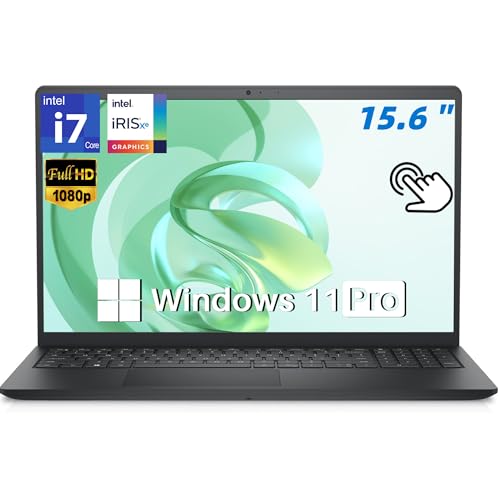
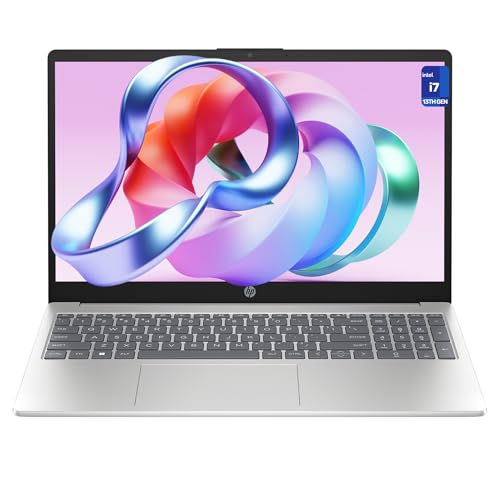
Processor class is an important separator. The Acer Aspire Go 16 lists a 14-core Intel Core i9-13900H. Several selected models use the 10-core Core i7-1355U, including the Lenovo IdeaPad Slim 5i, HP 15 business laptop, Dell 15, and ASUS Vivobook 16. The Dell Latitude 5430 uses a Core i7-1265U, while the Dell Inspiron 15 uses a Core i7-1255U. The Dell Inspiron 3530 and HP 15.6-inch i5 model use 10-core Core i5 processors.
For general productivity, a Core i5 configuration may be sufficient when paired with an SSD and adequate memory. Users who keep many browser tabs, office applications, communication tools, and larger files open should pay close attention to RAM. The Acer Aspire Go 16, HP business laptop, Dell Inspiron 15 i7, and Dell Latitude 5430 list 32GB. Most other selected systems list 16GB, while the HP 15.6-inch i5 model lists 8GB.
Because Iris Xe is integrated graphics, the overall memory configuration is relevant to the system design. The supplied evidence does not provide benchmark results, frame rates, or hands-on testing, so treat these systems as appropriate for the everyday and light creative uses described in the listings rather than as substitutes for laptops with dedicated graphics.
Choose storage for your files
A 1TB SSD appears on the Acer Aspire Go 16, Lenovo IdeaPad Slim 5i, Dell 15, HP business laptop, Dell Inspiron 15 i7, and HP 15 i7. That capacity can suit users who keep sizeable document collections, applications, photos, or video files locally. The ASUS Vivobook 16, Dell Latitude 5430, Dell Inspiron 3530, and HP 15.6-inch i5 model list 512GB SSDs.
The HP 15.6-inch i5 listing uses 8GB RAM and a 512GB SSD, making it the more modest configuration in this selection. The Dell Inspiron 3530 offers the same listed storage capacity but increases memory to 16GB. Some listings mention accessory storage or docking bundles; this comparison emphasizes the laptop’s documented internal configuration rather than treating bundled accessories as equivalent to an internal SSD.
Screen sizes range from 14 inches to 16 inches among the selected products. The Lenovo IdeaPad Slim 5i and ASUS Vivobook 16 provide 16-inch WUXGA screens, while the Acer Aspire Go 16 lists a 16-inch 1920 x 1200 display. Most remaining models use 15.6-inch FHD panels, and the Dell Latitude 5430 uses a 14-inch FHD display.
Touch input is documented on the Lenovo IdeaPad Slim 5i, Dell 15, HP business laptop, Dell Inspiron 15 i7, HP 15 i7, Dell Inspiron 3530, and HP 15.6-inch i5 model. A touchscreen can help with direct navigation and interactive applications, but it is not essential for standard keyboard-and-mouse work. Anti-glare specifications appear on several models, including the Lenovo, Dell, and HP touch options.
A numeric keypad is documented on the Dell 15 and Dell Inspiron 15 i7, which may suit spreadsheet-heavy work. Backlit keyboards appear on the Lenovo IdeaPad Slim 5i and Dell Latitude 5430. The Dell Latitude also lists a 1080p camera and Windows 11 Pro.
Consider portability and workspace
A 14-inch model may be easier to carry, while a 16-inch model can provide more working room. The Dell Latitude 5430 has a listed weight of the current price, while the Acer Aspire Go 16 lists the current price. The Lenovo IdeaPad Slim 5i sits between those examples in screen size and lists a 4.63-pound weight. The selected 15.6-inch systems vary in their listed weights, so verify the final configuration before ordering.
Screen size, weight, and intended location should be considered together. A larger display may be more comfortable for side-by-side windows, while a smaller chassis may be preferable for commuting or classroom use.
Review operating system and connectivity
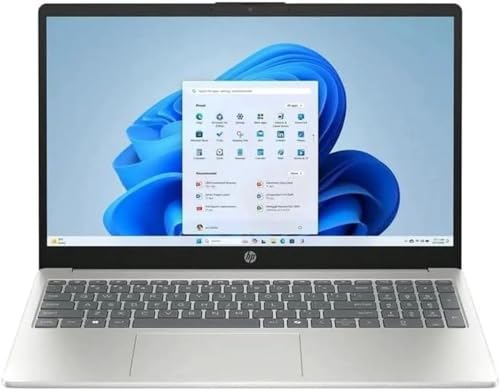
Windows 11 Home is listed on the ASUS Vivobook 16, HP 15 i7, Dell Inspiron 3530, and HP 15.6-inch i5 model. Windows 11 Pro appears on the Dell Latitude 5430, Dell 15, HP business laptop, and Dell Inspiron 15 i7. Choose the edition based on the software and management features required by your school, employer, or household.
Wi-Fi 6 is documented on the Lenovo IdeaPad Slim 5i, Dell 15, ASUS Vivobook 16, HP business laptop, HP 15 i7, and HP 15.6-inch i5 model. The Dell Inspiron 15 i7 lists Wi-Fi 5. Port variety also differs: the ASUS includes USB-C, USB-A, HDMI, and a microSD reader; the Dell Inspiron 3530 lists multiple ports; and the HP business model lists USB-C, USB-A, and HDMI. Confirm the exact port arrangement if you plan to connect monitors, external storage, or card media.
Final recommendation
Lenovo IdeaPad Slim 5i 16 ranks first overall in this specification-based comparison under the published weighted criteria.
Lenovo IdeaPad Slim 5i 16 is the first overall specification-based choice in this comparison.
Among the best intel iris xe graphics laptops, the Lenovo IdeaPad Slim 5i combines a 13th Gen Core i7-1355U, 16GB LPDDR5 memory, 1TB storage, a 16-inch WUXGA touchscreen, Wi-Fi 6, a 1080p camera, and a fingerprint reader. Its listed weight is higher than that of compact alternatives, but the feature mix is well suited to large-screen productivity.
The Acer Aspire Go 16 is the choice for users who prioritize the listed Core i9-13900H, 32GB DDR5 RAM, 1TB SSD, and 16-inch display. The HP 15.6-inch business laptop and Dell Inspiron 15 i7 suit users who want 32GB memory and 1TB storage. The Dell Latitude 5430 is a more compact business-oriented option, while the Dell Inspiron 3530 offers a balanced Core i5 configuration with 16GB RAM, a 512GB SSD, and a touchscreen.
The top intel iris xe graphics laptops here differ in screen size, memory, storage, operating system, and work features. These are specification-based recommendations rather than hands-on test results. Verify the final configuration, warranty, operating-system edition, display details, and port list on the active product listing before purchase.
Frequently Asked Questions
Are the best intel iris xe graphics laptops suitable for gaming?
The supplied listings describe Iris Xe systems for everyday visuals, streaming, productivity, entertainment, and light creative workloads. They do not provide game benchmarks or tested frame rates. If gaming is a primary requirement, compare the specific game’s requirements with the complete laptop configuration and consider a system with dedicated graphics when appropriate.
How much RAM should I look for in an Iris Xe laptop?
The selected laptops range from 8GB to 32GB. A 16GB configuration, such as the ASUS Vivobook 16 or Dell Inspiron 3530, is a practical middle point for general multitasking. The 32GB Acer, HP business, Dell Inspiron 15 i7, and Dell Latitude 5430 configurations provide more listed memory headroom. The 8GB HP 15.6-inch i5 model aligns better with lighter everyday workloads.
Is a 1TB SSD necessary?
No. A 512GB SSD can be adequate for office files, applications, browsing, and streaming. A 1TB SSD is more useful when you keep larger media libraries, many applications, or substantial local files. The Acer Aspire Go 16, Lenovo IdeaPad Slim 5i, and several selected Dell and HP models list 1TB SSDs, while the ASUS Vivobook 16 and Dell Inspiron 3530 list 512GB.
Should I choose a 14-inch, 15.6-inch, or 16-inch laptop?
Choose 14 inches when carrying convenience matters most, 15.6 inches for a familiar all-purpose format, and 16 inches when screen workspace is a priority. The Dell Latitude 5430 represents the compact option in this selection, while the Lenovo IdeaPad Slim 5i, ASUS Vivobook 16, and Acer Aspire Go 16 provide larger displays. Weight and desk space should be considered alongside diagonal size.
Do I need Windows 11 Pro?
Not necessarily. Windows 11 Home is listed on several selected models and may suit personal, school, and ordinary home use. Windows 11 Pro appears on the Dell Latitude 5430, Dell 15, HP business laptop, and Dell Inspiron 15 i7. Select Pro when its documented professional, security, or management features match your requirements.