Buying Guide
Choosing among the best ideapad laptops starts with the workload, not the product name alone. IdeaPad listings in this comparison range from compact ChromeOS convertibles to larger Windows notebooks with full HD screens, numeric keypads, and higher-capacity storage. The right choice depends on whether you need flexibility, multitasking headroom, portability, or a straightforward machine for documents and browsing.
Match the processor and memory to your workload
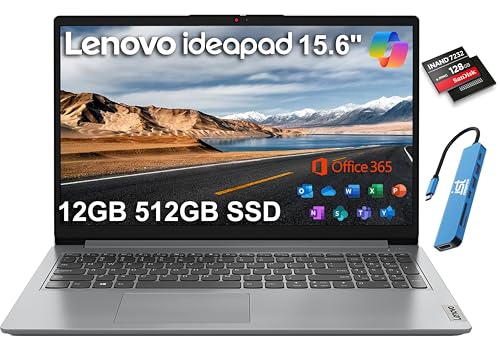
For heavier everyday multitasking, prioritize a stronger processor and at least the larger memory configurations documented here. The Lenovo IdeaPad 5 2-in-1 lists an AMD Ryzen AI 5 340 with six cores and 16GB of LPDDR5X memory. The Lenovo IdeaPad 1i with Intel Core i5 lists a 12th Gen Core i5-1235U and 16GB RAM. These are the clearest fits for users who keep many browser tabs open, work with office applications, or want more room for demanding routines.
The IdeaPad Slim 3 with Ryzen 7 also lists 16GB RAM and an eight-core Ryzen 7 5825U, making it a strong conventional Windows option. The IdeaPad Slim 3 with the 13th Gen Intel Core i5-13420H uses 8GB DDR5 memory but pairs it with a newer H-series processor and a 512GB SSD. That configuration is well suited to document work, school tasks, and users who appreciate a numeric keypad.
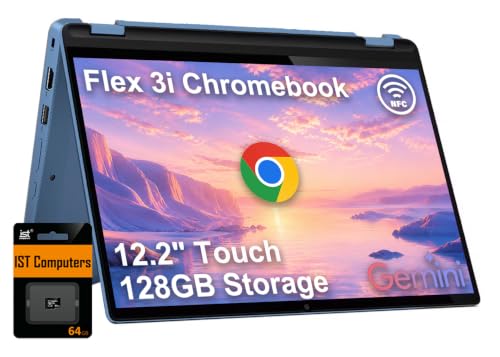
Entry-level options require more careful expectations. The IdeaPad 1 configurations with Celeron N4500 processors and the IdeaPad Slim 3i models with Intel N100 processors are aimed at browsing, documents, video calls, streaming, and light multitasking in the supplied evidence. Their lower memory configurations may be less comfortable when many applications are active at once. The Chromebook Flex 3i likewise lists 4GB memory, but ChromeOS and its compact convertible design make it a different kind of basic-use choice.
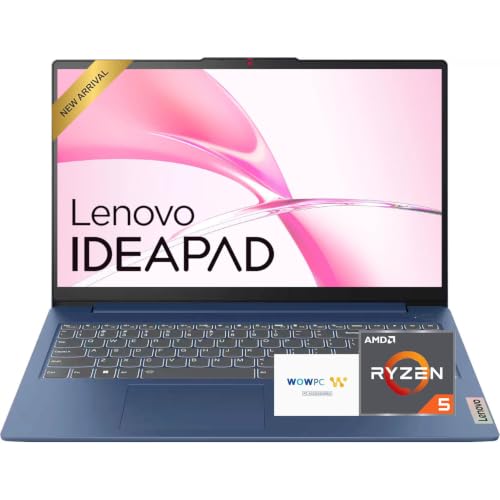
A 15.6-inch display gives more physical workspace and is common across the selection. The IdeaPad Slim 3 models, IdeaPad 1, and IdeaPad 1i listings use full HD or WUXGA-class resolutions, which are preferable when you want clearer text and more room for documents. Anti-glare coatings appear on several models, including the Ryzen 5 Slim 3, Intel Core i5 Slim 3, and IdeaPad 1i listings.
The Lenovo IdeaPad 5 2-in-1 is the most specification-aligned flexible-screen choice, with a 14-inch 1920 x 1200 IPS touchscreen and a 16:10 aspect ratio. Its 360-degree hinge enables laptop, tent, stand, and tablet modes. The Flex 3i Chromebook offers similar physical flexibility in a smaller 12.2-inch WUXGA touchscreen format. That compact size can be convenient for carrying, while the larger 15.6-inch models are more suitable when screen area matters more than tablet-like handling.
Not every screen is equally advanced. The IdeaPad 1i with Celeron N4500 lists a 15.6-inch HD TN anti-glare display, while the IdeaPad Slim 3i N100 lists a 15.6-inch full HD non-touch display. Check the resolution and panel description rather than assuming every IdeaPad screen has the same visual characteristics.
Check storage and expansion
SSD storage is documented across most selected Windows configurations. A 512GB SSD appears in the IdeaPad 5 2-in-1, Ryzen 7 Slim 3, Intel Core i5 IdeaPad 1i, and 13th Gen Intel Slim 3. That is a useful amount for documents, applications, photos, and general files. The Ryzen 5 Slim 3 listings reduce that listed capacity to 256GB or 128GB, so confirm how much local space you need before choosing between them.
The IdeaPad 1 with 20GB RAM stands out for capacity, listing a 1TB PCIe NVMe SSD plus 128GB eMMC. The Celeron IdeaPad 1i lists a 512GB SSD plus 128GB eMMC. These configurations may appeal to users who keep substantial local files, although their processors are more basic than the Core i5 and Ryzen models.
The Chromebook Flex 3i uses ChromeOS and lists 128GB of storage in the feature evidence, described as 64GB eMMC plus a 64GB SD card. Its workflow is better suited to cloud-based documents and web applications than to a traditional Windows software library.
Review ports and wireless connections
If you connect displays, storage devices, cameras, or memory cards, inspect the port list. The 13th Gen Intel Slim 3 includes USB-A, USB-C with power delivery and DisplayPort, HDMI, an SD card reader, and an audio jack. The IdeaPad 5 2-in-1 lists two USB-C ports, two USB-A ports, HDMI, microSD, and audio, plus Wi-Fi 7 and Bluetooth 5.4.
The entry-level IdeaPad Slim 3i N100 still lists HDMI, two USB-A ports, USB-C, an audio jack, and an SD card reader. The Chromebook Flex 3i adds HDMI, USB-C, two USB-A ports, microSD, and support for up to two external displays. These details can matter more than small differences in processor naming when your setup includes several accessories.
Consider convenience and security features
Several models include privacy shutters on their webcams. The IdeaPad 5 2-in-1 goes further with a 1080p FHD IR webcam and Windows Hello facial recognition. Its included Digital Pen 2 supports 4,096 levels of pressure sensitivity according to the listing, which is relevant for handwritten notes and sketching.
Other selected models list Rapid Charge Boost, optional fingerprint readers, backlit keyboards, Dolby Audio, or full-size keyboards with number pads. Treat these as workflow features rather than proof of real-world battery or audio performance. The evidence supports their inclusion, but not independent testing results.
Final recommendation
Lenovo IdeaPad 5 2-in-1 ranks first overall in this specification-based comparison under the published weighted criteria.
Lenovo IdeaPad 5 2-in-1 is the highest-scoring returned product and the first overall specification-based choice among the best ideapad laptops. Its Ryzen AI processor, 16GB LPDDR5X memory, 512GB PCIe 4.0 SSD, touch display, 360-degree hinge, digital pen, modern wireless support, and security features make it the most complete option in this comparison.
For a conventional larger Windows laptop, the Lenovo IdeaPad 1i with Intel Core i5 is a strong office-oriented alternative, while the Lenovo IdeaPad Slim 3 with Ryzen 7 provides a similarly substantial memory and storage combination with a touchscreen. The Lenovo IdeaPad Slim 3 with the 13th Gen Intel Core i5 is especially practical for spreadsheets because of its number pad and broad ports.
The top ideapad laptops also include simpler choices. The Ryzen 5 Slim 3 models suit ordinary work and study, while the IdeaPad 1 and IdeaPad 1i configurations emphasize storage. For ChromeOS users, the Flex 3i Chromebook offers the most compact convertible format. Choose the IdeaPad Slim 3i N100 only when your needs are firmly in the light-use category and the listed 4GB memory is acceptable.
Frequently Asked Questions
Which of the best ideapad laptops is most flexible?
The Lenovo IdeaPad 5 2-in-1 is the most flexible selected model because its 360-degree hinge supports laptop, tent, stand, and tablet modes. It also includes a touchscreen and Digital Pen 2. The Flex 3i Chromebook has a similar convertible concept in a smaller ChromeOS design.
Which IdeaPad is better for spreadsheets?
The Lenovo IdeaPad 1i with Intel Core i5 and the Lenovo IdeaPad Slim 3 with the 13th Gen Intel Core i5 both list full-size keyboards with number pads. The latter also lists a 15.3-inch WUXGA screen and a broad port selection, while the former offers 16GB RAM and a 512GB SSD.
Are all of these best ideapad laptops suitable for demanding multitasking?
No. The IdeaPad 5 2-in-1, Ryzen 7 Slim 3, and Core i5 IdeaPad 1i have the most specification-aligned listed combinations for multitasking. The N100 and Celeron configurations are documented for lighter activities such as browsing, documents, video calls, streaming, and schoolwork. Their listed 4GB memory options may be limiting with many active applications.
Should I choose Windows or ChromeOS?
Choose Windows when you need the familiar Windows 11 environment and broader traditional software compatibility. Choose ChromeOS when your work is primarily web-based and you prefer the compact convertible Flex 3i Chromebook. The operating systems use different application ecosystems, so this decision should come before comparing small hardware differences.
How much storage should an IdeaPad laptop have?
The selected listings range from 128GB SSD configurations to a combination of 1TB SSD and 128GB eMMC. A 512GB SSD provides more room for applications and personal files than a 128GB drive. If you mainly use cloud storage and browser applications, the Chromebook configuration may be adequate; local-file users should favor the larger SSD listings.