Buying Guide
Choosing among the best quad-core 2-in-1 laptops starts with separating the processor label from the rest of the configuration. A four-core chip can appear in a compact tablet-style machine, a 360-degree convertible, or a larger notebook with a more conventional keyboard. The products selected here are compared only from their supplied listing data. No hands-on testing or customer-opinion summary is used.
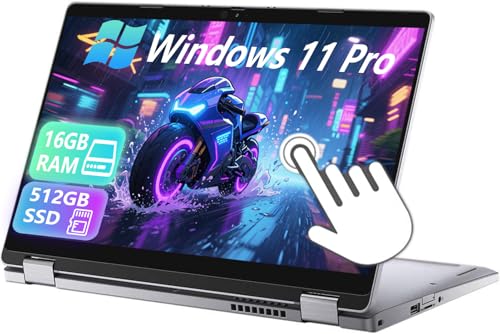
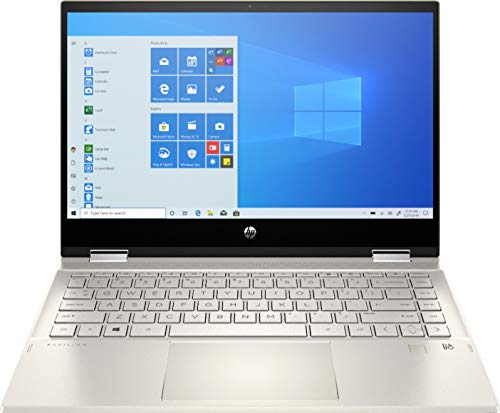
The listings document two useful approaches to 2-in-1 design. The Dell Latitude 7210 listing describes laptop, tablet, tent, and stand modes, while the HP Pavilion x360 and Lenovo Yoga C740 explicitly identify 360-degree or flip-and-fold designs. These configurations keep the keyboard attached while allowing the display to fold behind the base. That is convenient when switching between typing, touch interaction, presentations, and video viewing.
The Dell Latitude 7320, Dell Latitude 7420, Dell Latitude 9420, Dell Latitude 5310, and Dell Latitude 5320 are also described as convertible or 2-in-1 touchscreen laptops. The supplied data supports flexible use, but it does not always specify every hinge position. If a particular tent, stand, or tablet arrangement matters to you, confirm that detail in the individual listing.
A detachable-style design can serve a different purpose. The Dell Latitude 7210 configuration with the Core i5-10310U explicitly lists a detachable keyboard and built-in kickstand. That type can make tablet handling more direct, but the selected ranking favors configurations with more extensively documented memory, storage, or display details. It is also important to distinguish a complete 2-in-1 computer from an accessory or replacement keyboard; every product selected here independently includes a processor, display, memory, and storage.
Match the processor to your workload
The processor criterion considers the documented four-core design, generation, model, and listed clock information. The Dell Latitude 5320 and Dell Latitude 7420 Core i7 configuration use the 11th Gen Core i7-1185G7, listed with up to 4.8GHz. The Dell Latitude 9420 Core i7 uses the same processor family. These configurations receive high processor scores because the listings provide both quad-core identification and supporting specifications.
The Core i5 choices remain capable specification-based options for ordinary productivity. The Dell Latitude 9420 and Dell Latitude 7420 use the 11th Gen i5-1145G7, while the Latitude 7320 uses the same processor. The Dell Latitude 5310 lists a 10th Gen i5-10210U, and the HP Pavilion x360 and Lenovo Yoga C740 list the i5-1035G1 and i5-10210U respectively. The HP Envy x360 lists an AMD Ryzen 5 quad-core processor, showing that quad-core 2-in-1 choices are not limited to Intel models.
Processor generation should be considered alongside memory and storage. A newer or higher-tier chip does not by itself describe the complete user experience, and the supplied evidence does not support claims about benchmark results, gaming frame rates, battery endurance, or real-world speed. Use the processor details as a way to compare the listed hardware, not as a substitute for workload-specific testing.
Check memory and storage carefully
Memory and storage create some of the clearest differences between the selected products. The Dell Latitude 5320 leads on listed memory with 32GB DDR4 RAM and also provides a 512GB SSD. The Dell Latitude 7420 Core i7, Dell Latitude 7420 Core i5, Dell Latitude 5310, and Dell Latitude 9420 Core i5 each list 16GB RAM, with 512GB storage in the 7420 and 5310 configurations and 512GB in the selected 9420 Core i5 configuration.
The Dell Latitude 7320 and Dell Latitude 9420 Core i7 list 16GB RAM but 256GB SSDs. That capacity can still suit documents, applications, and a moderate local media collection, but it leaves less stated room than a 512GB configuration. The HP Envy x360 lists 16GB RAM with a 256GB PCIe SSD, while the HP Pavilion x360 and Lenovo Yoga C740 list 8GB RAM. Lenovo adds 32GB Intel Optane to its 512GB PCIe NVMe SSD configuration.
Do not treat storage terminology as interchangeable without checking the listing. SSD, PCIe SSD, and PCIe NVMe SSD all indicate solid-state storage in the supplied evidence, but the listings do not provide a consistent upgrade path or internal layout. Similarly, the Dell Latitude 5320 listing says 32GB RAM, while other configurations list 8GB or 16GB. If you routinely keep many browser tabs, office programs, and communication tools open, memory deserves attention before screen size.
Choose the right screen size and resolution
The selected range runs from the 13.3-inch Dell Latitude 5320, Dell Latitude 7320, and Dell Latitude 5310 to the 15.6-inch HP Envy x360 and Lenovo Yoga C740. A 13.3-inch screen can support a more compact carrying profile, and the Latitude 7320 listing gives a 2.6-pound weight. Larger screens provide more physical workspace, with the HP Envy x360 and Yoga C740 both documenting 15.6-inch panels.
Resolution also varies. The Dell Latitude 9420 Core i7 and Core i5 configurations list 2560x1600 QHD+ touchscreens. The Dell Latitude 7420 models, Latitude 5320, Latitude 7320, Latitude 5310, HP Pavilion x360, HP Envy x360, and Lenovo Yoga C740 list FHD-class 1920x1080 displays. The Dell Latitude 7210 listing gives 1920x1280, adding vertical pixels to its 12.3-inch screen.
Touch support is central to this category, and the selected listings identify touchscreen or multitouch functionality. Still, the evidence does not establish stylus support, brightness, color coverage, refresh rate, or viewing-angle test results. If handwritten notes, outdoor use, or color-sensitive work matters, confirm those details independently rather than inferring them from resolution alone.
Review the ports and built-in features
Connectivity can determine whether a convertible works smoothly with an existing desk. The Dell Latitude 5320 lists USB 3.2 Type-A, USB-C/Thunderbolt 4, HDMI, and a card reader. The Dell Latitude 7420 Core i7 lists Thunderbolt 4, USB-A, HDMI, and microSD. The Dell Latitude 5310 lists two Thunderbolt 4 ports, USB 3.1, and a combined headphone/microphone port.
The Lenovo Yoga C740 lists two USB-C ports, two USB-A ports, HDMI, and a headphone/microphone combo. The HP Pavilion x360 lists USB-C, two USB-A ports, HDMI, and a combined audio jack. These are useful documented options for external displays, accessories, storage devices, and wired audio. The HP Envy x360 also lists USB-C, HDMI, a backlit keyboard, and a fingerprint reader.
The listings mention additional features such as backlit keyboards, webcams, fingerprint readers, Wi-Fi, Bluetooth, and Windows Pro or Home editions. Treat those as configuration-specific. A feature appearing on one model should not automatically be attributed to another model in the same family.
Confirm listing inconsistencies before ordering
Several supplied records are renewed or refurbished listings, and some contain details that should be verified. The Dell Latitude 5320 title states Windows 11 Pro while a description point states Windows 10 Pro. The HP Pavilion x360 record has inconsistent processor and operating-system wording between its title and description. The Dell Latitude 9420 Core i7 listing also gives an unusually large dimensional measurement that may not represent a typical chassis measurement. These issues do not remove the products from a specification comparison, but they make final listing verification important.
Final Recommendation
Dell Latitude 5320 2-in-1 ranks first overall in this specification-based comparison under the published weighted criteria.
The final choice among the best quad-core 2-in-1 laptops depends on the documented features that match your intended use.
The Dell Latitude 5320 2-in-1 is the highest-scoring returned product and the first overall specification-based choice for its documented 32GB RAM, 512GB SSD, quad-core Core i7 processor, touchscreen design, and broad connectivity. The Dell Latitude 7420 Core i7 is an alternative for users who want a 14-inch FHD screen and Thunderbolt 4, while the Dell Latitude 9420 Core i5 fits users who want QHD+ resolution and 512GB storage together.
For a more portable format, consider the Dell Latitude 7320 or Dell Latitude 5310. The HP Envy x360 and Lenovo Yoga C740 are the selected large-screen options, with the latter documenting especially broad port coverage. The HP Pavilion x360 provides another 14-inch FHD convertible configuration. Across these top quad-core 2-in-1 laptops, compare the exact listing configuration before choosing, especially when operating system, memory, storage, or port details differ.
Frequently Asked Questions
What should I prioritize when choosing the best quad-core 2-in-1 laptops?
Start with the intended mode of use, then compare processor generation, RAM, SSD capacity, screen size, resolution, and ports. A compact Dell Latitude 7320 may suit mobile work, while the HP Envy x360 or Lenovo Yoga C740 provides a larger 15.6-inch workspace. If external displays or fast accessories are important, check for the Thunderbolt 4 and HDMI ports documented on selected Dell models.
Are all quad-core 2-in-1 laptops traditional 360-degree convertibles?
No. The supplied evidence includes traditional convertible designs such as the HP Pavilion x360 and Lenovo Yoga C740, as well as a Dell Latitude 7210 configuration with a detachable keyboard and built-in kickstand. The product description should identify the mechanism and modes rather than assuming every touchscreen laptop uses the same hinge design.
Is 16GB RAM better suited than 8GB for multitasking?
The specifications support a straightforward capacity comparison: selected models with 16GB RAM offer more listed memory than the HP Pavilion x360 and Lenovo Yoga C740 configurations with 8GB. That makes 16GB the more substantial documented configuration for workloads involving multiple applications, but the listings do not provide standardized performance tests.
Which selected model has the highest listed screen resolution?
The Dell Latitude 9420 Core i7 and Core i5 configurations list 14-inch 2560x1600 QHD+ touchscreens. Other selected models, including the Dell Latitude 7420 and HP Pavilion x360, list 1920x1080 FHD-class touch displays. Resolution is only one display attribute; brightness, color coverage, and stylus support are not consistently supplied here.
Should I verify the configuration before buying?
Yes. The supplied records contain some conflicting details, including operating-system wording for the Dell Latitude 5320 and processor or operating-system wording for the HP Pavilion x360. Confirm the exact processor, RAM, SSD, display, operating system, warranty, and included accessories on the current product listing before making a final decision.