Buying Guide
The best intel celeron all-in-one computers are designed around convenience: the display and computer occupy one enclosure, while the supplied listings commonly add a webcam, keyboard, mouse, and wireless networking. That layout can simplify a home office, study area, reception desk, or shared family workstation. The important distinction is not simply the Celeron label. The selected systems use either the dual-core Celeron J4025 or the four-core Celeron N5095, and their memory, storage, display, software, and ports vary substantially.
Start with the processor configuration
Processor capability is the first separator. Most selected HP systems use the Intel Celeron J4025, documented with two cores and two threads and a base frequency around 2.0GHz. Several listings describe speeds up to 2.9GHz, while some individual specification points give a lower maximum figure. Because the supplied evidence is not perfectly uniform, this guide treats the processor family and core count as the clearest comparison points.
The JSHIX N5095 model documents four cores and four threads, with a 2.0GHz base frequency and up to 2.9GHz. That gives it the highest processor score here on paper. A higher core count does not turn an entry-level all-in-one into a workstation, but it is relevant when several browser tabs, documents, communication tools, and background tasks share the system. For lighter single-application work, the J4025 systems still present a consistent specification pattern.
Match memory and storage to the workload
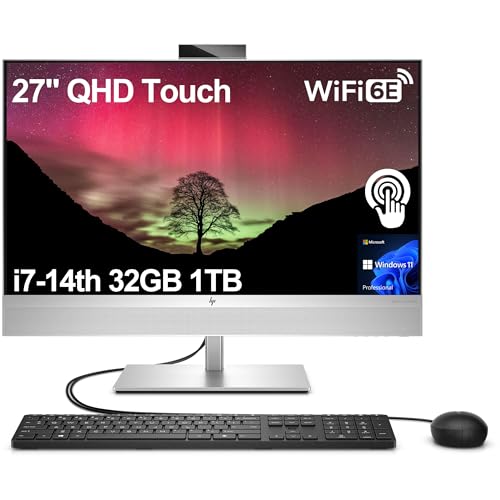
Memory ranges from 8GB to 32GB among the selected products. The 8GB configurations are directed toward ordinary browsing, document work, streaming, and video calls. A 16GB configuration, found across several HP systems and the JSHIX, gives more room for multiple applications and larger browser sessions. The renewed HP with 32GB has the highest documented memory capacity, although its processor remains the dual-core J4025.
Storage type and arrangement matter as much as the capacity number. PCIe or NVMe SSDs are documented on many systems, including the 512GB and 1TB configurations. The HP 22-inch 16GB model lists a 256GB PCIe SSD, while the HP 22-inch 16GB/1TB bundle combines a 512GB SSD with a 512GB external hard drive. The two docking-station bundles list 128GB internal SSD storage plus a separate 160GB or 128GB storage component. Treat combined figures as a package total rather than assuming all capacity is installed inside the display enclosure.
Compare screen size and panel details
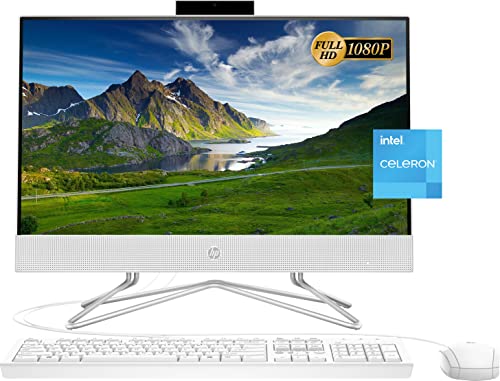
The chosen displays are Full HD, with sizes from 21.5 to 23.8 inches. The JSHIX has the largest documented screen at 23.8 inches. HP’s 21.5-inch models generally specify 1920-by-1080 resolution, anti-glare treatment, and a three-sided micro-edge design. One HP listing identifies an IPS display, while others identify a VA panel or simply a Full HD display. These panel descriptions are useful when viewing angle or surface reflections matter, but the listings do not provide a standardized viewing-angle or color test.
Anti-glare treatment appears on many of the HP configurations and can be useful in bright rooms. The HP 23.8-inch model also documents a 250-nit display and 72% NTSC coverage. The remaining models should not be assumed to match those figures unless their listing states them. A 21.5-inch screen fits a compact desk more easily; a 23.8-inch screen gives more physical workspace for side-by-side windows.
Check the ports and wireless standards
Connectivity varies from basic Wi-Fi and Ethernet to Wi-Fi 6, USB-C, Bluetooth 5.2, and Bluetooth 5.3. The HP renewed Pro model documents USB-C, two USB-A 2.0 ports, two USB-A 3.0 ports, Ethernet, HDMI, and a combination audio jack. The two docking-station bundles also document USB-C and provide a 7-in-1 accessory, which can expand the available connections.
The JSHIX lists Wi-Fi 6 and Bluetooth 5.2, while the HP Wi-Fi 6 models add wireless capability suited to newer routers. HDMI is documented on many HP systems, making it the clearest supplied option for an additional display, though the listings do not fully explain multi-monitor behavior. If you use wired networking, printers, external drives, or legacy USB devices, count the stated ports instead of relying on the general all-in-one label.
Review the camera, keyboard, and privacy details
A webcam is included or documented across the selected group, but resolution and privacy functions differ. The HP 23.8-inch model lists a pop-up 720p privacy webcam with dual microphones. Other HP systems specify an HD or 720p camera, and the docking bundles identify an HD privacy camera. The JSHIX listing confirms a mouse and keyboard but does not provide the same camera detail.
Wired keyboard and mouse sets are explicitly listed with many HP models. That can simplify initial setup, although it also means the desk remains connected by cables. The HP recovery-USB bundle adds an operating-system recovery accessory, while the docking bundles add storage and expansion components. These are documented bundle differences rather than assumptions about long-term support or upgrade behavior.
Choose the Windows edition carefully
Windows 11 Home appears on several selected HP models and Windows 11 Pro appears on the JSHIX and multiple HP configurations. The supplied listings associate Pro with additional productivity and security features, but they do not document every edition-level function for each computer. Select the edition that matches your software and administrative requirements. Do not infer that a system with more RAM automatically includes Pro, or that a Home system lacks the ability to handle ordinary office work.
Understand the limits of this comparison
This is a specification-based comparison using public listing data, not a hands-on test. The scores reflect only the five published criteria above. They do not represent measured speed, display calibration, fan noise, webcam quality, battery performance, durability, or long-term reliability. Listing language also varies: some products provide detailed port and panel information, while others give only a short feature description. Confirm the exact configuration, operating-system edition, accessory bundle, and warranty terms before relying on a particular listing.
Final Recommendation
JSHIX 23.8-inch N5095 All-in-One, 16GB/512GB ranks first overall in this specification-based comparison under the published weighted criteria.
JSHIX 23.8-inch N5095 All-in-One, 16GB/512GB is the highest-scoring returned product and the first overall specification-based choice. Its four-core Celeron N5095, 16GB RAM, 512GB SSD, 23.8-inch Full HD screen, Wi-Fi 6, Bluetooth 5.2, and Windows 11 Pro make the specification package the most complete in this comparison. It is the clearest starting point for shoppers comparing the best intel celeron all-in-one computers for multitasking and general home-office work.
For a Windows 11 Pro setup with 16GB RAM and broad wired connectivity, the HP 21.5-inch FHD All-in-One, 16GB/256GB is a useful alternative. The HP 21.5-inch J4025 All-in-One, 16GB/288GB is more distinctive if USB-C, Bluetooth 5.3, Wi-Fi 6, and the docking-station set are priorities. Users focused on internal capacity can consider the renewed HP 21.5-inch All-in-One, 32GB/1TB, while the HP 21.5-inch FHD All-in-One, 16GB/512GB offers a particularly balanced memory and SSD combination.
The choice depends on which specification is most important: processor core count, memory, internal storage, screen size, wireless standard, camera privacy, or the included accessory set. Among these top intel celeron all-in-one computers, compare the complete configuration rather than selecting by processor name alone.
Frequently Asked Questions
Are the best intel celeron all-in-one computers suitable for everyday office work?
The selected listings document configurations intended for browsing, documents, streaming, video calls, and light productivity. The J4025 systems use two cores and two threads, while the JSHIX N5095 uses four cores and four threads. These specifications support an entry-level desktop category, but the supplied evidence does not establish measured performance for specialized software, intensive editing, or demanding games.
What memory size should I compare first?
The selected products list 8GB, 16GB, and 32GB configurations. Choose 8GB when your documented needs are basic browsing and individual office tasks. Consider 16GB when you expect several applications or many browser tabs to remain open. The renewed HP 21.5-inch All-in-One, 32GB/1TB has the highest listed memory capacity, but its J4025 processor is still dual-core, so memory should be considered alongside processor capability.
Is a 21.5-inch or 23.8-inch all-in-one better?
A 21.5-inch display takes less physical space, while the JSHIX 23.8-inch model provides a larger documented screen area. Both sizes are listed with Full HD resolution in this comparison. Consider desk depth, viewing distance, and whether you regularly arrange multiple windows side by side. Do not assume a larger panel has better image quality without checking its stated panel, brightness, and surface specifications.
What connectivity should I look for?
Check the exact port list and wireless standard. Wi-Fi 6 appears on several selected systems, and the JSHIX lists Bluetooth 5.2. The HP docking bundles and renewed Pro model document USB-C, while many HP systems list USB-A, HDMI, Ethernet, and a combination audio jack. If you need external displays or wired peripherals, verify that the individual listing includes the relevant connection.
Do these all-in-one computers include a webcam and keyboard?
Many selected HP listings document an integrated webcam plus a wired keyboard and mouse. The HP 23.8-inch model specifies a pop-up 720p privacy webcam, and other HP configurations identify HD or 720p cameras. The JSHIX listing documents a keyboard and mouse but does not provide the same camera detail. Confirm the exact bundle and privacy feature in the listing for the model you select.