Buying Guide
The best wi-fi all-in-one computers are easiest to compare when you separate the screen from the computing hardware. An all-in-one can look similar to another model while differing substantially in processor class, memory, storage, wireless generation, camera design, and port selection. Start by deciding how much screen area you need, then check whether the internal configuration fits your applications.
Choose the screen size and interaction style
The selected models use screen sizes from 23.8 inches to 27 inches. A 23.8-inch display, such as the Dell 24 AIO Ultra 7 355, Dell 23.8-inch Core Ultra 7 AIO, and Dell 23.8-inch Core 5 120U AIO, can suit a smaller desk while still providing a standard FHD workspace. The 27-inch options provide more physical room for documents, spreadsheets, and side-by-side windows, but they need a wider desk area.
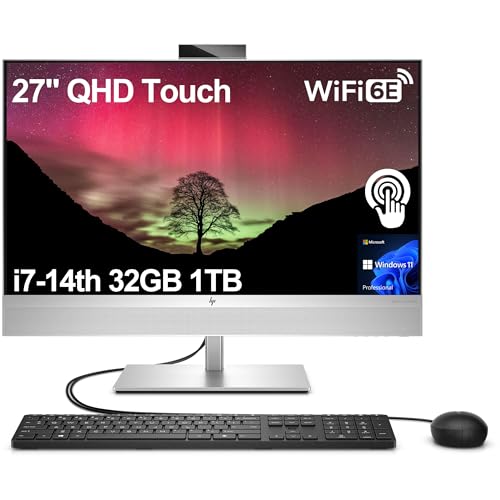
Resolution also matters. Most selected models use FHD at 1920 by 1080. The HP EliteOne 870 G9 is the exception with a 27-inch QHD display at 2560 by 1440, which places more pixels across the same general screen size. That can be useful when text, timelines, or multiple application panels need more room, although the supplied evidence does not establish application-specific performance.
Touch is a separate decision from size. The Dell 24 AIO Ultra 7 355, Dell 23.8-inch Core Ultra 7 AIO, Lenovo IdeaCentre 27-inch Ryzen 5 Touch, and HP 27-inch Ryzen 5 Touch document touchscreen support. The Lenovo IdeaCentre 27-inch Core i7 and Lenovo ThinkCentre neo 50a 27 Gen 5 are explicitly non-touch. A non-touch panel may be preferable if you primarily use a keyboard and mouse, while touch can make direct navigation and casual media use more convenient.
Match the processor and memory to your work
Processor specifications should be read alongside memory. The HP EliteOne 870 G9 has the highest documented processor count in this group, with a 20-core Intel Core i7-14700 and 32GB DDR5 RAM. The Dell 24 AIO Ultra 7 355 uses an 8-core Intel processor with up to 4.7GHz boost, while the Dell 23.8-inch Core Ultra 7 AIO adds a documented 48 TOPS NPU for Copilot+ workloads. These configurations are the most clearly oriented toward heavier multitasking among the selected products.
The Lenovo IdeaCentre 27-inch Core i7 has a 10-core Core i7-13620H, and the Lenovo ThinkCentre neo 50a 27 Gen 5 uses an 8-core Core i5-13420H. Both are paired with 16GB DDR5 RAM. The Acer Aspire C27 also documents an 8-core processor, but its listed configuration has 8GB DDR4 RAM. That difference is important when comparing many open browser tabs, office applications, and larger files.
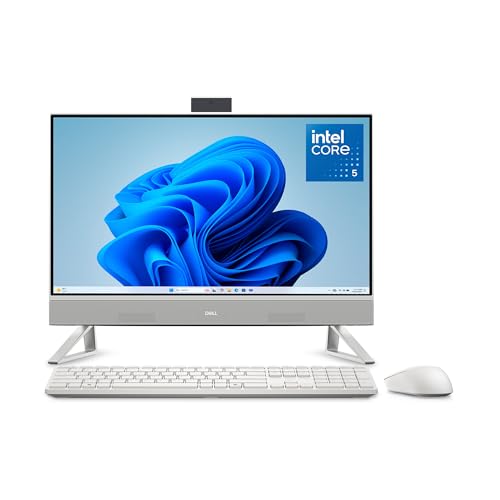
The HP 27-inch Ryzen 5 Touch uses a Ryzen 5 7520U with 16GB LPDDR5 memory, while the two Dell Core 5 120U models do not state RAM capacity in the supplied evidence. When a listing omits a core specification, treat it as an uncertainty rather than assuming it matches another configuration.
Check storage and expansion needs
A 1TB SSD appears in the Dell 24 AIO Ultra 7 355, Dell 23.8-inch Core Ultra 7 AIO, Lenovo IdeaCentre 27-inch Ryzen 5 Touch, and HP 27-inch Ryzen 5 Touch. That capacity gives more room for applications and working files than the 512GB SSDs in the Lenovo IdeaCentre 27-inch Core i7, Lenovo ThinkCentre neo 50a 27 Gen 5, and Acer Aspire C27.
The HP EliteOne 870 G9 also includes a 1TB PCIe NVMe SSD, paired with 32GB memory. SSD type and capacity are useful specification clues, but the supplied listings do not provide independent transfer testing, so this comparison does not claim measured speeds.
Port layouts can influence how long an all-in-one remains useful in a particular workspace. The Dell 24 AIO Ultra 7 355 documents USB-A, USB-C, HDMI input, HDMI output, and Ethernet. The HP EliteOne 870 G9 lists USB-C, multiple USB-A ports, HDMI, DisplayPort, and Ethernet, and supports up to three external 4K monitors. The Lenovo models with HDMI input and output are also suitable for setups that connect additional video equipment.
Evaluate Wi-Fi and wired networking
Wireless capability is central to this category. Wi-Fi 7 appears on the Dell 24 AIO Ultra 7 355. Wi-Fi 6E is documented on the Dell 23.8-inch Core Ultra 7 AIO, HP EliteOne 870 G9, and Acer Aspire C27. Wi-Fi 6 appears on the Lenovo IdeaCentre models and HP 27-inch Ryzen 5 Touch. The Dell Core 5 120U listings do not state a Wi-Fi generation in the supplied description, so their wireless score is based on the available connectivity evidence rather than an assumed standard.
Wi-Fi generation alone does not determine the quality of a network connection. Router compatibility, signal conditions, interference, and placement also matter, but those factors are not specified for these products. Ethernet is documented on several selected models, including the HP EliteOne 870 G9, Lenovo IdeaCentre 27-inch Ryzen 5 Touch, Acer Aspire C27, and HP 27-inch Ryzen 5 Touch. A wired option can be useful where the desk is near a network connection.
Consider cameras, microphones, and audio
For remote meetings, inspect the camera design rather than looking only for the word webcam. The Dell 24 AIO Ultra 7 355 lists an FHD + IR privacy camera. The Dell 23.8-inch Core Ultra 7 AIO uses a retractable 5MP privacy camera with dual-array microphones. The HP EliteOne 870 G9 lists a 5MP webcam, while the HP 27-inch Ryzen 5 Touch has a 1080p FHD IR tilt privacy camera and integrated dual-array microphones.
The Dell Core 5 120U models document 5MP + IR cameras, HDR, and pop-up privacy designs. The Dell 24 AIO Ultra 7 355 and both Dell Core 5 models also list Dolby Atmos audio. These are specification distinctions, not evidence of tested call quality or speaker loudness. If physical privacy is a priority, a retractable or pop-up camera design is easier to identify from the listing than an unspecified built-in webcam.
Windows edition and included peripherals
Windows 11 Pro is documented on the Dell 24 AIO Ultra 7 355, Dell 23.8-inch Core Ultra 7 AIO, HP EliteOne 870 G9, Lenovo IdeaCentre 27-inch Core i7, Lenovo IdeaCentre 27-inch Ryzen 5 Touch, Lenovo ThinkCentre neo 50a 27 Gen 5, and HP 27-inch Ryzen 5 Touch. The Dell Core 5 120U models list Windows 11 Home. Choose based on the operating-system features your environment requires rather than treating one edition as universally preferable.
Included input devices can simplify setup. The Dell Ultra 7 model includes a Dell Pro keyboard and mouse, the Dell Core Ultra 7 model includes wireless keyboard and mouse, and the Lenovo and HP selections document bundled keyboard and mouse sets. Confirm the connection type and regional layout when those details matter.
Final Recommendation
HP EliteOne 870 G9 27-inch QHD Touch ranks first overall in this specification-based comparison under the published weighted criteria.
The final choice among the best wi-fi all-in-one computers depends on the documented features that match your intended use.
Dell 24 AIO Ultra 7 355 is the highest-scoring returned product and the first overall specification-based choice. Its combination of Wi-Fi 7, an Intel Ultra 7 355 processor, 16GB RAM, 1TB SSD, FHD touchscreen, privacy camera, Windows 11 Pro, and HDMI input and output gives it the broadest documented feature set in this comparison.
The HP EliteOne 870 G9 is the more display- and memory-focused alternative, with QHD resolution, 32GB DDR5, a 20-core processor, and multi-monitor support. For a smaller workstation, the Dell 23.8-inch Core Ultra 7 AIO keeps the NPU, 1TB SSD, retractable camera, and Wi-Fi 6E in a compact format. The Lenovo IdeaCentre 27-inch Ryzen 5 Touch and HP 27-inch Ryzen 5 Touch are the clearest choices for a large touch display.
Among the top wi-fi all-in-one computers, the Lenovo IdeaCentre 27-inch Core i7 and ThinkCentre neo 50a 27 Gen 5 emphasize large non-touch screens and office connectivity. The Acer Aspire C27 adds Wi-Fi 6E and an 8-core processor, while the Dell 27-inch and 23.8-inch Core 5 120U models focus on documented display comfort, color coverage, cameras, and Dolby Atmos audio. Match the selection to the specifications that matter most for your desk rather than relying on the product name alone.
Frequently Asked Questions
What should I look for in the best wi-fi all-in-one computers?
Start with processor and memory specifications, then compare screen size, resolution, touch support, Wi-Fi generation, storage capacity, camera privacy features, and ports. The right combination depends on whether the computer is intended for office applications, remote meetings, study, or heavier multitasking.
Is Wi-Fi 6E or Wi-Fi 7 documented on these all-in-one computers?
Yes. The Dell 24 AIO Ultra 7 355 documents Wi-Fi 7. The Dell 23.8-inch Core Ultra 7 AIO, HP EliteOne 870 G9, and Acer Aspire C27 document Wi-Fi 6E. Several other selected systems document Wi-Fi 6. Actual connection behavior also depends on the network equipment and local signal conditions.
Are all the selected displays touchscreen models?
No. Touchscreen support is documented on the Dell 24 AIO Ultra 7 355, Dell 23.8-inch Core Ultra 7 AIO, Lenovo IdeaCentre 27-inch Ryzen 5 Touch, and HP 27-inch Ryzen 5 Touch. The Lenovo IdeaCentre 27-inch Core i7 and Lenovo ThinkCentre neo 50a 27 Gen 5 are listed as non-touch. The Dell Core 5 120U listings do not document touch support in the supplied evidence.
Which models document a privacy camera?
The Dell 24 AIO Ultra 7 355 lists an FHD + IR privacy camera. The Dell 23.8-inch Core Ultra 7 AIO has a retractable 5MP privacy camera, and the Dell Core 5 120U models list pop-up camera designs. The HP 27-inch Ryzen 5 Touch documents a 1080p FHD IR tilt privacy camera. The HP EliteOne 870 G9 lists a 5MP webcam but does not describe it as retractable in the supplied points.
Do these all-in-one computers include keyboards and mice?
Many do. The Dell 24 AIO Ultra 7 355, Dell 23.8-inch Core Ultra 7 AIO, Lenovo IdeaCentre 27-inch Core i7, Lenovo IdeaCentre 27-inch Ryzen 5 Touch, Lenovo ThinkCentre neo 50a 27 Gen 5, and HP 27-inch Ryzen 5 Touch document included keyboard and mouse sets. Check the individual listing for whether the set is wired or wireless.