Buying Guide
A laptop battery is not a universal accessory. The correct replacement must match the laptop’s physical design, battery identifier, voltage, connector, and supported charging system. The best lithium-ion laptop batteries in this comparison are therefore ranked by documented specifications and compatibility evidence, not by a claim that one battery fits every notebook.
Start with the original battery
Shut down the laptop, disconnect its charger, and inspect the existing battery label or service information. Record the model or spare-part number, voltage, capacity, and cell count. Several listings identify multiple batteries for similar laptops, and the difference can involve connector placement, length, capacity, or voltage. For example, the SANISI XG4K6 listing distinguishes its 97Wh battery from a 56Wh alternative, while the Mobik GRT01 listing warns that another battery has a different length and interface.
Do not rely on the laptop family name alone. A Dell Latitude, Dell Inspiron, or HP Pavilion series can contain more than one battery configuration. Compare the original identifier with the replacement’s compatible part numbers and check the manufacturer’s exclusions. The Futurebatt 4GVMP listing specifically separates its 68Wh four-cell model from 42Wh and 51Wh alternatives. That kind of distinction is more useful than a broad “fits many laptops” statement.
Compare capacity, voltage, and cells
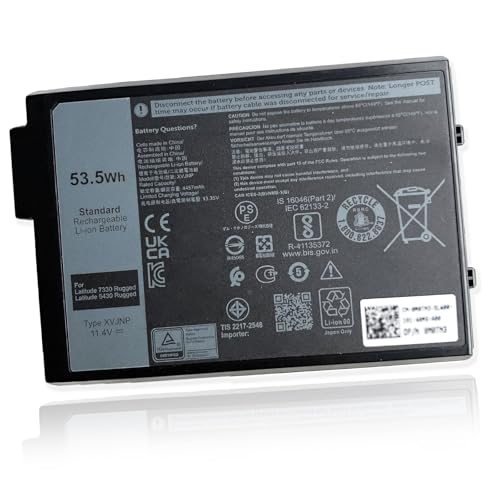
Watt-hours (Wh) describe stored energy and are a useful way to compare batteries within compatible designs. The GBLGBD 4K1VM and SANISI XG4K6 options list 97Wh, while the bossfulton DWVRR lists 87Wh. Other selected batteries range from 48Wh to 68Wh, with the FUTUROSP BP02XL at 41Wh and the Mobik XVJNP at 53.5Wh. A higher number can indicate greater runtime potential, but it does not override fit requirements.
Voltage must also match the laptop’s supported battery configuration. The selected products document values from 7.6V to 15.2V. Cell count is another useful cross-check: the listings include two-, three-, four-, and six-cell designs. Do not substitute a battery solely because its capacity appears attractive. A physically similar pack with the wrong voltage, connector, or cell arrangement may not be compatible.
Give safety evidence proper weight
Look for clearly stated protection features and certifications, while treating them as listing evidence rather than an independent test result. The GBLGBD 4K1VM and GBLGBD CD03XL listings describe protection against overcharging, over-discharging, overheating, short circuits, over-current, and over-voltage. Mobik’s selected products state UL, CE, FCC, and RoHS certifications. The FUTUROSP BP02XL listing adds UKCA to its CE, FCC, and RoHS claims.
These details help distinguish a listing with a fuller technical description from one that provides only capacity and voltage. They do not prove that a battery will deliver a particular runtime or that installation will be problem-free. Inspect the pack for damage before installation, and stop if the battery is swollen, punctured, or otherwise damaged.
Check what comes in the package
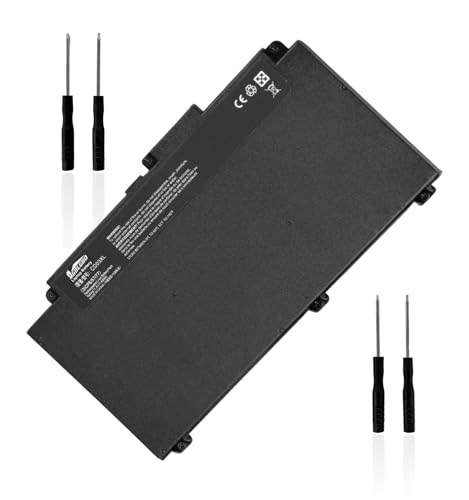
Replacement work may require precision screwdrivers and, for some laptops, a plastic pry tool. The bossfulton DWVRR, Mobik GRT01, Mobik 7FMXV, and the GBLGBD products document screwdriver tools or toolkits. The FUTUROSP BP02XL specifically includes a triangle plastic pry-opening tool and two screwdrivers. These accessories may reduce the need to source tools separately, but they do not replace a service manual or careful disassembly.
A battery that is not recognized after installation should not automatically be treated as defective. The Mobik listings advise checking that the interface is fully connected and provide a charge-and-cycle procedure. Follow the product instructions and the laptop manufacturer’s service guidance rather than forcing a connector.
Evaluate warranty and listing clarity
Warranty terms vary, but most selected products state one year of coverage. The bossfulton DWVRR adds a 30-day return period and 12-month replacement warranty. SANISI’s selected listings also state 12-month replacement coverage, while the GBLGBD and Futurebatt products document one-year terms. Read the seller’s current conditions before ordering because a warranty does not guarantee compatibility.
The most specification-aligned listings combine a model number, part numbers, voltage, Wh rating, cell count, compatible laptop models, safety information, and support details. When one of those elements is missing, verify it through the laptop’s original battery label before purchase. This is especially important for older HP and Dell families with several visually similar replacement packs.
Final Recommendation
GBLGBD 4K1VM 97Wh Battery ranks first overall in this specification-based comparison under the published weighted criteria.
GBLGBD 4K1VM is the highest-scoring returned product and the first overall specification-based choice among the best lithium-ion laptop batteries. Its 97Wh six-cell design, broad Dell model and part-number documentation, protection details, certifications, toolkit, and one-year warranty provide the most complete evidence package in this comparison.
The SANISI XG4K6 is a close alternative for compatible Dell XPS 17 and Precision systems when the original battery confirms the XG4K6 identifier. Choose bossfulton DWVRR when its 87Wh configuration matches a Dell Alienware or Inspiron system and you want a documented toolkit and certification set. For business laptops, the Mobik GRT01, SANISI GJKNX, Futurebatt 4GVMP, and Mobik 7FMXV each offer clearly defined Dell compatibility, but their voltage and connector requirements must be checked carefully.
HP owners should focus on the GBLGBD CD03XL for specified ProBook systems or the FUTUROSP BP02XL for listed Pavilion models. These are not interchangeable. Overall, the top lithium-ion laptop batteries are the ones whose identifiers match the original pack exactly, even when a different model offers more watt-hours or more cells.
Frequently Asked Questions
How do I choose the best lithium-ion laptop batteries for my computer?
Match the original battery’s model or spare-part number first. Then compare voltage, watt-hours, cell count, connector position, dimensions, and the replacement’s listed laptop models. Capacity alone is not enough to establish compatibility.
Is a higher Wh rating always better?
No. A higher Wh rating may provide greater runtime potential, but only when the battery is designed for the laptop. A 97Wh pack such as the GBLGBD 4K1VM or SANISI XG4K6 should not replace a lower-capacity pack unless the laptop and original battery identifiers support that configuration.
Should I buy a two-cell, three-cell, four-cell, or six-cell battery?
Use the cell count as a compatibility check rather than a standalone quality ranking. The selected products document all four designs. The correct choice depends on the laptop’s internal space, voltage, connector, and original battery specification.
What should I verify before installing a replacement battery?
Confirm the model and part number, inspect the connector and physical shape, and compare the listed voltage and capacity with the original. After installation, check that the connector is fully seated. Product instructions may also specify an initial charge and discharge procedure.
Are certifications enough to guarantee battery safety?
No. Certification claims are useful listing evidence, but they are not a substitute for correct compatibility, careful handling, and inspection. Do not install a swollen or damaged battery, and follow the laptop maker’s service instructions whenever possible.