Buying Guide
Choosing the best processor heatsinks starts with identifying what is being cooled. A desktop CPU, a 1U server processor, a Raspberry Pi chip, and a small regulator may all use the word heatsink, but they require different mounting methods and physical formats. The products above range from active fan coolers to adhesive-backed passive pieces, so compatibility should come before material or appearance.
Match the socket or board first
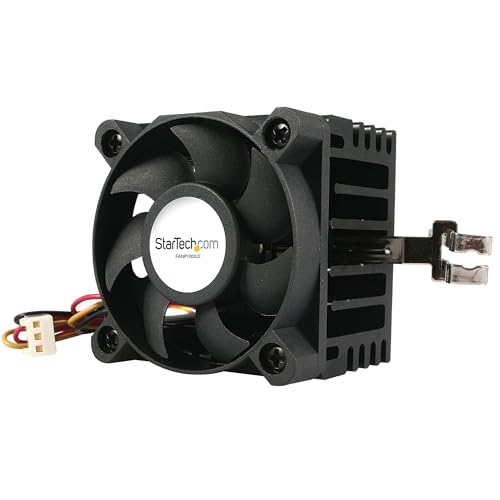
For a conventional desktop or server processor, socket support is the first filter. The ITJTV Hyper 411 Nano lists AM5, AM4, LGA 1851, and LGA 1700 support. The AMD Wraith Stealth is specifically an AM4 cooler, while the Dynatron A45 is designed for AM4 and AM5 systems. The ETURBEV passive cooler lists LGA1150, LGA1151, LGA1155, LGA1156, and LGA1200 coverage. StarTech.com FANP1003LD is narrower, with Socket 7 and Socket 370 support.
A processor cooler needs more than a physically similar footprint. Check the socket generation, mounting holes, bracket or screw method, and whether the motherboard platform is explicitly listed. For Raspberry Pi boards, socket terminology generally does not apply. Instead, match the heatsink size and placement to the board model and the chip being covered. The iUniker and GeeekPi kits are documented for Raspberry Pi boards, while the Pastall kit provides multiple sizes for board-level components.
Decide between active and passive cooling
Active coolers combine a heatsink with a fan. They are useful when the product listing documents a fan, connector, or airflow specification. The ITJTV cooler uses a 4-pin PWM fan with a listed 650–2500 RPM range. The AMD cooler also uses a 4-pin PWM connector. Dynatron’s A45 uses a high-speed blower and is specifically recommended for 1U server environments.
Passive heatsinks contain no fan and depend on surrounding airflow and the cooled device’s thermal load. The ETURBEV is a passive 1U design, while the iUniker, GeeekPi, Manesi, Gokano, and Pastall products are compact passive heatsinks or kits. Passive products can make sense for small chips, development boards, and systems where a fan connection is unavailable, but the supplied listings do not establish a universal processor temperature result. Treat them as component-specific solutions rather than automatic replacements for an active desktop CPU cooler.
Consider the thermal-transfer design
Material and structure provide useful clues, but they are not a substitute for a complete compatibility check. The ITJTV combines four heat pipes with a copper base. Dynatron lists a copper heatsink with a vapor-chamber base. These designs provide more documented thermal hardware than a plain adhesive-backed aluminum piece.
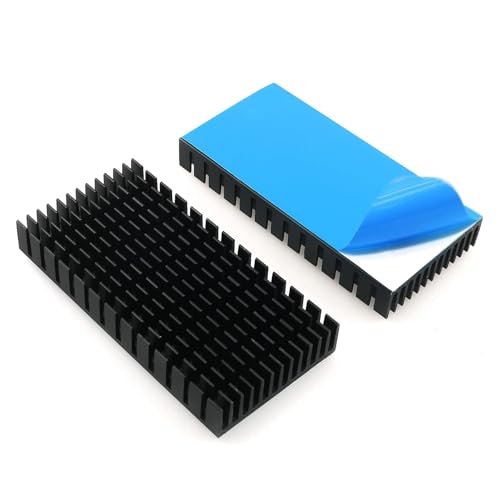
The AMD Wraith Stealth uses an aluminum heatsink and includes pre-applied thermal paste. Several smaller kits instead use copper or aluminum blocks with conductive adhesive tape. iUniker specifies 99.9% copper, GeeekPi specifies pure copper, and the Manesi, Gokano, and Pastall listings document aluminum, copper, or both. Adhesive-backed heatsinks are convenient for chip-level installation, but confirm that the adhesive surface is appropriate for the component and that the added height will not interfere with a case, shield, or connector.
Measure height and available space
Physical clearance is especially important in compact computers. The ITJTV cooler is listed at 136mm tall, which may fit cases that cannot accommodate a taller tower cooler, but the case’s actual CPU-clearance limit still needs to be checked. Dynatron and ETURBEV target 1U environments, where vertical space is highly constrained. StarTech.com FANP1003LD has a small 50mm by 50mm by 41mm format for legacy systems.
For board kits, compare the heatsink footprint with nearby memory, connectors, and enclosures. The iUniker set lists pieces from 5x5x5mm to 17x17x5mm, while Gokano’s 80x40x11mm pieces require a much larger flat surface. Pastall’s eight sizes offer flexibility, but its evidence does not specify each individual dimension, so inspect the supplied size information before placement.
Check installation details
Installation readiness varies significantly. The ITJTV listing mentions a redesigned mounting bracket, the AMD cooler uses direct screw mounting, and the adhesive kits arrive with conductive tape. For tape-backed products, the mounting surface should be clean and appropriately sized before attachment. The GeeekPi listing specifically instructs users to remove the thermal tape covering before sticking the heatsink.
Do not assume that a fan connector, mounting bracket, or thermal interface is included unless the listing says so. The active coolers document connectors or mounting approaches more clearly than the passive kits. Also remember that a heatsink’s advertised application list does not replace checking the processor’s thermal requirements, the motherboard layout, or the case’s airflow path.
Use the right category for the job
The best processor heatsinks for modern desktop systems are usually active coolers with explicit socket support. Low-profile server heatsinks are more appropriate when enclosure height controls the decision. Raspberry Pi and general adhesive kits are better for board-level chips, processors, regulators, or other compact components. Their presence in this comparison reflects documented processor-related applications, not a claim that every small heatsink is interchangeable with a desktop CPU cooler.
Final recommendation
ITJTV Hyper 411 Nano ARGB CPU Cooler ranks first overall in this specification-based comparison under the published weighted criteria.
ITJTV Hyper 411 Nano CPU Cooler is the first overall specification-based choice. It combines four heat pipes, a copper base, PWM fan control, modern AMD and Intel socket coverage, and a documented 136mm height. Those details make it a broadly specified option for a compatible desktop build based on the supplied evidence.
For a 1U AMD server, Dynatron A45 is the more targeted selection because its listing names AM4/AM5 support, a vapor-chamber base, blower airflow, and a stated 105W TDP limit. For AM4 systems seeking a straightforward stock-style option, AMD Wraith Stealth is easier to evaluate because its connector, direct screw mounting, aluminum heatsink, and pre-applied thermal paste are all stated.
The top processor heatsinks are not interchangeable across every platform. ETURBEV and Dynatron address compact server formats, StarTech.com addresses legacy sockets, and the iUniker or GeeekPi kits address Raspberry Pi boards. Choose the product whose socket, board, mounting method, and dimensions match your hardware rather than selecting by material alone. In short, the best processor heatsinks are the ones with documented compatibility and a cooling design suited to the enclosure.
Frequently Asked Questions
How do I choose the best processor heatsinks for a desktop CPU?
Start with the processor socket and motherboard mounting pattern, then verify cooler height against the case. The ITJTV Hyper 411 Nano lists several current AMD and Intel sockets and includes an active PWM fan, while the AMD Wraith Stealth is limited to AM4. A cooler should not be treated as compatible solely because its base appears to match the processor.
Are passive heatsinks suitable for processor cooling?
They can be suitable for specific low-power, compact, or board-level applications, but the supplied listings do not establish one universal thermal result. ETURBEV is a passive 1U server cooler, while the iUniker, GeeekPi, Manesi, Gokano, and Pastall products are passive component-level designs. Check the processor or chip requirements, enclosure airflow, mounting method, and available surface area before choosing one.
What is the difference between a CPU cooler and an adhesive heatsink kit?
A CPU cooler normally combines a processor-specific mounting system with a heatsink and often a fan. An adhesive kit uses tape to attach small aluminum or copper pieces directly to chips or board components. The ITJTV and AMD products are active CPU coolers; the GeeekPi and Pastall products are board-level kits. They serve different installation and compatibility needs.
Which option fits a 1U server?
Dynatron A45 and ETURBEV are the clearest 1U-oriented choices in this comparison. Dynatron is an active AM4/AM5 cooler with a blower and a stated 105W TDP limit, while ETURBEV is a passive cooler listing several older Intel sockets. Confirm the server chassis, processor socket, mounting hardware, and airflow design before installation.
Can Raspberry Pi heatsinks replace a desktop CPU cooler?
The supplied evidence does not establish interchangeability. The iUniker, GeeekPi, and Pastall products are intended for Raspberry Pi boards or small components and use compact copper or aluminum pieces with adhesive tape. Desktop processors generally require socket-specific mounting and a larger active or purpose-built passive cooler, such as the compatible options listed above.