Buying Guide
The best thinkpad laptops in this comparison are business-oriented Windows systems, but their specifications differ substantially. Start with the way you will use the computer, then compare screen size, processor class, memory, storage, ports, and portability rather than choosing by series name alone. This guide uses public listing information and editorial scoring; it is not a hands-on test and does not summarize customer opinions.
Choose the right screen size
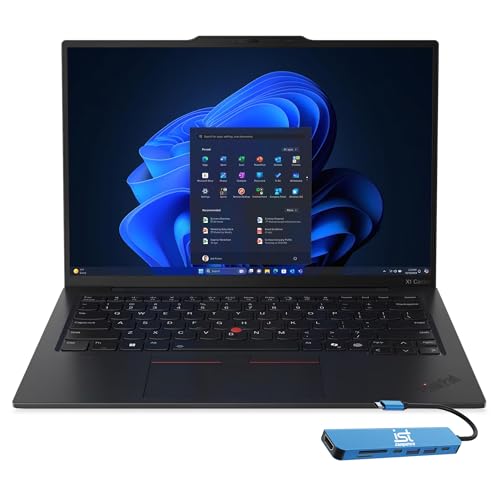
A 14-inch ThinkPad is easier to carry and fits smaller workspaces. The ThinkPad X1 Carbon Gen 13 and ThinkPad T14 Gen 6 use 14-inch displays, while the ThinkPad E14 Gen 7 offers a compact 14-inch format with a 2.95-pound listed weight. These are practical starting points for commuting, meetings, and flexible work locations.
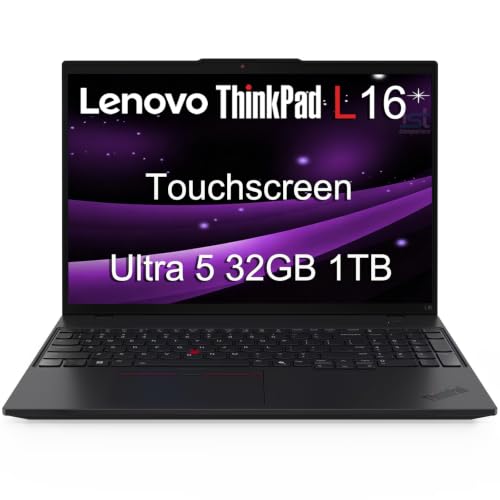
The 16-inch models provide more room for documents, spreadsheets, and side-by-side windows. The ThinkPad T16 Gen 4, ThinkPad L16 Ultra 7 Touch, ThinkPad L16 Ultra 5 Touch, ThinkPad E16 Gen 3 Ultra 7, ThinkPad E16 Gen 3 Ryzen 7, and ThinkPad E16 Gen 2 Ryzen 7 all document 16-inch screens. The larger chassis can be useful at a desk, but the T16 listing gives a 6-pound weight, so it is less suited to frequent carrying.
Match the processor to your workload
For demanding multitasking, the ThinkPad E16 Gen 3 Ultra 7 lists a 16-core Core Ultra 7 255H processor, while the ThinkPad X1 Carbon Gen 13 and ThinkPad X9-15 list the Core Ultra 7 258V. The X1 Carbon and X9-15 also document dedicated NPU capability for AI acceleration. These configurations are specification-aligned fits for users who keep many applications open or expect AI-assisted workflows.
The Core Ultra 7 255U in the ThinkPad T16 Gen 4 and ThinkPad L16 Ultra 7 Touch is aimed at professional productivity. The ThinkPad T14 Gen 6 uses a 12-core Ultra 5 225U and is described as balancing speed and efficiency for multitasking. AMD alternatives include the Ryzen 7 250 in the ThinkPad E16 Gen 3 Ryzen 7 and the Ryzen 7 7735HS in the ThinkPad E16 Gen 2 Ryzen 7, both with documented integrated Radeon graphics.
Check memory and storage carefully
Every selected product has an SSD, but capacity varies. The ThinkPad X9-15 lists 2TB, while several higher-ranked configurations list 1TB. The ThinkPad E16 Gen 3 Ultra 7 is unusual because its listing describes two separate 512GB SSDs. That arrangement may help users keep system and storage data separate, although the listing does not describe upgrade procedures.
Memory ranges from 16GB in the AMD E16 selections to 32GB in the ThinkPad X1 Carbon Gen 13, ThinkPad T14 Gen 6, ThinkPad T16 Gen 4, and selected L16 and E16 models. For office work, study, browsing, and video calls, 16GB may be adequate based on the stated positioning. Heavy multitasking and professional applications have a stronger specification match with 32GB.
Compare display features
The display choices are more varied than resolution alone suggests. The ThinkPad X1 Carbon Gen 13 and ThinkPad X9-15 list 2.8K OLED panels, with the X9-15 adding touch input. The X1 Carbon lists 500 nits, 120Hz VRR, and 100% DCI-P3, while the X9-15 lists 500 nits, 120Hz, Dolby Vision, and DisplayHDR True Black 600.
The 400-nit anti-glare IPS screens in the ThinkPad T14 Gen 6, ThinkPad L16 Ultra 7 Touch, and ThinkPad L16 Ultra 5 Touch are conventional business displays. Touch input is documented on both L16 selections. The ThinkPad T16 Gen 4 and ThinkPad E16 Gen 3 Ultra 7 list 300-nit IPS displays, so buyers who work in brighter rooms should compare those specifications with the brighter alternatives.
Review ports, networking, and security
For a desk setup, physical connectivity can be as important as processor speed. The ThinkPad T14 Gen 6, ThinkPad E16 Gen 3 Ultra 7, and ThinkPad E14 Gen 7 list Ethernet alongside USB ports, HDMI, and USB-C or Thunderbolt connections. The T14 Gen 6 and E16 Gen 3 Ultra 7 also document support for three external monitors.
The ThinkPad X1 Carbon Gen 13 and ThinkPad X9-15 emphasize Thunderbolt 4 and HDMI, while the X9-15 adds Wi-Fi 7. The selected L16 models include Ethernet, Thunderbolt 4, HDMI 2.1, Wi-Fi 6E, fingerprint readers, and backlit keyboards. Windows 11 Pro is listed across the selected products, with several listings also documenting fingerprint readers, TPM, privacy shutters, or IR cameras.
Consider condition and listing details
Several selected computers are described as new systems that were opened or resealed for memory or SSD upgrades. That detail matters because some listings describe separate warranty coverage for upgraded components. The AMD E16 listings also identify third-party brand or manufacturer fields in their specifications. Review the exact configuration, warranty terms, keyboard layout, and included accessories before purchase.
Final Recommendation
ThinkPad X9-15 ranks first overall in this specification-based comparison under the published weighted criteria.
The ThinkPad X9-15 is the first overall specification-based choice among these best thinkpad laptops.
The ThinkPad X9-15 leads because it combines a large 2.8K OLED touchscreen, 32GB memory, 2TB storage, a Core Ultra 7 processor, Wi-Fi 7, and a documented 3.08-pound weight. The ThinkPad X1 Carbon Gen 13 is a strong alternative for buyers who prioritize a lighter 14-inch design, while the ThinkPad T14 Gen 6 is a balanced conventional business option.
For a large workspace, consider the ThinkPad T16 Gen 4 or either selected L16 configuration. The ThinkPad E14 Gen 7 is a compact everyday alternative, and the AMD-based ThinkPad E16 models offer different integrated-graphics configurations. Across the top thinkpad laptops, the final choice should follow your preferred screen size, memory target, portability needs, and required ports rather than processor branding alone.
Frequently Asked Questions
Which are the best thinkpad laptops for travel?
The ThinkPad X1 Carbon Gen 13 has the most travel-oriented specification because its listing gives a 2.17-pound weight. The ThinkPad E14 Gen 7 is another compact option with a listed 2.95-pound weight and a 14-inch display.
Which selected ThinkPad has the most detailed listed display?
The ThinkPad X9-15 lists a 15.3-inch 2.8K OLED touchscreen with 500 nits, 120Hz, Dolby Vision, and DisplayHDR True Black 600. The ThinkPad X1 Carbon Gen 13 also lists a 2.8K OLED display with 500 nits, 120Hz VRR, and 100% DCI-P3.
Is 32GB memory useful in these laptops?
The 32GB configurations in the ThinkPad T14 Gen 6, ThinkPad X1 Carbon Gen 13, ThinkPad T16 Gen 4, and selected L16 and E16 models provide more headroom for multitasking than the 16GB configurations. The right amount depends on your applications and workload.
Which ThinkPad models include Ethernet?
The ThinkPad T14 Gen 6, ThinkPad T16 Gen 4, ThinkPad L16 Ultra 7 Touch, ThinkPad L16 Ultra 5 Touch, ThinkPad E16 Gen 3 Ultra 7, ThinkPad E16 Gen 3 Ryzen 7, ThinkPad E16 Gen 2 Ryzen 7, and ThinkPad E14 Gen 7 listings document RJ-45 Ethernet. This can reduce reliance on adapters in office setups.
No. Memory, storage, screen technology, processor, graphics, wireless standard, and keyboard details vary. Some listings also state that systems were resealed for upgrades, so check the exact configuration and warranty coverage before buying.