Buying Guide
The best gaming network antennas in this comparison are external antennas for compatible wireless cards, desktop PCs, routers, and gaming motherboards. They do not replace a Wi-Fi adapter or create a connection where the host device has no compatible antenna port. Their main specification differences are wireless-band coverage, connector format, cable reach, mounting, antenna gain, and whether the design is intended for one or two antenna connections.
Check the connector before comparing antenna features
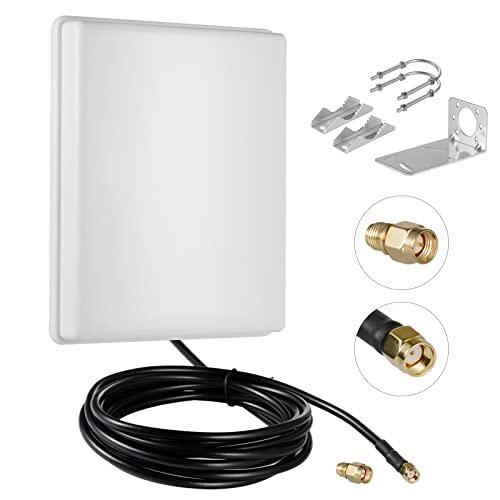
Connector matching should come first. Several selected models use RP-SMA male connectors, described in the listings as threaded connectors with no center pin. They require RP-SMA female ports with a center pin on the host device. The Eightwood WiFi 7 model adds a specific warning about newer push-on interfaces such as ASUS Q-Antenna, GIGABYTE Wi-Fi EZ-Plug, and MSI EZ Antenna. A Wi-Fi 7 label does not make a threaded antenna universal.
The TREADALT-TEC model provides an extensive list of compatible ASUS, GIGABYTE, and MSI motherboard families, while the Slinkdsco listing names ASUS ROG STRIX, ROG MAXIMUS, and GIGABYTE series. These details are useful starting points, but the physical port on the exact motherboard or wireless card remains the deciding factor. Also check whether the device expects one antenna or two. The Eifagur and Eightwood two-packs are aimed at hardware with two antenna connections, whereas a single external antenna may be more appropriate for a one-port setup.
Choose the right wireless bands
Most of the selected products support tri-band operation across 2.4GHz, 5GHz, and 6GHz. The 6GHz band is documented as part of Wi-Fi 6E support on the Eightwood, Superbat, Slinkdsco, and Eifagur models. These products also list backward compatibility with earlier 802.11 standards, so a tri-band antenna can suit a mixed wireless environment when the host device supports the relevant bands.
The Eightwood WiFi 7 antenna goes further by listing 802.11be support alongside Wi-Fi 6E, Wi-Fi 6, and older standards. That makes it the clearest match for a Wi-Fi 7 motherboard or card, provided the connector is standard RP-SMA. Conversely, the GinTai B0BZS5M1ZW listing specifically says it is not compatible with Wi-Fi 7 motherboards, so it belongs on a Wi-Fi 6E setup rather than a newer Wi-Fi 7 system.
Compare cable length and placement
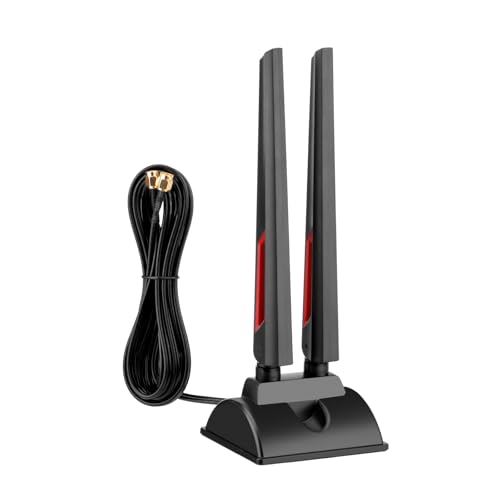
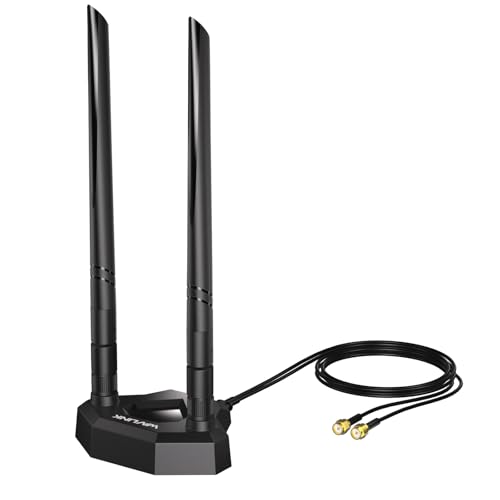
External placement is one of the clearest design differences. The Eightwood B0C3485467 and Slinkdsco models list dual 6.5-foot cables, while Superbat lists a six-foot cable. The Wi-Fi 7 Eightwood model lists a 6.5-foot low-loss cable. These lengths can help move the antenna away from the rear of a desktop chassis and onto a more suitable metal surface.
Eifagur’s B0C7757GKC model lists a 10-foot cable, the longest documented option here. That is useful when the desired antenna position is farther from the PC, although its listing does not document a magnetic base. The GinTai model uses a shorter 80cm cable and a folding magnetic base, which may suit a compact desk. The Slinkdsco antenna adds 180-degree rotation, while the omnidirectional models are described as not requiring aiming in one specific direction.
Understand gain and antenna configuration
Gain is explicitly listed for several products, but the values are not identical. The Slinkdsco and selected Eifagur models list 9dBi, GinTai lists 9dBi, the Eightwood two-pack lists 6dBi, and the Eifagur 10-foot model lists 7dBi. These figures help describe the products, but they should not be treated as a real-world speed or range result because the supplied evidence contains no independent testing.
Omnidirectional designs appear across the selection, including Slinkdsco, Superbat, Eifagur, and GinTai. Their listings describe coverage around the antenna rather than a requirement to aim it at a particular access point. Two-antenna products may be preferable when the wireless card is designed around a pair of external connections. Always compare the antenna count with the host device before selecting a pack.
Consider Bluetooth support and mounting
Several products document Bluetooth support in addition to Wi-Fi. The Eightwood Wi-Fi 7 model, Superbat, TREADALT-TEC, and Eifagur B0C7757GKC all describe Bluetooth reception or compatibility. This can matter when a desktop uses wireless controllers, headsets, or other Bluetooth devices, but the antenna still depends on the host hardware and its connector arrangement.
Magnetic bases are documented on the Wi-Fi 7 Eightwood, Eightwood B0C3485467, Slinkdsco, Superbat, TREADALT-TEC, and GinTai products. A magnetic base is intended for attachment to a metal surface; it is not the same as adhesive mounting. The Eightwood two-pack and Eifagur two-pack list antenna pairs but do not provide base details, so they are better evaluated as direct antenna replacements or matched components for compatible cards.
Final recommendation
Slinkdsco WiFi 6E 9dBi Tri-Band Antenna ranks first overall in this specification-based comparison under the published weighted criteria.
The final choice among the best gaming network antennas depends on the documented features that match your intended use.
Eightwood WiFi 7 Tri-Band RP-SMA Antenna is the highest-scoring returned product and the first overall specification-based choice. It documents the broadest standard support, including Wi-Fi 7, while retaining tri-band coverage, Bluetooth support, a 6.5-foot cable, and a magnetic base. Confirm that the system uses standard threaded RP-SMA ports before choosing it.
For Wi-Fi 6E systems, the Slinkdsco WiFi 6E 9dBi Tri-Band Antenna and Eightwood WiFi 6E Tri-Band Antenna stand out for their listed gain or long cable arrangements. Superbat is a flexible omnidirectional alternative, while the Eifagur 9dBi model emphasizes gain and a 6.5-foot cable. TREADALT-TEC is particularly relevant when the motherboard appears in its detailed compatibility list. The top gaming network antennas are therefore differentiated less by branding than by the host port, band support, antenna count, and placement design.
Frequently Asked Questions
Do these best gaming network antennas work with any gaming PC?
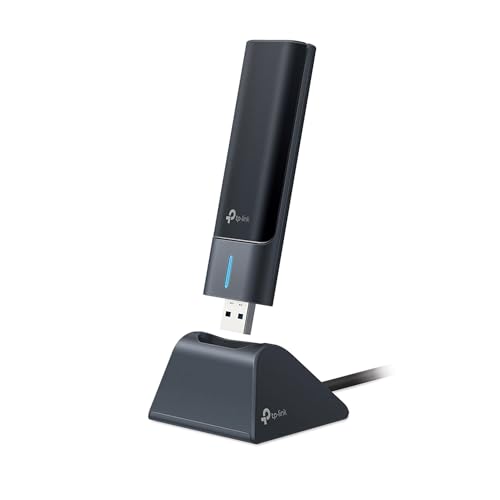
No. They require a compatible wireless card, motherboard, router, USB adapter, or other listed device with the correct antenna port. Many selected products use RP-SMA male connectors, so the host must provide matching RP-SMA female ports. Verify the connector and the number of antenna ports before selecting a model.
Is Wi-Fi 6E support necessary for a gaming antenna?
It is relevant only when the wireless card, motherboard, and network equipment support the 6GHz band. Tri-band models such as Superbat, Slinkdsco, Eightwood, and Eifagur list 2.4GHz, 5GHz, and 6GHz support. A compatible Wi-Fi 6E system can use those documented bands, while older equipment may use only the bands it supports.
Is a 9dBi antenna automatically better for gaming?
Not necessarily. A 9dBi figure is a useful specification, but the supplied evidence does not include independent speed, latency, or range testing. Connector fit, cable placement, host hardware, and network equipment also matter. Products from Slinkdsco, Eifagur, and GinTai list 9dBi, while other selected antennas emphasize cable reach, Wi-Fi 7 support, or motherboard compatibility instead.
Should I choose a single antenna or a two-pack?
Choose according to the host device. The Eifagur and Eightwood two-packs are documented as pairs for hardware with two antenna connections. A single-base model such as Superbat or the Wi-Fi 7 Eightwood may be more suitable when the setup uses one external antenna assembly. Check the wireless card or motherboard documentation rather than assuming that more antennas are required.
How should an external antenna be positioned?
Models with magnetic bases can attach to a suitable metal surface, and several listings recommend placing the antenna higher or away from the PC. Cable length determines how much repositioning is possible. Omnidirectional products do not require aiming in one specific direction, while adjustable or rotatable designs can offer additional orientation choices.