Buying Guide
Wireless monitors are not all built for the same job. Some are portable second screens with batteries, some are slim panels that still need external power, and some are stationary smart displays that use wireless projection as one feature among many. The best wireless monitors should therefore be judged by the complete connection and power setup, not by the word “wireless” alone.
Start with the casting method
Look for the protocol your source device supports. AirPlay is documented on the FMC, HotYeah models, EVICIV models, QQU, and Acer. Miracast is also listed for those products, making them more relevant to compatible Android and Windows workflows. The UPERFECT listing describes wireless casting for compatible devices but does not name AirPlay or Miracast in the supplied feature summary. ViewSonic describes a wireless portable configuration and Wi-Fi dongle inputs, but the listing does not specify the same casting names.
Wireless casting can mirror or extend a display, but compatibility is device-dependent. A monitor may support a phone or laptop while requiring a cable for a particular console, Chromebook, or Google Pixel device. The HotYeah listings explicitly state that certain devices require wired connection. QQU and HotYeah also state that protected streaming applications do not work through wireless mirroring. That limitation matters if entertainment is the main reason for buying.
Decide whether you need a battery
A built-in battery changes where a monitor can operate. UPERFECT, ViewSonic, both EVICIV selections, both HotYeah battery models, and MAGICRAVEN document internal batteries. Their stated cordless ranges run from about two to five hours, depending on the model. These figures are listing specifications, not independent measurements, so treat them as planning guidance rather than a guarantee.
Battery-free options can still be useful. The FMC, QQU, and Acer provide wireless projection but need an external power arrangement. This may be perfectly practical at a desk, in a meeting room, or near a power bank. A battery-free design can also simplify a setup when the monitor will remain connected for long periods. Consider whether removing one display cable is enough, or whether you specifically need operation away from an outlet.
Match screen size to your workspace
The selected products range from 15.6 inches to 24 inches. A 15.6-inch panel is generally easier to place beside a laptop and easier to carry. The FMC and MAGICRAVEN emphasize lightweight travel designs, while the HotYeah models add automatic rotation for phone or tablet use. An 18.5-inch monitor gives more working area without reaching the physical scale of the 24-inch EVICIV or Acer.
Larger screens can be more comfortable for presentations, spreadsheets, and shared viewing, but weight and bag space increase. The 24-inch EVICIV is listed at the current price, and the Acer at the current price. Those specifications suggest a planned-transport or stationary role rather than a daily carry. The UPERFECT and QQU occupy a middle position with 18.5-inch screens.
Compare panel and motion specifications
Most selected portable monitors use IPS panels at 1080p. Look for additional documented details such as matte or anti-glare treatment, sRGB coverage, brightness, HDR, and viewing angle. The FMC and HotYeah battery model list 100% sRGB, while the QQU lists HDR, 72% sRGB, and 250 nits. The MAGICRAVEN listing includes a 125% sRGB claim. These are manufacturer or listing specifications, so they help compare advertised features but do not replace independent color testing.
Refresh rate also depends on connection mode. QQU lists 100Hz, and the EVICIV models specify 100Hz for wired operation while wireless operation is listed at 60Hz. UPERFECT similarly describes wired mode as the choice for higher refresh rates. If gaming responsiveness is important, verify whether the desired refresh rate works wirelessly or only through HDMI or USB-C.
Check the wired fallback
A wired backup is valuable when wireless pairing is unavailable, delayed, restricted by content protection, or unsuitable for gaming. HDMI is listed on FMC, QQU, both EVICIV models, and the HotYeah battery monitors. USB-C appears across most of the portable selections. ViewSonic emphasizes two-way USB-C with data, audio, video, 60W charging, and passthrough power.
Before choosing a USB-C monitor, confirm that the laptop or phone supports video output through its USB-C port. Some listings require a full-featured USB-C connection or a specific display mode. HDMI may provide broader device compatibility, but portable monitors often use Mini HDMI, so cable requirements should be checked before travel.
Consider the stand and mounting options
A built-in stand reduces the number of accessories you need. The selected models document landscape and portrait positioning in different ways. UPERFECT, ViewSonic, QQU, and HotYeah offer stand features, while the HotYeah foldable model adds a detachable magnetic stand. VESA holes appear on UPERFECT, QQU, and the HotYeah battery model, making them candidates for a compatible arm or wall mount.
Automatic rotation is not universal. MAGICRAVEN and the HotYeah listings describe gravity-sensor rotation, with some limits for laptops or phone and tablet use. If portrait mode is central to your workflow, read the device-specific qualification rather than assuming the feature works identically everywhere.
Final recommendation
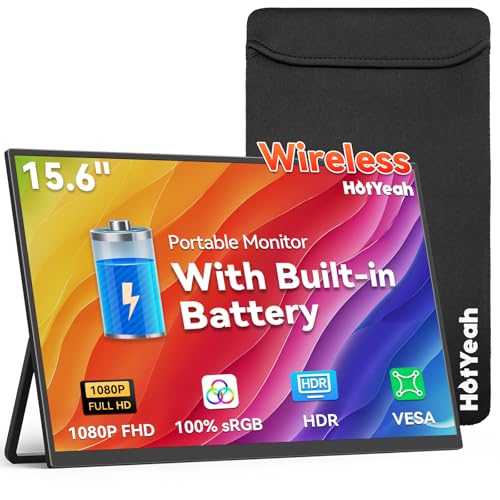
HotYeah 15.6-inch Wireless Monitor with Dual Stands ranks first overall in this specification-based comparison under the published weighted criteria.
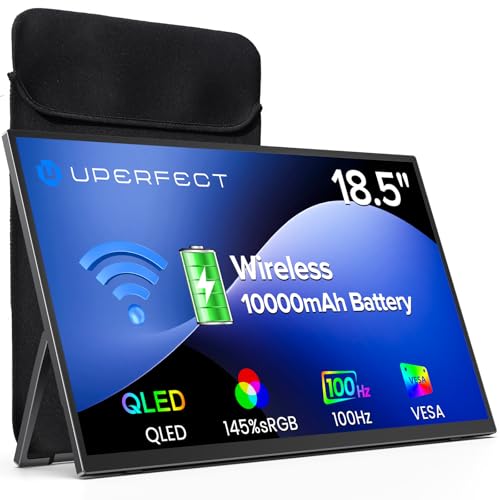
UPERFECT 18.5-inch Wireless Portable Monitor is the first overall specification-based choice among these best wireless monitors. Its battery, casting support, 18.5-inch display, wired fallback, stand, portrait and landscape modes, and VESA support cover a broad set of mobile and desk scenarios. ViewSonic is a strong alternative for a 16:10 productivity workspace, while FMC is compelling when explicit AirPlay, Miracast, 100% sRGB, and low weight matter more than battery power.
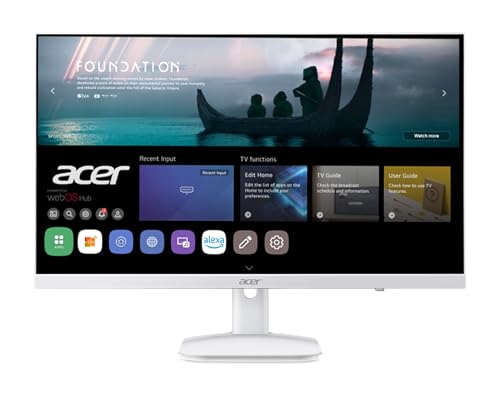
For longer cordless sessions, compare the battery-equipped HotYeah and MAGICRAVEN models, keeping their listed compatibility notes in mind. For a larger display, EVICIV offers 18.5-inch and 24-inch choices. QQU adds speakers and VESA holes, while Acer is the better fit when the goal is a stationary smart monitor with WebOS rather than a travel screen. These are the top wireless monitors in this comparison based on documented specifications only, not hands-on testing or customer sentiment.
Frequently Asked Questions
What makes the best wireless monitors different from regular portable monitors?
A wireless monitor can receive screen content through a documented wireless casting method, such as AirPlay or Miracast, instead of relying solely on HDMI or USB-C. Many models still include wired inputs because wired operation can improve compatibility, reduce latency, support higher refresh rates, or bypass casting restrictions. A portable monitor without wireless reception is not equivalent, even if it is slim and easy to carry.
Do wireless monitors need to be plugged in?
Not always. UPERFECT, ViewSonic, EVICIV, HotYeah, and MAGICRAVEN list built-in batteries. Their stated cordless operating ranges vary from about two to five hours. FMC, QQU, and Acer do not document internal batteries in the supplied evidence, so plan on external power for those models. Wireless video transmission and battery operation are separate features; a monitor can cast wirelessly while still requiring a power cable.
Can these monitors wirelessly play Netflix or other protected streaming services?
Not necessarily. The QQU and HotYeah listings specifically state that Netflix, Hulu, Prime Video, and other protected streaming applications do not work through wireless casting because of HDCP protection. A wired HDMI or USB-C connection may be required, subject to the source device and service. Check the product’s compatibility notes before selecting a monitor primarily for streaming.
Which selected monitor is best for a laptop second screen?
The answer depends on the laptop and work style. ViewSonic’s 16:10 WUXGA display is suited to productivity-oriented screen space, while FMC and MAGICRAVEN offer lightweight 15.6-inch formats. UPERFECT provides a larger 18.5-inch workspace and battery power. Confirm that the laptop supports the required wireless protocol or USB-C video output, and remember that some automatic-rotation features are limited to phones or tablets.
Are wireless monitors suitable for gaming?
They can be, especially when a wired connection is available. QQU and EVICIV document 100Hz wired operation, while UPERFECT describes wired mode as the option for higher refresh rates and lower latency. Wireless performance can vary by source device, network conditions, and the monitor’s implementation. For competitive gaming, use the documented wired mode when possible and verify console compatibility before purchase.