Buying Guide
Choosing the best bnc video monitors starts with the signal coming from the camera, DVR, or other source. BNC is a connector format, not a guarantee that every analog or HD-over-coax standard will work. The selected monitors vary from basic CVBS-oriented displays to models that document AHD, TVI, CVI, 5MP, or downscaled 4K support. Confirm the camera or recorder output before choosing a screen.
Match the monitor to the camera signal
For ordinary composite CCTV, a monitor with a direct BNC input is usually the simplest arrangement. Aurevita explicitly limits its BNC connection to CVBS cameras, while Miktver describes its display as suited to DVR/NVR monitoring and says higher-resolution signals are downscaled. These are useful distinctions: a BNC socket alone does not establish support for every camera technology.
If the system uses HD-over-coax formats, the 101AV and SECURITYVIDEODIRECT models provide the clearest documented evidence in this selection. The 101AV lists CVBS, TVI, CVI, AHD, 5MP, 4MP, Full HD, and downscaled 4K/8MP HDMI support. The SVD lists TVI, AHD, and CVI compatibility and identifies a 5MP BNC resolution. Those specifications make them better starting points for advanced surveillance systems than a compact CVBS-oriented monitor.
Choose resolution and screen size together
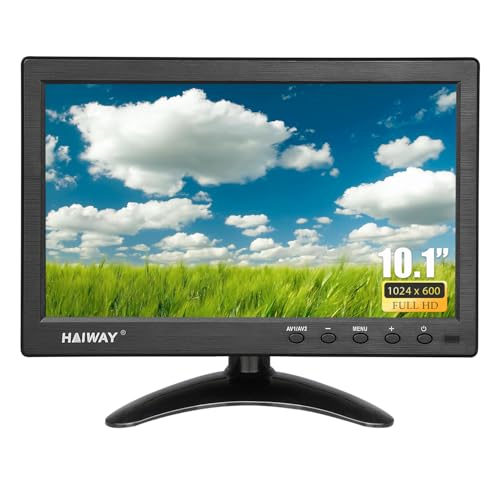
Resolution should be considered alongside physical size and viewing distance. A 7-inch or 10.1-inch screen can be convenient on a security desk, in a vehicle, or inside an embedded project, but 1024x600 provides less image detail than 1920x1080. The JINSWY, Miktver, and Haiway 10.1-inch class options are compact, while the Aurevita and Eyoyo 7-inch monitors prioritize portability.
For a larger view, the Eyoyo EM21A offers a 22-inch 1920x1080 display, and the Haiway 15.6-inch monitor also specifies Full HD. The Jexiop 12.5-inch model brings 1920x1080 into a smaller footprint. The 101AV and SVD monitors occupy the larger surveillance-monitor range, with the 101AV adding documented high-resolution input handling rather than relying only on screen resolution.
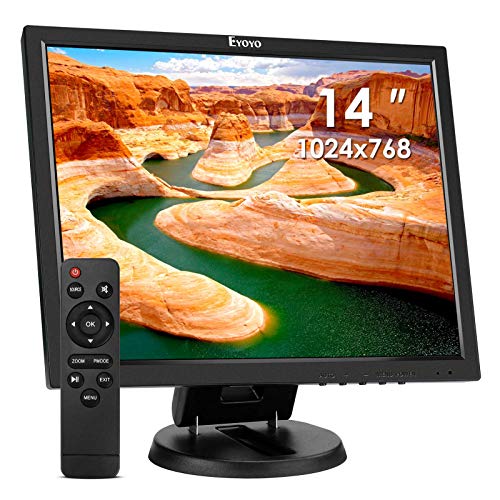
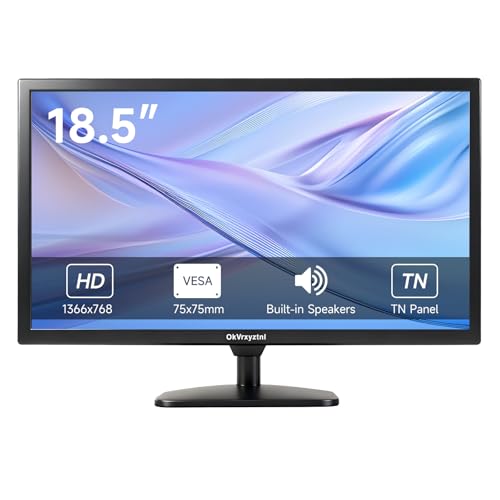
A mixed security and office setup may benefit from HDMI, VGA, AV, and USB alongside BNC. HDMI is useful for newer computers, recorders, and media devices; VGA can connect older computers; AV supports composite sources; and USB may provide media playback on some models. JINSWY, Haiway, Eyoyo EM14A, and OkVrxyztnl document especially broad input selections.
The SVD takes a different approach by offering two BNC inputs and one BNC output. That can be more useful than a long list of general-purpose ports when the display is part of a surveillance signal path. The 101AV also lists a looping BNC video-in connector, which supports direct camera connection and signal continuation according to the supplied evidence.
Consider mounting, controls, and sound
Installation details matter when the monitor will remain in a fixed position. VESA support is documented for several selections, including VESA 75 on JINSWY, Miktver, Eyoyo EM14A, and OkVrxyztnl, and 100x100mm on the Eyoyo EM21A. Some models include the mounting hardware, while others specify that the bracket is not included. Check that distinction before planning a wall installation.
A desk stand is more convenient for temporary setups. The selected compact models commonly include adjustable stands or describe desktop placement. Remote controls and built-in speakers are also common, but they do not replace a recorder or camera audio system. Treat them as convenience features for changing inputs, menus, or playback rather than as evidence of advanced surveillance audio capability.
Select for portability or continuous use
Portable monitors make sense for service work, vehicle displays, small counters, and temporary camera checks. Aurevita adds 12V and Micro USB power options, while JINSWY and several other small monitors emphasize compact installation. These designs can be easier to place, but their smaller screens and lower resolutions may be less suitable for watching several feeds at once.
For a fixed monitoring station, larger models are easier to view from a distance. The 101AV is specifically described for 24/7 professional operation, and the SVD is described for continuous monitoring. These are listing-based design claims, not independent endurance-test results, but they are relevant when comparing purpose-built surveillance displays with general small monitors.
Final recommendation
101AV 18.5-inch Security Monitor ranks first overall in this specification-based comparison under the published weighted criteria.
The 101AV 18.5-inch Security Monitor is the highest-scoring returned product and the first overall specification-based choice among the best bnc video monitors. Its combination of looping BNC, broad camera-format support, downscaled 4K/8MP HDMI handling, SSAA, and stated 24/7 surveillance design gives it a particularly broad documented feature set.
The SECURITYVIDEODIRECT SVD is the better fit when two BNC inputs and a BNC output are central to the installation. Choose the Eyoyo EM21A for the largest Full HD viewing area, or the Haiway 15.6-inch and Jexiop 12.5-inch monitors when Full HD is needed in a smaller format. For compact CVBS work, Aurevita is portable, while JINSWY and Miktver provide broader small-monitor connectivity. These top bnc video monitors differ mainly in signal support, screen scale, and installation priorities, so matching the monitor to the source remains more important than choosing by size alone.
Frequently Asked Questions
What should I check before buying the best bnc video monitors?
Check whether the source is CVBS, AHD, TVI, CVI, or another signal type, then verify that the monitor documents support for it. Also compare resolution, screen size, available outputs, mounting pattern, and power requirements. A BNC connector by itself does not confirm compatibility with every camera format.
Can a BNC monitor also connect to a computer?
Several selected models can. JINSWY, Haiway, Eyoyo EM14A, Miktver, and OkVrxyztnl list HDMI and VGA in addition to BNC, while some also include AV and USB. Confirm the computer’s output and the monitor’s supported input before selecting a cable or adapter.
Is a small monitor suitable for a DVR or NVR?
Yes, when the screen size and resolution fit the viewing task. Miktver is specifically described for DVR/NVR security systems, and the compact JINSWY is positioned for CCTV and space-limited environments. A small 1024x600 display may be adequate for a single feed, but a larger Full HD screen is generally more appropriate when viewing fine detail or several camera windows.
Do all BNC monitors support AHD, TVI, and CVI cameras?
No. The supplied evidence shows different levels of support. The 101AV and SVD explicitly list several HD-over-coax formats, while Aurevita states that its BNC input connects only to CVBS cameras without an adapter. Review the exact format information for the camera and monitor as a pair.
Which features help with wall mounting?
Look for a documented VESA pattern and verify whether the bracket is included. The Eyoyo EM14A lists a VESA bracket and screws, while JINSWY and Miktver document VESA 75 mounting. The Eyoyo EM21A specifies a 100x100mm mount but says the mount is not included. A remote control, built-in speakers, and image-flip function can also help with fixed viewing arrangements, but they are separate from mounting compatibility.