Buying Guide
The best adaptive sync monitors are not defined by one specification alone. Adaptive Sync can help coordinate a monitor’s refresh behavior with compatible frame output, but the practical result depends on the monitor’s supported range, the connection used, and the capabilities of the computer or console. The listings here establish that the selected models include Adaptive-Sync or a closely related FreeSync-compatible feature, but they do not provide a uniform operating range for every product.
Match refresh rate to your system
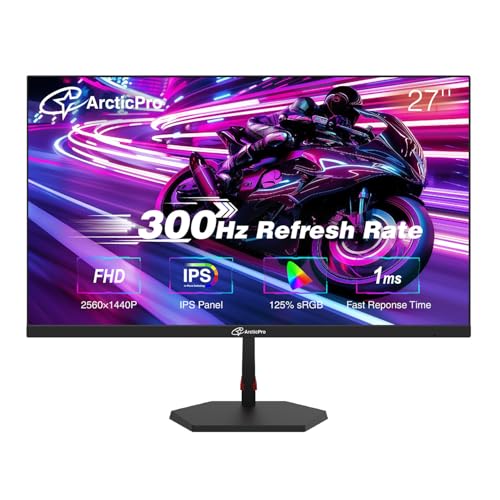
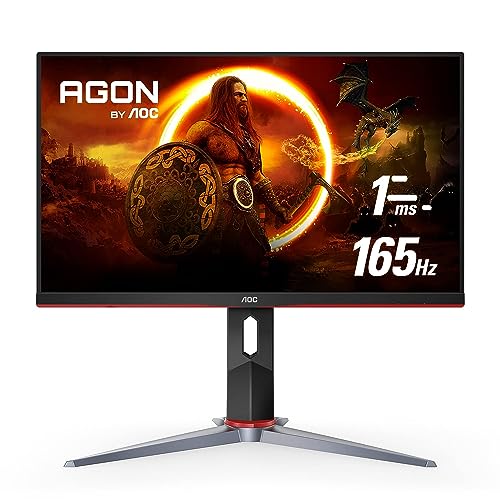
Refresh rate is the main dividing line among these monitors. The ArcticPro ADE27F4 lists up to 300Hz through DisplayPort and up to 240Hz through HDMI, while the ArcticPro AD24EF4 lists 240Hz. The Pixio PXC248 Wave lists 200Hz, and the AOC 27G2SP and Amazon Basics 27-inch model list 165Hz. These are speed-focused choices for systems that can produce high frame rates at 1080p.
A 120Hz monitor can still provide a different motion profile from standard 60Hz operation. The MSI PRO MP341CQPHG E12, ASUS VA249QG, and Acer SH272 G0bih provide different ways to use that level of motion support. The MSI combines 120Hz with an ultrawide 3440x1440 workspace, while the ASUS and Acer models use 120Hz in smaller or more conventional formats. The ASUS VP327Q listing does not state a high refresh rate, so it should be considered primarily for resolution and general viewing rather than fast competitive play.
Check the port specification before expecting the maximum number. The Amazon Basics listing specifically directs users toward DisplayPort 1.4 or HDMI 2.0 for 165Hz at FHD. The ArcticPro ADE27F4 lists different maximums for DisplayPort and HDMI. Verify both the monitor input and the graphics output rather than assuming every cable or port will deliver the advertised ceiling.
Choose resolution and panel type
FHD is represented throughout the gaming-focused portion of the list. It can be a sensible match for high refresh rates because the display is rendering 1920x1080, but a 27-inch FHD panel will not show the same pixel density as a 4K model. The AOC 27G2SP, Amazon Basics 27-inch monitor, Acer SH272 G0bih, and ArcticPro ADE27F4 use this general format with different refresh and stand features.
The ASUS VP327Q and ASUS VY27UQ use 3840x2160 4K UHD IPS panels. These models are suited to detailed documents, large images, streaming, and general desktop work where sharpness matters more than extreme refresh speed. Both list HDR-10, while the VP327Q also lists 99% sRGB and the VY27UQ adds Eye Care Plus functions.
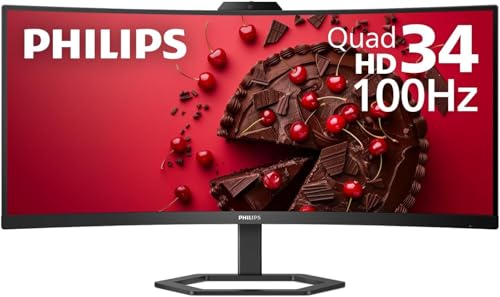
For a wider workspace, the MSI PRO MP341CQPHG E12 uses a 34-inch 21:9 UWQHD panel at 3440x1440. Its 1500R curve is a documented design feature, not a universal benefit, so consider whether you prefer a surrounding viewing shape for multitasking and media. A curved panel can also affect how a multi-monitor arrangement fits on a desk.
IPS panels appear on many selected models and are described with wide viewing angles. The Pixio PXC248 Wave instead uses a Fast VA panel and a 1500R curve, with HDR listed. This is a distinct choice for buyers who want a curved gaming display rather than a conventional flat IPS screen. The supplied evidence does not provide directly comparable contrast measurements across the entire group, so panel choice should be based on the documented design and intended use.
Consider response claims carefully
Response specifications use different terms in these listings. The ArcticPro models, AOC, ASUS VA249QG, and Acer use MPRT or VRB wording, while the Pixio PXC248 Wave lists 1ms GTG and the MSI ultrawide lists 1ms in its title. These terms are not identical measurement methods. Treat them as the manufacturers’ listed response claims, not as directly comparable test results.
For fast games, combine the response claim with refresh rate and Adaptive Sync. The ArcticPro and Pixio high-refresh choices have clear speed-focused profiles. For office work and casual play, the 120Hz models may provide a balanced specification set without making refresh rate the only priority.
Review ports, mounting, and ergonomics
Connectivity can determine whether a monitor works comfortably with your existing devices. The ASUS VA249QG lists HDMI, DisplayPort, and VGA. The Acer SH272 G0bih lists HDMI and VGA, while the MSI ultrawide adds USB-C with 98W Power Delivery and a KVM switch. Those MSI features are relevant if one monitor must support a laptop and another computer or if a single USB-C connection is useful in your desk setup.
VESA support is documented for the ArcticPro models, AOC 27G2SP, Amazon Basics monitor, ASUS VP327Q, ASUS VA249QG, and MSI ultrawide. The Acer stand is documented as tilt, swivel, and height adjustable. AOC also lists height adjustment. These features can matter when the screen will be used for long work sessions or placed on an arm.
Account for eye-care and audio features
Several models list flicker-free and low-blue-light technologies. The ASUS VP327Q, ASUS VY27UQ, and ASUS VA249QG provide especially clear eye-care descriptions, while the Acer and MSI listings also document comfort-oriented features. The ASUS VY27UQ adds Color Augmentation and Rest Reminder modes. These are feature descriptions, not evidence of a medical outcome, so use them as configuration considerations.
Built-in speakers appear on the MSI ultrawide, ASUS VP327Q, ASUS VY27UQ, and ASUS VA249QG. Speakers may simplify a basic desk or entertainment setup, but the supplied listings do not provide audio output measurements. If sound quality is central to your purchase, a separate audio solution may still be appropriate.
Final recommendation
ArcticPro ADE27F4 27-inch 300Hz Monitor ranks first overall in this specification-based comparison under the published weighted criteria.
The ArcticPro ADE27F4 is the first overall specification-based choice among these best adaptive sync monitors because it combines Adaptive Sync, a documented 300Hz DisplayPort ceiling, 1ms MPRT, IPS viewing angles, and VESA support. It is the clearest match for competitive gaming where high frame-rate support is the priority.
The top adaptive sync monitors serve different setups. Choose the Pixio PXC248 Wave for a compact curved Fast VA design and 200Hz refresh, or the ArcticPro AD24EF4 for 240Hz in a compact IPS format. The AOC 27G2SP is a balanced 27-inch gaming pick with height adjustment and broad stated color coverage. For a wide work area, the MSI PRO MP341CQPHG E12 provides UWQHD resolution, USB-C power delivery, KVM, speakers, and a height-adjustable design.
For detailed general use, the ASUS VP327Q and ASUS VY27UQ provide 4K IPS panels with HDR-10. The ASUS VA249QG and Acer SH272 G0bih are conventional FHD choices that keep Adaptive Sync and 120Hz motion support in the mix. Before buying, confirm that your graphics hardware and selected cable support the refresh rate you intend to use, and check the available stand or VESA arrangement against your desk.
Frequently Asked Questions
What are the best adaptive sync monitors for competitive gaming?
The ArcticPro ADE27F4 has the highest stated refresh ceiling in this selection at up to 300Hz through DisplayPort. The ArcticPro AD24EF4 lists 240Hz, while the Pixio PXC248 Wave lists 200Hz. The AOC 27G2SP and Amazon Basics 27-inch monitor each list 165Hz. Choose based on the frame rates your system can deliver and the connection required by the monitor.
Is a 4K adaptive-sync monitor better than an FHD model?
Neither resolution is universally better. The ASUS VP327Q and ASUS VY27UQ offer 4K UHD IPS panels for sharper desktop and media detail. FHD models such as the AOC 27G2SP and Acer SH272 G0bih emphasize more modest rendering demands and high-refresh operation. Screen size, viewing distance, graphics capability, and the type of work or games you use should guide the decision.
Does Adaptive Sync work with every computer or console?
The listings establish Adaptive-Sync or compatible synchronization support, but they do not guarantee compatibility with every source device. Confirm the monitor’s input type, the graphics hardware’s supported variable-refresh technology, and the cable specification. The Amazon Basics listing specifically notes DisplayPort 1.4 or HDMI 2.0 for its maximum FHD refresh rate.
Which selected monitor is best for multitasking?
The MSI PRO MP341CQPHG E12 is directly oriented toward multitasking because it uses a 34-inch 21:9 UWQHD panel. Its listing also includes USB-C with 98W Power Delivery, a KVM switch, speakers, and height adjustment. These features make it a more expansive workstation option than the selected 24-inch and 27-inch FHD monitors.
Should I prioritize VESA mounting or an adjustable stand?
That depends on your desk. VESA support is useful when you plan to use a monitor arm or wall mount; it is documented on several selections, including the AOC 27G2SP and ArcticPro models. An adjustable stand is useful when you want to change the screen without adding accessories. The Acer SH272 G0bih documents tilt, swivel, and height adjustment, while the AOC also lists height adjustment.