Buying Guide
The best remote-control video monitors are not one uniform product type. The supplied candidates fall into three practical groups: multi-input security displays, dedicated no-Wi-Fi baby monitors, and wireless phone selfie monitors. Choosing among them starts with identifying the source of the video. A CCTV or DVR installation needs physical video inputs; a nursery monitor needs a matched camera-and-screen system; and a creator setup needs wireless phone mirroring plus a way to trigger or control the phone remotely.
Match the monitor to the video source
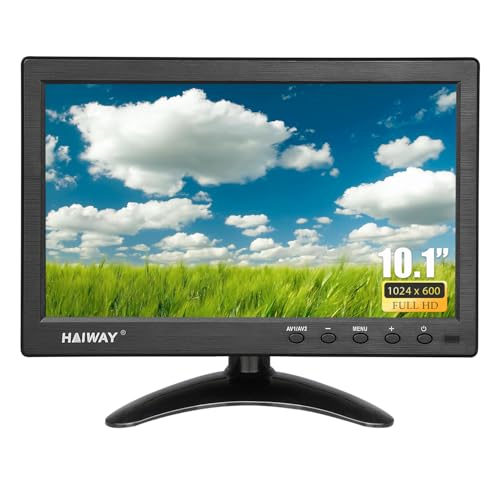
For security cameras, prioritize documented HDMI, VGA, AV, BNC, or USB support. JINSWY, Eyoyo, Haiway, and Jexiop list several of these connections, making them adaptable to older DVRs, analog cameras, computers, and media devices. Eyoyo is the specialist choice when a 4:3 image is useful for retro equipment, test benches, or control panels. Haiway and JINSWY are more natural fits for widescreen 16:9 sources because their listed resolutions are 1024x600.
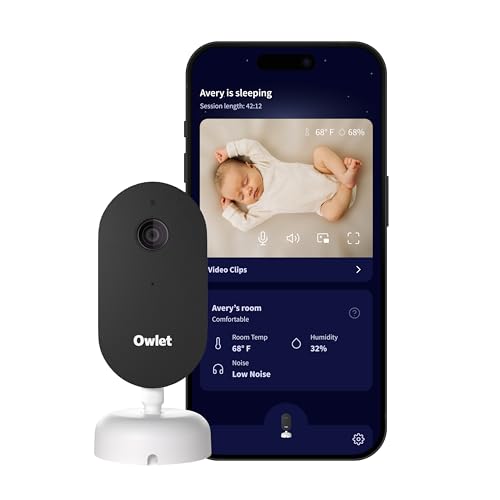
A dedicated baby monitor is different. Blemil, HelloBaby, and Baby Ganibs pair their displays with supplied cameras and use remote pan, tilt, or zoom controls. These systems do not document general-purpose HDMI or VGA inputs, but they provide features that a CCTV screen does not, including night vision, two-way audio, and nursery-focused monitoring modes. Blemil documents split-screen viewing for two cameras, while Baby Ganibs describes automatic camera cycling without split-screen. That distinction matters if simultaneous views are important.
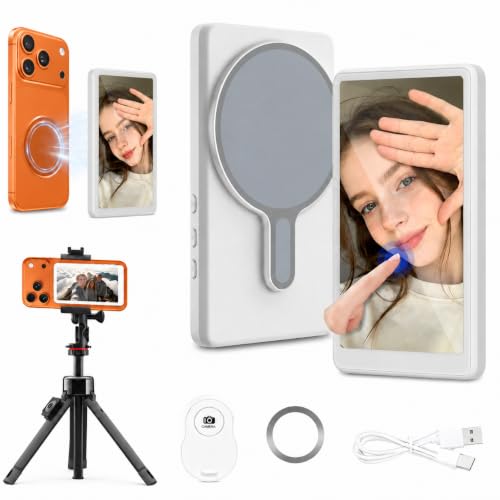
Phone selfie monitors use another connection model. SMALLRIG, Zuleisy, and OiQii mirror a phone screen wirelessly and are designed to help creators frame shots using a phone’s rear camera. Zuleisy documents AirPlay and Miracast, while SMALLRIG specifies a 10-meter wireless connection and 1080p rear-camera monitoring. OiQii emphasizes touchscreen operation and app-free wireless setup. These are preview displays, not standalone cameras, and the listings do not present them as recording devices.
Evaluate remote operation
“Remote control” can mean different things in this category. On a security display, it generally means changing inputs or menu settings from a distance. Eyoyo explicitly describes remote input switching and menu adjustments.
On a baby monitor, remote operation controls the camera itself. HelloBaby documents 355-degree horizontal and 120-degree vertical movement, while Baby Ganibs lists 320-degree pan, 120-degree tilt, and 2x zoom. Blemil lists 310-degree horizontal and 120-degree vertical movement. These figures describe the camera’s stated movement range, not a guarantee of unobstructed room coverage.
For phone monitors, the remote is intended for shooting control. Zuleisy documents a Bluetooth remote with a range of up to 33 feet, and SMALLRIG documents remote photography within a 10-meter wireless setup. OiQii lists Bluetooth control for solo shoots and group shots. Check whether you need a shutter trigger, recording control, zoom control, or simply display navigation; the supplied listings do not establish identical remote functions across all three designs.
Check display details and viewing coverage
Resolution and screen format should follow the intended viewing distance. The 10.1-inch JINSWY and Haiway displays list 1024x600 resolution, which is suitable for compact surveillance views and common small-monitor applications. Haiway additionally lists 400 cd/m² brightness and a 178-degree viewing angle. JINSWY lists 300 cd/m² brightness and a 500:1 contrast ratio. Eyoyo uses an 8-inch 1024x768 IPS panel with a 4:3 aspect ratio, a useful alternative for sources that do not suit widescreen layouts.
Baby-monitor screens are smaller but are paired with room cameras. Blemil uses a 6-inch IPS screen, HelloBaby a 5-inch color display, and Baby Ganibs a 4.3-inch IPS screen. The listings emphasize camera movement and night vision more than panel brightness or resolution, so do not assume these products offer the same image specifications as a security display.
The phone monitors are intentionally compact. Zuleisy lists a 4.02-inch, 480x800 display, while OiQii lists a 4-inch touchscreen and describes a 4K wireless preview. SMALLRIG documents 1080p monitoring of the phone’s rear camera. These products are meant for framing a nearby phone, where portability may matter more than a large panel.
Consider installation and portability
Mounting evidence varies. JINSWY supports VESA 75 mounting and includes an adjustable stand, while Eyoyo supports 75x75 VESA mounting and includes a desktop stand and cables. Haiway also supports VESA 75 and includes an adjustable stand, but the mount is not included. SMALLRIG is built around creator hardware, with a phone clamp, phone support, 1/4-20 screw, and cold shoe mount. Zuleisy uses magnetic attachment and includes a metal plate for phones without the stated magnetic compatibility.
Battery information is especially important for mobile use. Blemil lists a 4000mAh battery and approximately 30 hours in ECO mode. Baby Ganibs lists up to 16 hours with the screen on and 30 hours in ECO mode. SMALLRIG lists a 1500mAh battery with 3+ hours of filming, and Zuleisy lists up to three hours of continuous use. The JINSWY, Eyoyo, Haiway, and Jexiop listings do not document battery operation, so they are better treated as powered desk, wall, vehicle, or embedded displays.
Review compatibility warnings before buying
The connection type is only useful if it matches the source. For analog surveillance equipment, confirm that the chosen display includes the required BNC or AV connection. For a phone monitor, verify that the phone supports the stated wireless mirroring method or mounting system. SMALLRIG specifically excludes Google Pixel and Samsung S22/S22 Ultra models in its listing. The OiQii listing references recent iPhone generations and mainstream Android devices, while Zuleisy describes iOS and Android support through separate wireless standards.
Also distinguish included accessories from optional hardware. JINSWY, Eyoyo, and Haiway support VESA mounting, but the supplied evidence says the mount is not included where noted. A remote may be included without batteries or without detailed function documentation. Finally, the Jexiop listing contains both 15.6-inch and 16-inch wording, so physical-size confirmation is sensible before installation.
Final recommendation
Haiway 10.1-inch Security Monitor ranks first overall in this specification-based comparison under the published weighted criteria.
JINSWY 10.1-inch Security Monitor is the first overall specification-based choice in this comparison.
The final choice among the best remote-control video monitors depends on the documented features that match your intended use.
JINSWY offers a balanced combination of remote operation, broad inputs, compact installation, and documented display information. Among the top remote-control video monitors, it is a flexible pick for CCTV, DVR, Raspberry Pi, and other mixed-source setups.
Choose Eyoyo if a 4:3 display and image flipping are central to the installation. Choose Haiway for its stated wide viewing angle and vehicle-oriented accessories. For nurseries, Blemil is the dual-camera option that documents split-screen viewing, while HelloBaby is a focused single-camera alternative. Baby Ganibs suits buyers who want two cameras and extended ECO-mode battery claims without Wi-Fi.
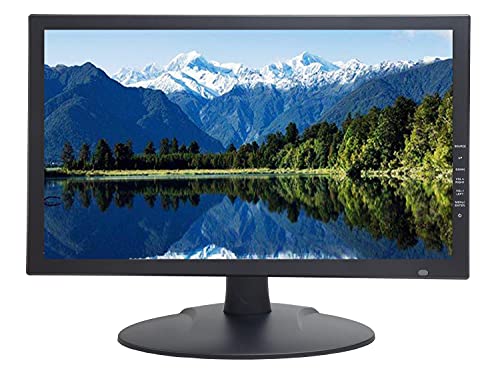
Creators should narrow the choice to SMALLRIG, Zuleisy, or OiQii. SMALLRIG has a mounting kit and a documented 1080p monitoring mode. Zuleisy offers a lightweight magnetic design, wireless phone compatibility through AirPlay or Miracast, and a specified 33-foot remote range. OiQii is the touchscreen-oriented option, but its battery runtime is not stated. Jexiop remains a reasonable larger security display when multiple physical inputs and built-in speakers matter, provided its size is verified.
Frequently Asked Questions
What are the best remote-control video monitors for CCTV?
JINSWY, Eyoyo, Haiway, and Jexiop are the clearest CCTV-oriented choices because their listings document multiple physical video inputs. JINSWY and Haiway use 1024x600 displays, Eyoyo uses a 4:3 1024x768 panel, and Jexiop adds USB media playback and speakers. Match the selected monitor’s HDMI, VGA, AV, or BNC connections to the output from the camera system or DVR.
Do these monitors need Wi-Fi?
The dedicated baby monitors from Blemil, HelloBaby, and Baby Ganibs are described as no-Wi-Fi systems using 2.4GHz FHSS. The phone selfie monitors use wireless screen mirroring, so they still depend on compatible phone connectivity even though they are not presented as Wi-Fi security cameras. The security displays use physical inputs in the supplied evidence and do not require a network connection for those sources.
Which option is best for monitoring two cameras?
Blemil is the clearest choice for simultaneous two-camera viewing because its listing explicitly documents split-screen support. Baby Ganibs also includes two cameras, but its listing says there is no split-screen function and describes automatic or manual camera cycling instead. Select based on whether simultaneous views or sequential viewing better fits the room-monitoring setup.
Are the phone selfie monitors standalone cameras?
No. SMALLRIG, Zuleisy, and OiQii are described as phone-monitoring or screen-mirroring devices. They display the phone’s camera feed and provide remote shooting-related control, but the supplied evidence does not identify them as standalone cameras or recording devices. Confirm the phone’s compatibility and the required wireless mirroring method before purchase.
What should I verify before mounting a security monitor?
Verify the physical dimensions, required input type, power arrangement, and mounting hardware. JINSWY, Eyoyo, and Haiway document VESA support, but the mount is not included where specified. The Jexiop listing contains conflicting 15.6-inch and 16-inch references, so its actual size should be confirmed before selecting a bracket or enclosure.