Buying Guide
Choosing among the best nitro laptops starts with identifying the workload rather than focusing on a single component. These Acer Nitro systems vary across graphics tiers, screen sizes, memory types, storage capacities, and connection options. This is a specification-based comparison using public listing data, not a hands-on test or a summary of customer opinions.
Choose the graphics tier first
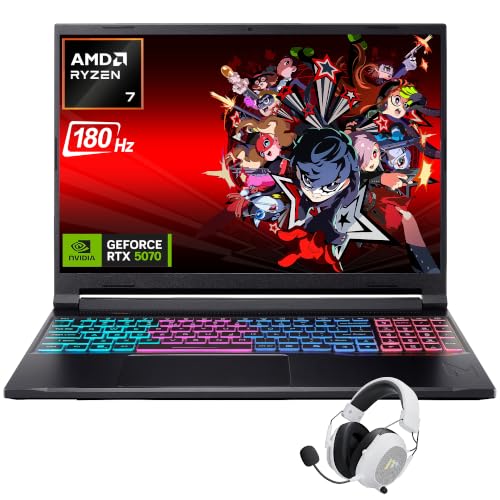
The Acer Nitro 16S AI with RTX 5070 Ti has the highest listed graphics tier. It also includes a Ryzen AI 9 365 processor, 32GB DDR5 memory, and a 2TB SSD. RTX 5070 alternatives include the Acer Nitro V16 with Ryzen 7 260 and the Acer Nitro V16 with Core 9 270H. The former lists WQXGA resolution, G-Sync, and a MUX switch; the latter lists Thunderbolt 4 and a dual-fan, quad-intake, and quad-exhaust design.
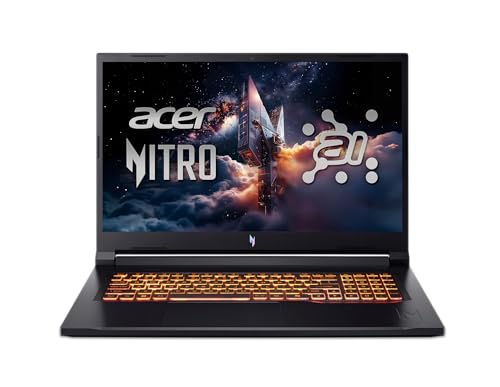
RTX 5060 options provide more configuration variety. The Acer Nitro V 16S AI emphasizes 32GB memory and a secondary M.2 slot. The Acer Nitro V 17 AI is the large-screen option, while the Acer Nitro V16 with Core 7 240H emphasizes connectivity. The Acer Nitro V15 ANV15-52-73D8 lists RTX 5060 graphics in a 15.6-inch chassis, although its listing contains conflicting memory and storage information.
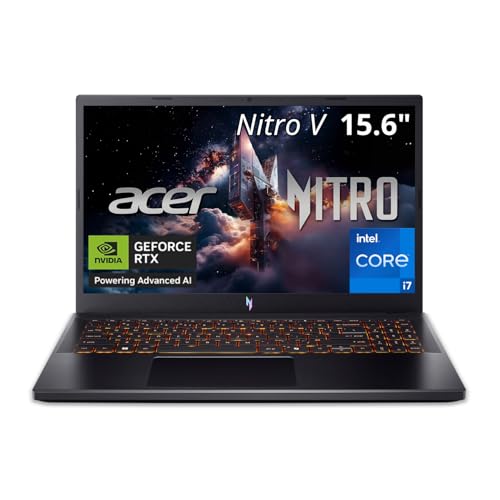
The RTX 5050 models are aimed at mainstream gaming specifications. The Acer Nitro V 15 with Core i5-13420H lists 8GB of GDDR7 graphics memory, while the Acer Nitro V16 AI with Ryzen 5 240 adds a 16:10 display, DDR5 memory, and Wi-Fi 6E.
Match the display to your use
Selected panels range from 165Hz to 180Hz. The 180Hz screens appear on the Acer Nitro 16S AI, Acer Nitro V16 with Ryzen 7 260, Acer Nitro V16 with Core 9 270H, Acer Nitro V 16S AI, Acer Nitro V 17 AI, and Acer Nitro V16 AI. A higher refresh specification is relevant to users who prioritize fast on-screen motion, but it does not by itself establish measured gaming performance.
WQXGA means 2560 x 1600 on the Acer Nitro 16S AI and Acer Nitro V16 with Ryzen 7 260. WUXGA means 1920 x 1200 on several 16-inch systems and uses a 16:10 format. The Acer Nitro V 17 AI uses a larger 17.3-inch Full HD screen. Several listings document 100% sRGB coverage, including the Acer Nitro 16S AI, Acer Nitro V16 with Ryzen 7 260, Acer Nitro V16 with Core 9 270H, Acer Nitro V 17 AI, and Acer Nitro V16 with Core 7 240H.
Check memory and storage
The Acer Nitro 16S AI, Acer Nitro V16 with Ryzen 7 260, and Acer Nitro V 16S AI list 32GB of memory. Most other selected configurations list 16GB. Storage ranges from 512GB to 2TB. The Acer Nitro 16S AI lists 2TB, while the Acer Nitro V 16S AI, Acer Nitro V 17 AI, Acer Nitro V16 with Ryzen 7 260, and Acer Nitro V15 with Core i9-13900H list 1TB. The Acer Nitro V 16S AI and Acer Nitro V16 with Ryzen 7 260 document additional M.2 expansion details.
A 512GB SSD may suit a smaller library, but users with many large installations should compare the available capacity and expansion options. The Acer Nitro V15 ANV15-52-73D8 needs particular care because its title and feature text disagree about storage and memory.
Consider portability and screen size
The 15.6-inch models generally offer a smaller footprint, while the 16-inch systems provide a taller 16:10 workspace. The Acer Nitro V 17 AI is the largest selected design and lists a weight of the current price. The Acer Nitro V15 ANV15-52-73D8 lists a weight of the current price, and the Acer Nitro V 15 with Core i5-13420H lists the current price. Compare the complete dimensions and weight with your travel and desk requirements.
Review ports, networking, and cooling
The Acer Nitro V16 with Core 7 240H lists Thunderbolt 4, HDMI 2.1, Killer Ethernet, and Wi-Fi 6. The Acer Nitro V 15 with Core i5-13420H also lists Thunderbolt 4 and USB-C DisplayPort support. The Acer Nitro V16 AI includes USB-C 4, HDMI 2.1, RJ-45, microSD, and Wi-Fi 6E. Several listings document dual-fan systems and NitroSense controls for fan or performance settings. These are listed design features, not evidence of measured temperatures or sustained performance.
Final recommendation
Acer Nitro 16S AI, Ryzen AI 9 and RTX 5070 Ti ranks first overall in this specification-based comparison under the published weighted criteria.
The final choice among the best nitro laptops depends on the documented features that match your intended use.
Acer Nitro 16S AI, Ryzen AI 9 and RTX 5070 Ti is the first overall specification-based choice in this comparison.
Among the top nitro laptops, the Acer Nitro V16 with Ryzen 7 260 is a strong alternative for WQXGA resolution, G-Sync, and a MUX switch. Choose the Acer Nitro V 17 AI when screen size is the priority. For a 15.6-inch RTX 5060 system, consider the Acer Nitro V16 with Core 7 240H or the Acer Nitro V15 ANV15-52-73D8, but verify the latter’s conflicting capacity details. The Acer Nitro V 15 with Core i5-13420H and Acer Nitro V16 AI are RTX 5050 choices with fast displays and current graphics features.
Frequently Asked Questions
What are the best nitro laptops for high-end gaming?
The Acer Nitro 16S AI with RTX 5070 Ti has the highest listed graphics tier. The Acer Nitro V16 with Ryzen 7 260 and Acer Nitro V16 with Core 9 270H are RTX 5070 alternatives with different display and connectivity features.
Is a 16-inch Nitro laptop better than a 15.6-inch model?
Neither size is universally better. A 16-inch model may provide a taller 16:10 workspace, as seen on the Acer Nitro V 16S AI and Acer Nitro V16 AI. A 15.6-inch model may suit buyers who prefer a smaller footprint. Compare dimensions, weight, resolution, and aspect ratio.
How much RAM should a Nitro gaming laptop have?
The selected listings range from 16GB to 32GB. The Acer Nitro 16S AI, Acer Nitro V16 with Ryzen 7 260, and Acer Nitro V 16S AI list 32GB. A 16GB configuration may suit general gaming and multitasking, but check whether the listing documents memory slots or a maximum capacity.
Is 512GB storage enough for a Nitro laptop?
It may suit a smaller game library, but 512GB provides less room than the 1TB or 2TB configurations. The Acer Nitro 16S AI lists 2TB, while the Acer Nitro V 17 AI and Acer Nitro V16 with Ryzen 7 260 list 1TB. The Acer Nitro V 16S AI documents a secondary M.2 slot.
Which Nitro laptop has the largest display?
The Acer Nitro V 17 AI has the largest selected display at 17.3 inches. It lists a Full HD IPS panel with a 180Hz refresh rate, 16GB DDR5 memory, 1TB storage, and RTX 5060 graphics. Its listed 5.97-pound weight makes it more suitable for desk-based use than frequent travel.