Buying Guide
Choosing among the best rack-mount video monitors starts with the rack itself. These products are not interchangeable desktop displays: their RU height, screen arrangement, signal paths, and production controls determine whether they fit a camera truck, studio rack, post-production room, or video wall. The most useful comparison is therefore specification-based. First identify the physical space and the signals you must monitor, then narrow the list by display format and workflow features.
Match the monitor to available rack space
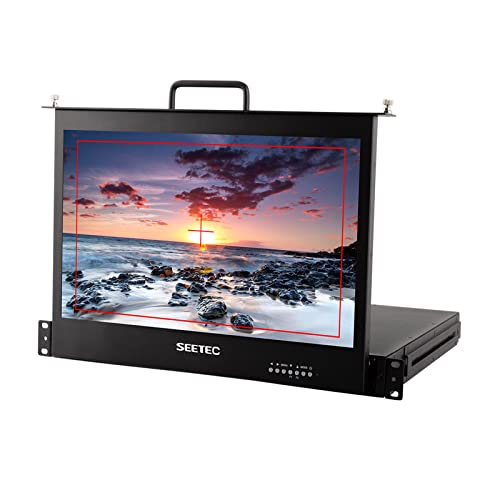
Rack height is one of the clearest differences in this category. The SEETEC SC173-HSD-56 models use a pull-out drawer that occupies 1RU while housing a 17.3-inch screen. That design is particularly relevant when the rack must preserve space for recorders, routers, converters, or other equipment. The FEELWORLD T51 Plus-H and LILLIPUT RM-503S use 2RU, while the dual 7-inch designs from FEELWORLD and LILLIPUT use 3RU. FEELWORLD D101 Plus uses 4RU, and the 17.3-inch SEETEC and FEELWORLD units use 7RU.
A pull-out monitor is a practical design when the display is needed during setup, monitoring, or transport but should not remain exposed. A fixed multi-screen unit may be more convenient when operators need several feeds visible continuously. Before ordering, confirm the rack width and available depth against the installation hardware; the supplied listings establish rack formats but do not provide a universal cabinet-depth recommendation for every monitor.
Decide between one, two, and three screens
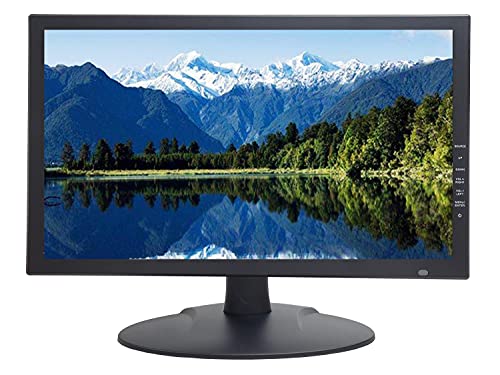
A single 17.3-inch panel gives the largest documented viewing area in this selection. The SEETEC P173-9HSD-RM, FEELWORLD 17.3-inch monitor, and SEETEC 4K173-9HSD-RM are suited to operators who prioritize one larger picture. They may be easier to use for reviewing a single feed, checking menus, or viewing a detailed frame than several small panels.
Dual-screen products address a different need. FEELWORLD D101 Plus and the FEELWORLD D71 Plus-H can monitor two different cameras simultaneously, while LILLIPUT RM-7029S also documents dual 7-inch IPS screens. This layout can reduce the need to switch between feeds and works well for two-camera production or a compact video wall.
Triple-screen designs provide the greatest number of visible feeds in this group. FEELWORLD T51 Plus-H and LILLIPUT RM-503S place three small displays into 2RU. That arrangement is useful for overview monitoring, but the smaller panels may not be the first choice when detailed image inspection is the priority. Think of three-screen products as efficient multi-feed tools rather than direct substitutes for a large single display.
Check every required signal type
Signal compatibility should be checked against the cameras, switchers, playback equipment, and distribution hardware already in the rack. Several selected monitors document 3G-SDI and HDMI input/output, including FEELWORLD D101 Plus, FEELWORLD D71 Plus-H, LILLIPUT RM-7029S, and the larger 17.3-inch broadcast models. Loop-through output can help extend a signal to another device or display, but the exact supported format depends on the model.
The LILLIPUT RM-7029S specifically documents support up to 1080p 60Hz over SDI and 2160p 60Hz over HDMI. FEELWORLD D101 Plus and FEELWORLD D71 Plus-H document 4K HDMI connections. If your system uses older or mixed equipment, the SEETEC 17.3-inch models add documented YPbPr and video connections, while the SEETEC SC173-HSD-56 listing includes DVI, VGA, YPbPr, video, and audio alongside HDMI. The SC173-HSD version documents 3G-SDI input/output, so check the exact configuration rather than assuming all similarly named versions have identical ports.
The best rack-mount video monitors for technical production usually offer more than a basic picture. Focus assist, check field, image freeze, image flip, image zoom, center markers, screen markers, and safe markers appear across several selected models. These functions can help an operator inspect framing, focus, orientation, or selected image areas, but the listings do not establish how each tool performs in practice.
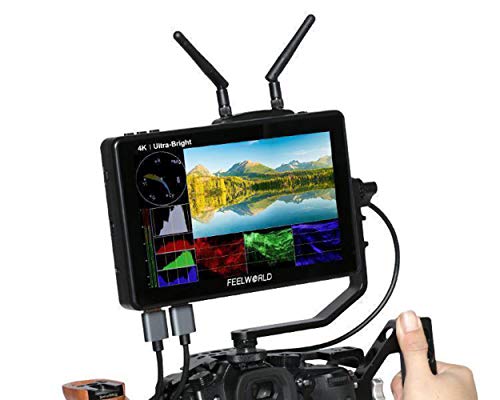
For more technical signal evaluation, FEELWORLD D71 Plus-H documents waveform, vector, histogram, audio phase, and audio level displays, as well as false color and 3D LUT support. LILLIPUT RM-503S documents custom waveform modes, vector functions, HDR, 3D-LUT, comparison mode, and multiple color-space options. Those models are the most appropriate when the specification list itself calls for scope and color features.
Consider tally and control options
Tally lights are useful when a production team needs a quick visual indication associated with a feed. The SEETEC P173-9HSD-RM, FEELWORLD 17.3-inch monitor, SEETEC 4K173-9HSD-RM, FEELWORLD D71 Plus-H, and FEELWORLD T51 Plus-H document three-color tally indicators. The LILLIPUT RM-7029S also supports software adjustment through a connected computer, while FEELWORLD D71 Plus-H documents DB-9 tally control and independent front-panel operation.
Control style matters in a busy rack. The FEELWORLD D101 Plus has independent front controls and shortcut keys for each screen. Pull-out SEETEC models provide a fold-away drawer arrangement, whereas compact multi-screen units place several displays and controls together. Select the approach that fits whether the monitor will be adjusted locally, remotely, or only occasionally.
Compare display specifications carefully
Resolution, panel type, screen size, brightness, and viewing angle describe different aspects of the display. The 17.3-inch models document 1920x1080 Full HD panels, while FEELWORLD D101 Plus and FEELWORLD D71 Plus-H document 1920x1200 IPS panels. The LILLIPUT RM-503S and RM-7029S also document IPS displays. IPS construction is specifically stated in the supplied evidence and should not be generalized to every monitor in the category.
FEELWORLD T51 Plus-H lists 400cd/m² brightness, 500:1 contrast, and a 140-degree horizontal by 120-degree vertical viewing angle. LILLIPUT RM-503S lists 98% DCI-P3 and multiple color-gamut choices. These details can help distinguish products on paper, but they are not a substitute for evaluating your actual viewing position, lighting, and calibration requirements.
Final Recommendation
FEELWORLD D71 Plus-H Dual 7-inch 3RU Monitor ranks first overall in this specification-based comparison under the published weighted criteria.
FEELWORLD D71 Plus-H Dual 7-inch 3RU Monitor is the first overall specification-based choice among these best rack-mount video monitors because it combines dual independent screens with waveform, vector, histogram, audio monitoring, 3D LUT support, tally control, and 4K HDMI connectivity. It is the most complete documented fit for technical broadcast and post-production workflows.
Choose FEELWORLD D101 Plus when two larger 10.1-inch displays are more useful than a deeper scope toolkit. Choose LILLIPUT RM-7029S for a dual-screen setup with explicit 2160p 60Hz HDMI support. For a large single panel, SEETEC P173-9HSD-RM and the FEELWORLD 17.3-inch model provide 17.3-inch Full HD viewing with production connections and tally features.
If rack preservation is the priority, either selected SEETEC 1RU pull-out monitor deserves attention. The SC173-HSD-56 version documents optional SDI, while the SC173-HSD version explicitly lists 3G-SDI input/output. For three feeds in limited height, FEELWORLD T51 Plus-H and LILLIPUT RM-503S use 2RU; the LILLIPUT model is especially specification-focused for scopes and color tools. These are the top rack-mount video monitors here for distinct installation and workflow needs, not hands-on performance claims.
Frequently Asked Questions
What rack size should I choose for a rack-mount video monitor?
Choose the smallest RU format that still provides the screen count, controls, and connectors your workflow requires. A 1RU pull-out SEETEC monitor preserves the most rack height for a large screen. Dual 7-inch models use 3RU, triple 5-inch models use 2RU, and larger fixed 17.3-inch models in this selection use 7RU. Always confirm the cabinet depth and mounting arrangement before installation.
Are these best rack-mount video monitors suitable for SDI cameras?
Several selected models document SDI support. FEELWORLD D101 Plus lists 3G-SDI input and output, FEELWORLD D71 Plus-H lists 3G-SDI, and LILLIPUT RM-7029S lists 3G-SDI with support up to 1080p 60Hz. The SEETEC SC173-HSD version also explicitly lists 3G-SDI input/output. Do not assume that similarly named variants share the same standard ports; verify the listing for the exact model.
Is a dual-screen monitor better than a 17.3-inch single-screen model?
Neither layout is universally better. Dual-screen monitors are designed to show two feeds simultaneously, which can suit camera comparison or video-wall work. A 17.3-inch single screen offers a larger individual viewing area and may be preferable when one feed needs closer inspection. The choice depends on whether simultaneous source visibility or a larger single image matters more.
FEELWORLD D71 Plus-H documents waveform, vector, histogram, audio phase, and audio level displays. LILLIPUT RM-503S documents custom waveform modes and vector functions, along with HDR and 3D-LUT options. These are the clearest choices in this comparison when built-in technical scopes are a central requirement.
Do all rack-mount monitors include tally lights?
No. Tally support is documented for several selected products, including the SEETEC P173-9HSD-RM, FEELWORLD 17.3-inch monitor, FEELWORLD D71 Plus-H, and FEELWORLD T51 Plus-H. Other models may emphasize signal routing, compact screens, or technical scopes instead. Check for the tally light hardware and the stated control connection if your production workflow depends on it.