Buying Guide
For best waveform video monitors, start by matching the monitor’s scopes and signal path to the way you shoot. A waveform display is useful for evaluating luminance distribution, while RGB parade and vectorscope tools add information about channel balance and color. The products in this comparison are camera field monitors that document waveform or related oscilloscope functions; they are not standalone broadcast waveform analyzers.
Choose the scope package first
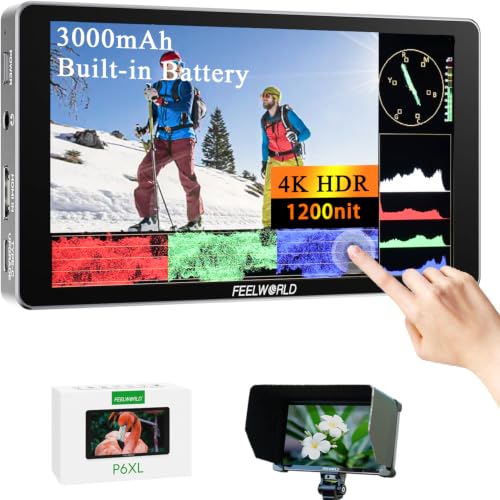
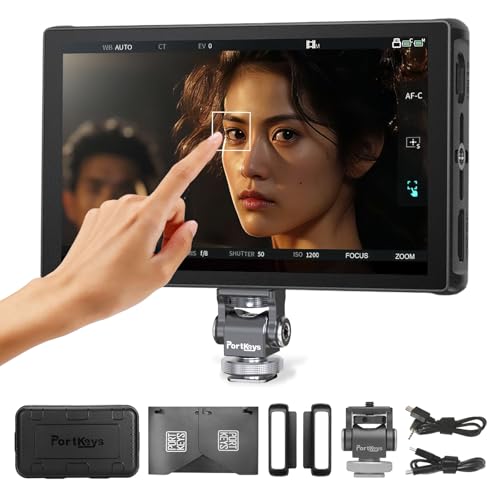
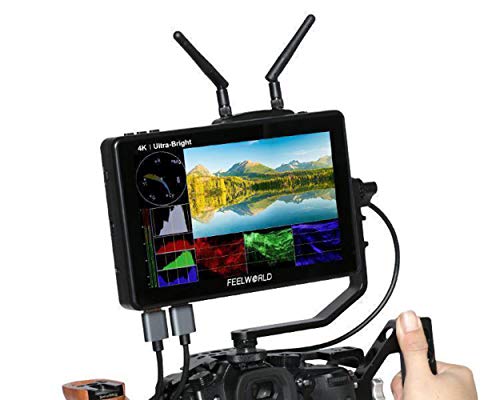
Not every listing uses the same terminology. The VILTROX DC-A1, NEEWER F700, and VILTROX DC-X2 explicitly list full waveform, with the DC-X2 also identifying RGB parade. The FEELWORLD P6XL identifies Y, RGB, and YUV parade modes. The Portkeys PT5 II documents both luma and RGB waveform, while the FEELWORLD CUT6 lists waveform, RGB parade, vectorscope, RGB histogram, and audio meter.
If exposure is your main concern, a basic luminance waveform plus histogram may be enough. If you also grade footage or compare channels, RGB parade and vectorscope are more useful. False color, zebra patterns, and focus peaking are complementary rather than substitutes for waveform. They help identify exposure ranges and sharpness while the scope provides a broader view of the image signal.
Match brightness to the shooting environment
Brightness is one of the clearest specification differences. The VILTROX DC-A1 lists 2800 nits, while the NEEWER F700 and VILTROX DC-X2 list 2000 nits. The FEELWORLD LUT11S lists 2000 nits in a much larger 10.1-inch format. These models are the most directly supported choices when daylight visibility is a priority.
The FEELWORLD F7 Plus lists 1200 nits, the FEELWORLD P6XL lists 1200 nits, and the Portkeys LH5C lists 800 nits with an included sunshade. The Portkeys PT5 II and ANDYCINE T6 do not provide a nit rating in the supplied evidence, so their outdoor suitability should not be assumed from screen size alone. A sun hood can help reduce glare, but it does not replace a documented brightness specification.
Resolution and size also affect usability. A 7-inch panel gives more room for scopes and image inspection than a 5-inch model, while the 10.1-inch LUT11S is better suited to shared viewing. Smaller screens such as the PT5 II and LH5C can be easier to mount on compact cameras, gimbals, or handheld rigs.
Confirm both the camera’s output and the monitor’s supported input. Several selections list 4K HDMI input and output, but the maximum frame rate differs. The ANDYCINE T6, FEELWORLD CUT6, FEELWORLD F7 Plus, and VILTROX DC-550 Pro II listings document 4K60-related support. The VILTROX DC-A1 and NEEWER F700 list 4K pass-through or loop-through, while the Portkeys LH5C specifies 4K30 input and 1080p60 output.
The FEELWORLD LUT11S is the most connection-oriented choice because it documents 3G SDI, dual HDMI input, HDMI output, and support for 4K HDMI signals. That combination is more appropriate for a production setup that may combine cinema cameras, DSLR cameras, and an additional display. The CUT6 is different: its USB function can record compatible HDMI video up to 1080p30, while its HDMI output is specified up to 1080p60.
A headphone jack or audio meter may matter when the monitor is also part of the on-set checking process. The VILTROX DC-X2, FEELWORLD LUT11S, and FEELWORLD T10 listings identify headphone connections or audio monitoring features. Choose based on the complete signal chain rather than assuming every HDMI monitor offers identical pass-through.
A 3D LUT preview can help you inspect a log image using a viewing transform or creative look. The NEEWER F700, VILTROX DC-X2, VILTROX DC-A1, FEELWORLD P6XL, and Portkeys PT5 II all document LUT functions. The P6XL specifies custom.cube loading, while the NEEWER F700 and VILTROX models identify preloaded and custom LUT support. These features describe monitoring workflow flexibility; they do not establish that one monitor produces more accurate color than another.
HDR functions are documented for the DC-A1, F700, P6XL, F7 Plus, and some other selected models. The Portkeys LH5C adds freeze-frame and reference overlays, which may help with continuity and composition checks. The FEELWORLD CUT6 documents recording with LUT and LUT-capable HDMI output. These are distinct workflow advantages, so prioritize the functions that match your production process.
Plan power and mounting
Power requirements can change the practicality of a monitor. The FEELWORLD P6XL has a built-in rechargeable battery and USB-C charging, making it a relatively self-contained option. The NEEWER F700 includes two NP-F750 batteries in the listed package. The VILTROX DC-A1 supports NP-F batteries, DC input, and USB-C, and the ANDYCINE T6 lists battery, DC, and USB-C power options.
The PT5 II accepts NP-F and LP-E6 battery types but does not include a battery according to its listing. The F7 Plus uses an external NP-F power design that can also power compatible devices. Before buying, verify whether your existing batteries fit, whether a charger is supplied, and whether the camera can be powered from the monitor. The presence of multiple power methods does not necessarily mean every cable or adapter is included.
Mounting is equally important. The NEEWER F700 includes a cold shoe mount and 1/4-inch screw holes. The LH5C lists multiple 1/4-inch holes for vertical or horizontal mounting, and the T6 lists dual 1/4-inch threads. A heavier 7-inch or 10.1-inch monitor may need a stronger arm than a compact 5-inch display. Review the listed weight and your rig’s support capacity before choosing a larger screen.
Final recommendation
VILTROX DC-A1 7-inch 2800 Nit Monitor ranks first overall in this specification-based comparison under the published weighted criteria.
The VILTROX DC-A1 is the highest-scoring returned product and the first overall specification-based choice among the best waveform video monitors. Its 2800-nit screen, full waveform, vectorscope, HDR, 4K HDMI 2.0 pass-through, and flexible power options cover demanding outdoor and field-monitoring needs. The NEEWER F700 is a close alternative when two included NP-F750 batteries and 2000-nit brightness are more useful than the DC-A1’s larger brightness specification.
Among the top waveform video monitors, the VILTROX DC-X2 is a strong pick for scope variety, the FEELWORLD CUT6 for built-in recording, and the FEELWORLD LUT11S for SDI and large-format shared viewing. Choose the FEELWORLD P6XL when an integrated battery matters, the ANDYCINE T6 when an aluminum shell and included accessories fit your setup, and the Portkeys PT5 II or LH5C when low weight or supported camera control takes priority. Always verify the camera’s HDMI format and the power accessories before ordering.
Frequently Asked Questions
A waveform monitor displays the distribution of video signal levels across the image. It can help an operator inspect luminance and exposure without relying only on the appearance of the camera screen. RGB waveform or parade modes add channel-level information, while histogram, vectorscope, false color, and zebra tools provide different views of exposure and color.
Are brighter monitors always better for outdoor video?
Not necessarily. A higher nit rating can make a screen easier to see in bright conditions, but viewing angle, a sunshade, screen size, power use, and mounting also matter. The DC-A1, F700, DC-X2, and LUT11S document 2000 nits or more, while the P6XL and F7 Plus document 1200 nits. Select the brightness level that fits your location and rig rather than treating it as the only specification.
Do these monitors record video?
The FEELWORLD CUT6 explicitly documents real-time USB recording of compatible camera video up to 1080p30 to a FAT32 flash drive. The other selected products are described primarily as monitoring displays. HDMI loop-out or pass-through sends a signal to another device, but it should not be confused with internal recording.
Do I need 4K output if my camera records 4K?
It depends on the rest of your setup. A monitor may accept a 4K signal while displaying at 1920x1080, and some models specify different maximum resolutions for input and output. If you need to feed another monitor or recorder, check the exact pass-through resolution and frame rate. The LH5C, for example, lists 4K30 input and 1080p60 output, while several other selected models document 4K60 support.
Which power option is easiest for a mobile rig?
A built-in battery, as on the FEELWORLD P6XL, can reduce external battery hardware. NP-F compatibility is useful when your camera setup already uses that battery family, and USB-C or DC input can provide additional flexibility. Included batteries vary: the NEEWER F700 lists two NP-F750 batteries, while the Portkeys PT5 II lists battery compatibility but says the battery is not included. Check the package details for the specific model before purchase.