Buying Guide
The best gaming powerline adapters are designed for a specific problem: getting a wired network connection to a room where a long Ethernet run is inconvenient. They communicate through a home’s electrical wiring, with one unit connected to the router and another connected near a console, gaming PC, television, or other network device. The products in this comparison are ranked from documented specifications rather than hands-on testing.
Start with the connection you actually need
For a single console or PC, one Gigabit Ethernet port may be enough. The Tenda AV1000 WiFi Powerline Kit PH10, TRENDnet TPL-422E2K, NETGEAR PLP1200 Powerline Adapter Kit, and TP-Link AV1000 Powerline Ethernet Kit each document one Gigabit port per adapter. That keeps the hardware straightforward, but a nearby second device may require an Ethernet switch.
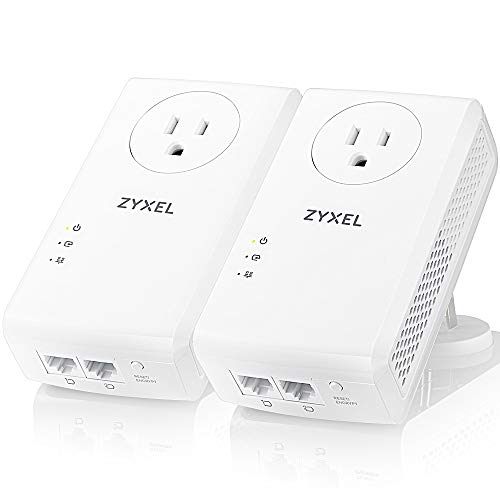
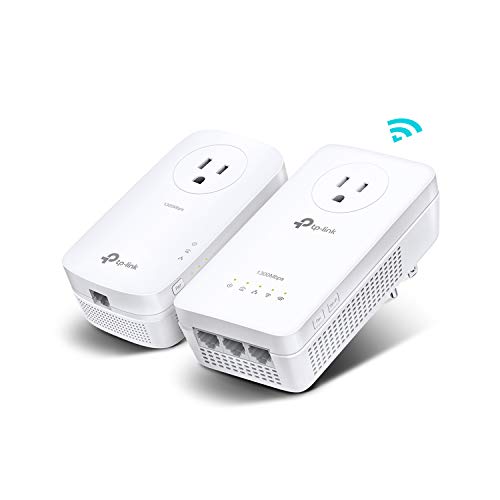
The TP-Link AV2000 Powerline Ethernet Adapter, NETGEAR PLP2000 Powerline Adapter Kit, and Zyxel AV2000 PLA5456KIT document two Gigabit ports. The TP-Link AV1300 WiFi Powerline Extender Kit goes further with three Gigabit ports, which can be useful in a gaming room containing a console, television, and streaming device. Port count does not by itself guarantee faster gameplay, but it can simplify a multi-device setup.
Compare rated powerline classes carefully
The listed speed classes range from AV1000 to AV2000, alongside G.hn products rated at 1.2 Gbps. The supplied listings repeatedly caution that actual performance depends on the Internet plan, wiring quality, adapter distance, electrical circuit, and interference.
The TP-Link AV2000, NETGEAR PLP2000, and Zyxel AV2000 have the highest documented class in this selection. The TP-Link AV1300 and TRENDnet Powerline 1300 sit below them, while the TP-Link AV1000 and Tenda AV1000 emphasize a more moderate powerline class. Choose the higher class when the specification headroom is useful, but do not treat the number as a measured latency result.
Check the electrical requirements
Powerline adapters generally need to be connected to compatible outlets on the same electrical circuit. The TP-Link AV2000, TP-Link AV1300, Tenda AV1000, and TP-Link AV1000 listings explicitly warn about direct wall connection and limitations involving surge protectors or power strips. This is an important installation check before buying.
Passthrough models include an additional power socket. The TP-Link AV2000, NETGEAR PLP2000, Zyxel AV2000, TP-Link AV1300, NETGEAR PLP1200, and TP-Link AV1000 document this type of design. It can be convenient behind a desk or entertainment center because the adapter does not necessarily consume the only usable outlet. The TRENDnet kit is explicitly no-pass-through, so outlet access is a lower priority for that choice.
Decide whether you need Wi-Fi at the destination
A wired-only adapter is appropriate when the gaming device has Ethernet and the main goal is a direct network connection. The TP-Link AV2000, NETGEAR PLP2000, Zyxel AV2000, TRENDnet TPL-422E2K, NETGEAR PLP1200, and TP-Link AV1000 are documented as wired powerline options.
If the room also needs wireless connectivity, consider the TP-Link AV1300 WiFi Powerline Extender Kit, Comtrend PG-9172AC G.hn Powerline Adapter, or Tenda AV1000 WiFi Powerline Kit PH10. Their listings document dual-band wireless features in addition to Ethernet. The Comtrend model also lists eight-level QoS prioritization, while the TP-Link model documents EasyMesh compatibility. These features may make a mixed-device room easier to organize, but the supplied evidence does not establish a particular gaming latency outcome.
Look at the networking technology
MIMO and Beamforming appear on several AV2 products, including the TP-Link AV2000, NETGEAR PLP2000, Zyxel AV2000, NETGEAR PLP1200, and TRENDnet TPL-422E2K. These features are presented in the listings as ways to use multiple signal paths or direct transmission through the wiring. The NexusLink GPL-1200-KIT instead documents G.hn Wave 1 and MIMO Dual Phase. The Comtrend PG-9172AC also uses G.hn and adds QoS prioritization.
Compatibility deserves attention when expanding later. The TP-Link AV2000 listing states compatibility with several AV powerline speed classes, while TRENDnet documents cross-compatibility with Powerline 1200, 600, 500, and 200 adapters. NexusLink specifies up to 16 compatible powerline devices, and TRENDnet specifies up to eight on one network. These statements are useful for planning, but mixing standards or families should be checked against the manufacturer documentation before purchase.
Installation and placement checklist
Begin with the included pair when the product is sold as a kit. Connect the first adapter to the router with Ethernet, plug it directly into a wall outlet, and place the second adapter near the gaming device. Pair the units using the documented button or automatic pairing process. The Tenda, TRENDnet, TP-Link, NETGEAR, Zyxel, and NexusLink listings all describe simple setup in some form.
Avoid judging a product solely by its advertised maximum. Test the intended room with the actual wiring arrangement, keep adapters away from unsuitable power accessories, and remember that a powerline link cannot exceed the Internet plan. For a console, connect Ethernet directly when possible; for several wired devices, select a model with two or three ports or plan for a separate switch.
Final Recommendation
TP-Link AV2000 Powerline Ethernet Adapter ranks first overall in this specification-based comparison under the published weighted criteria.
TP-Link AV2000 Powerline Ethernet Adapter is the first overall specification-based choice among these best gaming powerline adapters. Its AV2000 class, two Gigabit ports, passthrough outlet, MIMO with Beamforming, and broad AV compatibility give it the most complete wired feature set in the comparison.
The NETGEAR PLP2000 and Zyxel AV2000 are close alternatives when two-port AV2 hardware and an extra outlet matter. Choose the TP-Link AV1300 when dual-band Wi-Fi and three Ethernet ports are more useful than the highest rated powerline class. The Comtrend PG-9172AC is the more specialized G.hn option because its listing includes QoS prioritization and AC1200 wireless.
Among the top gaming powerline adapters, the best match depends on the destination room. Wired-only buyers can prioritize port count and passthrough design, while mixed-device rooms should consider the TP-Link AV1300, Comtrend PG-9172AC, or Tenda PH10. In every case, confirm same-circuit compatibility and direct-wall installation requirements before relying on the connection.
Frequently Asked Questions
Are powerline adapters suitable for gaming?
They can be suitable when a wired connection is needed in a distant room and the home wiring is compatible. The supplied listings describe these products for gaming, but they also state that actual speeds depend on wiring conditions, distance, interference, and the Internet plan. This comparison does not provide measured latency or gameplay testing.
Do the best gaming powerline adapters need to be on the same circuit?
Several selected listings state that the adapters must be on the same electrical circuit for connectivity. Check the installation guidance for the specific model, and connect the units directly to wall outlets rather than power strips or surge protectors when the listing requires it.
Should I choose wired-only or Wi-Fi powerline hardware?
Choose wired-only hardware when the main device has Ethernet and you want a simple connection. Choose the TP-Link AV1300, Comtrend PG-9172AC, or Tenda PH10 when the destination also needs documented dual-band wireless. The wireless models still include Ethernet connectivity, but their rated powerline classes and port counts differ.
What does passthrough power do?
A passthrough adapter includes an additional power socket so the occupied wall outlet remains usable. Selected examples include the TP-Link AV2000, NETGEAR PLP2000, Zyxel AV2000, TP-Link AV1300, NETGEAR PLP1200, and TP-Link AV1000. The TRENDnet TPL-422E2K is explicitly listed as no-pass-through.
Can I add more adapters later?
Some selected listings document expansion limits or compatibility. NexusLink lists support for up to 16 compatible devices, while TRENDnet lists up to eight on one network. TP-Link and TRENDnet also describe compatibility with certain adapter families or speed classes. Confirm standard and model compatibility before mixing products.