Buying Guide
The best nvidia quadro t2000 laptops in this comparison are refurbished mobile workstations built around the same professional GPU class. The right choice depends less on brand variety than on the balance among processor, memory, storage, screen, ports, and carrying requirements.
This is a specification-based guide using public listing data. It is not a hands-on test, and it does not summarize customer opinions. Configuration details can vary by listing, so check the exact memory, drive, operating system, display, warranty, and condition before ordering.
Match the processor to the workload
Processor information is one of the clearest ways to separate these workstations. The selected Dell Precision 5540 and 7540 listings identify Core i9 processors with eight cores or an eight-core description, while the HP ZBook Studio G7 listings specify the Core i9-10885H. These configurations are the most specification-aligned documented choices for users who expect heavier multitasking or professional applications alongside the Quadro T2000.
The Dell Precision 7550 listings use the six-core Core i7-10850H. That is still a substantial workstation processor on paper, particularly when paired with 32GB or 64GB of memory. A six-core system may be a sensible fit when memory and storage capacity matter more than choosing an eight-core CPU.
Do not treat processor labels alone as a complete performance forecast. The supplied evidence does not include independent benchmark results, application testing, thermal measurements, or battery testing. Use the documented core count and model as configuration indicators rather than promises about real-world speed.
Choose enough memory for your software
Memory capacity is especially important when working with several large applications, browser sessions, project files, or virtual machines. The Dell Precision 7550 with 64GB RAM has the greatest listed capacity in this group. It is the clearest choice when the priority is minimizing the need to close applications during a busy session.
Several selected models list 32GB RAM, including the Dell Precision 7550, Dell Precision 7540, Dell Precision 5540, and HP ZBook Studio G7 configurations. This is a useful middle ground in the available specifications. The Dell Precision 5550 and one Dell Precision 5540 configuration list 16GB, which may be adequate for lighter workflows but provides less expansion headroom on paper than the 32GB and 64GB options.
Memory should be checked carefully because similarly named workstation models appear with different configurations. For example, the Precision 7550 listings range from 16GB to 64GB, while the Precision 5540 listings include 16GB and 32GB versions. Compare the exact listing rather than relying only on the model family name.
Consider storage capacity and drive type
The selected products all emphasize solid-state storage, but capacity varies considerably. The HP ZBook Studio G7 and Dell Precision 5540 options reach 2TB, making them the most suitable on documented capacity for large local project libraries. The 1TB versions offer a practical middle tier, while 512GB systems provide less room for large files and application installations. The 256GB Dell Precision 5540 has the narrowest listed storage allowance.
Some listings provide extra drive detail. The Dell Precision 7550 with 64GB identifies a 1TB PCIe NVMe M.2 SSD, and the 32GB, 512GB version also lists PCIe NVMe M.2 storage. The Dell Precision 5550 lists a 512GB NVMe drive. These details help distinguish drive interface information from capacity alone.
Storage needs depend on workflow. If files can remain on network or external storage, 512GB may be workable. If the laptop must carry large design, video, engineering, or media libraries, a 1TB or 2TB configuration reduces the need for frequent file management. The supplied evidence does not establish upgradeability, so do not assume that a drive or memory module can be replaced.
Pick the display for the work and workspace
Most selected models use a 15.6-inch FHD screen. That resolution is represented by the Dell Precision 7550, Dell Precision 7540, HP ZBook Studio G7, and several Dell Precision 5540 listings. The Dell Precision 7550 listing adds useful panel details, including 500 nits, anti-glare, non-touch operation, and 100% DCI-P3 coverage.
For finer on-screen detail, the Dell Precision 5540 4K configuration lists a 3840x2160 display. The Dell Precision 5550 listing also identifies a UHD touchscreen. These are the most distinctive display choices among the selected products, but higher resolution can make interface scaling more important. The listings do not provide battery-life testing, so this guide cannot claim how display resolution affects endurance.
That extra screen area may suit desk-based work, but the supplied dimensions indicate a substantially larger chassis than the 15.6-inch systems. It is best considered when workspace is more important than compactness.
Check ports before buying accessories
Connectivity varies by model and listing. The Dell Precision 7550 is the most explicitly documented for desk use, with Thunderbolt 3, HDMI 2.0, Mini DisplayPort 1.4, RJ-45, an SD card reader, and multiple USB ports. The Dell Precision 7540 listing identifies a SmartCard reader, Bluetooth, Wi-Fi, webcam, and microphone, although it provides less complete port detail.
The Dell Precision 5540 listings name Thunderbolt 3, HDMI, SD-card, and USB connections. The Dell Precision 5550 uses a more USB-C-centered arrangement, with two USB-C ports supporting Thunderbolt 3 and another USB-C DisplayPort connection. The HP ZBook Studio G7 listing identifies USB, USB-C, miniDP, and an audio combo jack.
If you regularly connect wired networks, legacy displays, SD cards, or several peripherals, compare the exact port list before choosing a thinner machine. Port selection can determine whether a dock or adapter is needed. The evidence does not specify every port for every model, so missing information should not be interpreted as proof that a port is absent.
Think about carrying size and condition
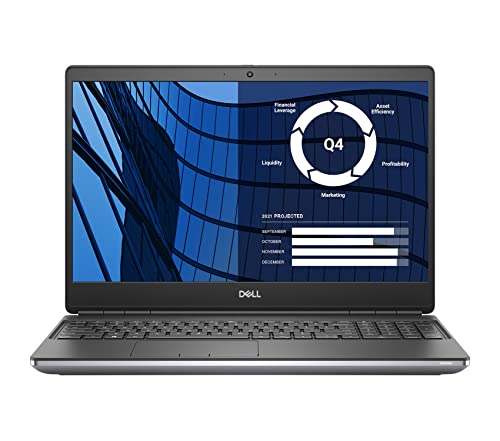
The Dell Precision 5540 and 5550 listings are among the more compact options by stated dimensions and weight. The Precision 5540 is listed at about the current price and 0.44 inches high in two configurations, while the Precision 5550 is listed at the current price and 0.45 inches high. The HP ZBook Studio G7 lists a 0.7-inch height. These figures make the slimmer families worth considering for regular travel, subject to the condition of the particular refurbished unit.
The Precision 7550 is listed around 5.42 to the current price, and its larger workstation design includes more built-in connectivity. Neither type is automatically better: portability favors the slimmer 15.6-inch systems, while built-in ports and a larger workspace may favor the thicker or larger designs.
Final recommendation
Dell Precision 5540, 32GB RAM, 2TB SSD ranks first overall in this specification-based comparison under the published weighted criteria.
Dell Precision 7550, 64GB RAM, 1TB SSD is the first overall specification-based choice among the best nvidia quadro t2000 laptops because it combines the highest listed memory capacity with 1TB PCIe NVMe storage, a six-core Core i7-10850H, and an unusually complete port selection. It is a particularly strong fit for users who value multitasking capacity and desk connectivity.
The top nvidia quadro t2000 laptops include several sensible alternatives. Choose the Dell Precision 5540 with 32GB and 1TB storage for a lighter chassis, or choose the Dell Precision 5540 with 32GB and 2TB storage when local capacity is the priority. The HP ZBook Studio G7 with 32GB and 2TB provides another high-capacity route, while the Dell Precision 5550 is the distinctive pick for a UHD touchscreen.
For higher-resolution viewing, the 4K Dell Precision 5540 is the clearest match. Buyers who prefer a conventional, port-rich workstation should focus on the documented Precision 7550 configurations. Before purchase, confirm the exact listing because memory, storage, operating system, display type, warranty, and refurbished condition differ across otherwise similar model names.
Frequently Asked Questions
Among the best nvidia quadro t2000 laptops, what makes these laptops suitable for professional graphics work?
Each selected laptop lists an Nvidia Quadro T2000, generally with 4GB of GDDR6 or dedicated graphics memory in the product title or feature data. That combination establishes category relevance, but the supplied evidence does not include application benchmarks or certification testing for particular software.
Is 32GB RAM enough for a Quadro T2000 workstation?
The selected 32GB configurations provide more listed memory than the 16GB Dell Precision 5550 and 16GB Dell Precision 5540 configuration. They may be a better fit for multitasking, but the right amount depends on the applications and project sizes. The Dell Precision 7550 with 64GB is the most specification-aligned documented option when memory capacity is the primary concern.
Should I choose a 4K display or FHD display?
Choose a 4K display if detailed on-screen resolution is more important than simpler scaling and potentially broader compatibility with your workflow. The Dell Precision 5540 4K model lists 3840x2160, while the Dell Precision 5550 lists UHD and touch. FHD options such as the Dell Precision 7550 and HP ZBook Studio G7 offer a more common 15.6-inch resolution. The listings do not provide battery testing, so no endurance conclusion can be drawn.
Which selected model has the most storage?
The HP ZBook Studio G7 with 2TB and the Dell Precision 5540 with 2TB SSD tie for the largest documented storage capacity among the selected products. Both also list 32GB RAM and a Quadro T2000. The HP version specifies a Core i9-10885H, while the Dell version specifies a Core i9-9880H.
Are these laptops easy to carry?
The Dell Precision 5540 listings provide the most compact documented figures, including a 0.44-inch height and approximately 3.97-pound weight. The Dell Precision 5550 is also listed at 0.45 inches high and the current price. Check the exact configuration and condition before purchase.