Buying Guide
The best nvidia quadro t500 laptops are older-generation mobile workstations, so the right choice depends less on headline branding and more on the complete configuration. Every selected model includes NVIDIA Quadro T500 graphics, but the listings differ substantially in processor tier, graphics-memory amount, RAM, storage, screen size, condition, and business features. Treat the comparison as a specification reference rather than a performance test.
Start with the graphics configuration
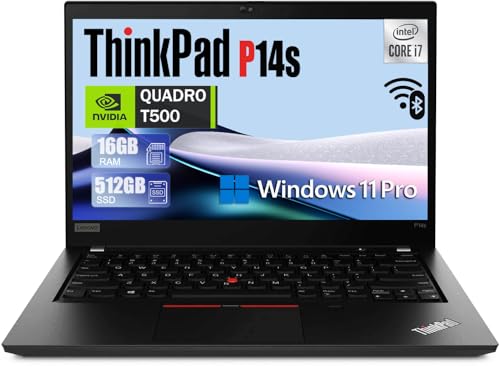
The Quadro T500 is the defining component in this category. The supplied listings describe it as professional or dedicated graphics intended for CAD, 3D modeling, photo editing, video editing, and other graphics-oriented workflows. Several configurations specify 4GB of GDDR6 graphics memory, including the Lenovo ThinkPad P14s with 24GB RAM, the HP ZBook Firefly 15 G8, the Lenovo ThinkPad P15s Gen 2 with 16GB RAM, and the high-capacity Lenovo ThinkPad P15s with 24GB RAM. The Dell Precision listings generally specify 2GB.
That difference is documented, but it should not be treated as a measured performance ranking. Software certification, driver support, project complexity, and application settings can affect real-world results. If your workload uses larger scenes or heavier visual assets, the 4GB configurations provide more documented graphics memory to consider. For lighter professional graphics tasks, the 2GB Dell configurations may still fit the required specification.
Match the processor to the workload
Most selected models use 11th-generation Intel mobile processors. Core i7 options include the i7-1185G7 and i7-1165G7, while Core i5 options include the i5-1135G7 and i5-1145G7. The listings identify the i7-1185G7 with boost speeds up to 4.8GHz and the i7-1165G7 with speeds up to 4.7GHz; those are listed processor specifications, not independent test results.
For sustained multitasking, compiling, content creation, or applications that lean on the CPU, the Core i7 configurations are the more appropriate specification-based starting point. The Core i5 models remain sensible for office productivity, technical applications, and moderate creative work, especially when paired with 24GB or 32GB of RAM. The Lenovo ThinkPad P15s with 24GB RAM and 2TB storage is a good example of a Core i5 system that emphasizes capacity rather than the highest listed processor tier.
Choose RAM and storage deliberately
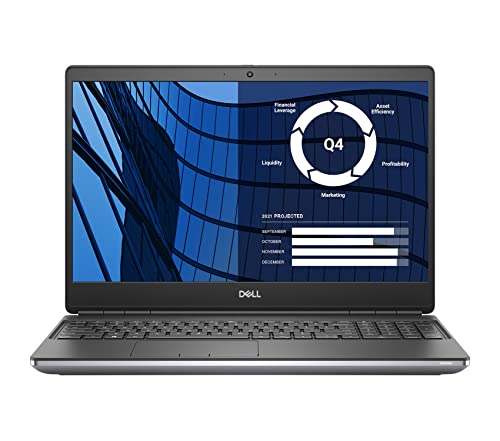
Memory and storage are among the clearest differences in this pool. The selected models range from 16GB RAM to 40GB, while SSD capacity runs from 512GB to 2TB. The Lenovo ThinkPad P14s with 40GB RAM and 1TB SSD favors memory-heavy multitasking in a compact chassis. The Lenovo ThinkPad P14s with 24GB RAM and 2TB SSD offers both high memory and extensive storage. The Dell Precision 3560 with Core i7, 32GB RAM, and 2TB SSD is another strong capacity-focused option.
A 512GB SSD may be adequate for documents, applications, and a moderate project library, but large media or engineering files can consume space quickly. If you regularly keep active project files locally, prioritize a 1TB or 2TB configuration. RAM is harder to judge from capacity alone because software requirements vary, but the 24GB, 32GB, and 40GB systems offer more documented headroom than the 16GB models.
Compare screen size and viewing features
The pool centers on two screen formats. The Lenovo ThinkPad P14s models use 14-inch Full HD IPS displays, with supplied listings noting anti-glare treatment and 300 nits brightness on several configurations. The HP ZBook Firefly and Dell Precision 3560 models use 15.6-inch FHD displays, while the selected Lenovo ThinkPad P15s models also provide 15.6-inch 1080p screens.
A 14-inch panel supports a more compact setup, which can be useful for travel or shared workspaces. A 15.6-inch display provides more physical workspace without requiring an external monitor. Several listings describe IPS panels, while the Dell descriptions identify non-touch displays. None of these details alone establishes color accuracy or suitability for a specific professional application, so buyers with color-critical work should seek additional panel documentation before ordering.
Check ports, security, and communication features
Business connectivity is a recurring strength. Selected Lenovo models list Thunderbolt 4, USB-A, HDMI, Wi-Fi 6, Bluetooth, and microSD support. The Dell Precision 3560 configurations add RJ-45 Ethernet, HDMI 2.0, microSD, USB-A, and two Thunderbolt 4 USB-C ports. The HP ZBook Firefly lists two USB-C ports with Thunderbolt 4, USB-A, HDMI, and a headphone jack.
Fingerprint readers, backlit keyboards, webcam privacy shutters, and Windows 11 Pro appear on several Lenovo configurations. These features can matter for office and mobile work, but availability varies by listing. Pay particular attention to webcam notes: the Dell Precision 3560 with 16GB RAM explicitly states that it does not include a webcam, while another Dell configuration states that a webcam is integrated.
Review renewed condition and warranty details
Many candidates are renewed systems. The supplied evidence describes renewed testing for one Lenovo listing, while individual products show different warranty language, including 90-day limited warranties, a 90-day warranty, or limited warranty wording. Condition and warranty are therefore important parts of the buying decision, even though they are not scored as marketplace popularity or customer sentiment.
Before purchase, confirm the exact RAM, SSD, graphics-memory amount, operating system, included charger, webcam status, and warranty shown on the current listing. Variant titles can look nearly identical while carrying different capacities or finishes. The ASIN in this guide identifies the selected configuration, but current listing details should remain the final reference.
Final Recommendation
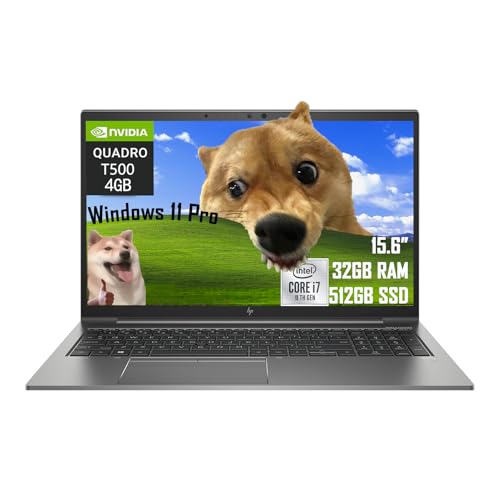
HP ZBook Firefly 15 G8, i7, 32GB RAM, 512GB SSD ranks first overall in this specification-based comparison under the published weighted criteria.
The final choice among the best nvidia quadro t500 laptops depends on the documented features that match your intended use.
The Lenovo ThinkPad P14s with Core i7, 24GB RAM, and 2TB SSD is the highest-scoring returned product and the first overall specification-based choice. It combines a compact 14-inch design with a 4GB Quadro T500 listing, strong memory and storage capacity, Thunderbolt 4, and a 300-nit anti-glare IPS display.
For memory-heavy multitasking, the HP ZBook Firefly 15 G8 stands out with 32GB RAM and a 15.6-inch IPS screen. The Dell Precision 3560 with Core i7, 32GB RAM, and 2TB SSD is a strong alternative when storage and a larger display matter most. The Lenovo ThinkPad P15s Gen 2 with 16GB RAM offers a balanced larger-screen configuration, while the Lenovo ThinkPad P14s with 40GB RAM suits buyers who want unusually high memory in a compact format.
Among the top nvidia quadro t500 laptops, the best fit depends on the documented trade-off you value most: 14-inch portability, 15.6-inch workspace, higher memory, more SSD capacity, or broader connectivity. These rankings use supplied specifications only, so verify the current configuration and renewed-system terms before ordering.
Frequently Asked Questions
Are these the best nvidia quadro t500 laptops for CAD and 3D work?
They are suitable candidates to compare because each selected product lists NVIDIA Quadro T500 professional graphics and several descriptions mention CAD, 3D modeling, or creative applications. However, the supplied evidence does not include independent application benchmarks, so workload suitability should be checked against the requirements of your specific software.
Is 4GB Quadro T500 graphics better than 2GB in these laptops?
The 4GB configurations provide more documented graphics memory than the 2GB Dell configurations. That is a specification difference, not a measured performance conclusion. Other factors, including processor, drivers, application requirements, and project size, also affect the result.
Should I choose a 14-inch or 15.6-inch Quadro T500 laptop?
Choose a 14-inch Lenovo ThinkPad P14s when a compact workstation is more important. Choose a 15.6-inch HP ZBook Firefly, Lenovo ThinkPad P15s, or Dell Precision 3560 when a larger physical display is preferable. The supplied listings do not provide independent brightness, color, or battery testing beyond selected stated features.
How much RAM and storage should I look for?
The selected options range from 16GB RAM and 512GB SSD storage to 40GB RAM and 2TB SSD storage. For ordinary productivity and moderate projects, 16GB and 512GB may be a practical baseline. Larger active project libraries and heavier multitasking favor the 24GB, 32GB, or 40GB configurations and 1TB or 2TB storage.
What should I verify on a renewed model?
Confirm the exact processor, RAM, SSD capacity, Quadro T500 graphics-memory amount, screen type, webcam status, charger, operating system, and warranty. The supplied listings show that these details can vary among closely related configurations, including whether a webcam is included and whether the warranty is limited to 90 days.