Buying Guide
The best sprint phone signal boosters are cellular repeaters that use an existing outdoor signal and redistribute an amplified connection indoors or inside a vehicle. They do not create service where no usable signal reaches the outside antenna. That limitation appears repeatedly in the supplied product information, so the first buying step is checking the signal outside the building, RV, truck, or car.
Choose the installation environment first
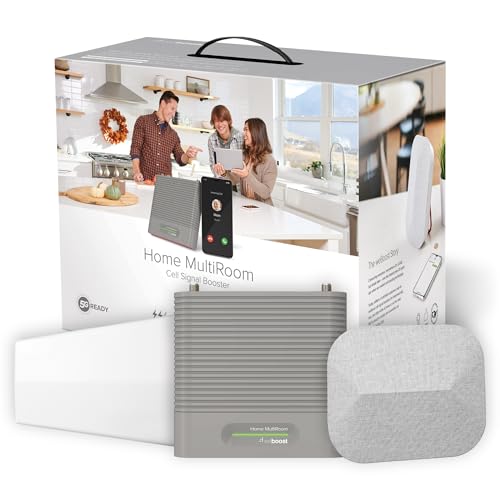
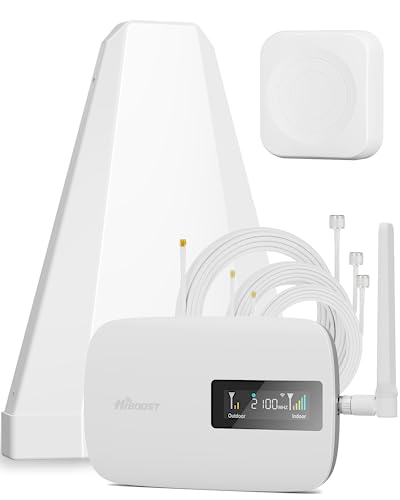
Home and office kits are designed around a fixed outdoor antenna, an indoor booster, and one or more indoor antennas. The weBoost Home MultiRoom states coverage up to 5,000 sq ft, while the SureCall Flare 3.0 lists up to approximately 3,500 sq ft under its highest outside-signal condition. HiBoost Hero 3K documents up to 3,000 sq ft and offers two indoor antenna choices. These figures are not interchangeable performance measurements; each product ties coverage to antenna placement and available exterior signal.
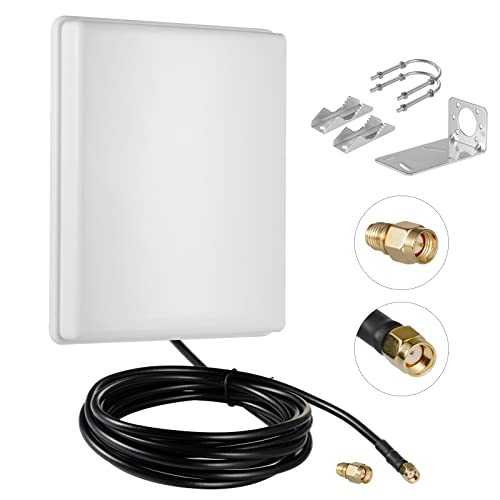
For a larger footprint, Bamwirz lists coverage of 6,500 sq ft or more, and Nstcell lists up to 7,000 sq ft. Both descriptions acknowledge that the maximum depends on outside signal conditions. Dual indoor panel antennas can help distribute the indoor signal across several rooms, but the physical layout, antenna separation, walls, and outside reception still matter.
Vehicle kits use a different installation pattern. The weBoost Drive Reach uses a magnetic roof antenna and is intended for cars and trucks. SignalBrick is specifically described for trucks and RVs and includes 12V power. The subroad model lists RVs, trucks, vans, SUVs, boats, and off-road vehicles. These products are more appropriate when the booster will move with the vehicle than a fixed home kit.
Check Sprint-era band compatibility
Sprint is no longer a standalone nationwide network, and current service may use T-Mobile infrastructure. Therefore, do not select a booster solely because its title includes Sprint. Confirm the bands used by your phone and local service. The clearest band documentation in this group comes from HiBoost F08G-5S-IOT, HiBoost Hero 3K, INVCALL F20-PO, and Bamwirz. Their descriptions identify combinations including bands 2, 4, 5, 12, 13, 17, 25, or 2/25.
A broad all-carrier statement is useful, but an explicit band list makes compatibility easier to verify. The INVCALL F20-PO supports bands 2, 4, 5, 12, 17, and 25 and also advises checking the phone’s frequency bands. HiBoost Hero 3K similarly tells buyers to verify supported bands and local outdoor signal before installation.
Understand 5G wording
A product that says 5G compatible does not necessarily mean every 5G frequency is amplified. Bamwirz and HiBoost Hero 3K explain that their documented 5G support relates to 5G deployed through DSS on permitted 4G bands. Bamwirz also notes that the FCC has not allowed the new mmWave 600 MHz cellular enhancers described in its product information. Treat 5G language as a prompt to verify the actual bands, not as a guarantee of compatibility with every local 5G layer.
The weBoost Home MultiRoom, SureCall Flare 3.0, Drive Reach, SignalBrick, and subroad descriptions state 5G and 4G LTE support, but provide less detailed band information in the supplied evidence. Their all-carrier positioning can still be useful, provided the current phone and network bands match the booster’s approved operation.
Compare directional and omnidirectional antennas
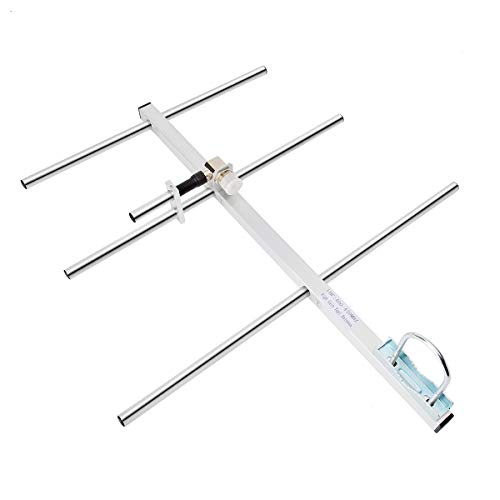
A directional antenna, such as the Yagi on the SureCall Flare 3.0 or the directional antennas documented for the HiBoost home models, can be aimed toward a tower or stronger signal source. This may suit a rural property when the signal direction is known. The trade-off is more careful placement and alignment.
An omnidirectional antenna receives from multiple directions. INVCALL includes one and says its setup does not require locating the tower. SignalBrick and subroad also document omnidirectional vehicle antennas. This design can simplify mobile use or locations where tower direction changes, but it does not remove the need for usable outside signal or appropriate antenna separation.
Look for installation feedback
Installation tools differ substantially. The weBoost Home MultiRoom app can help locate the nearest tower and compare signal strength before and after installation. SureCall provides app guidance for aiming and optimizing the outdoor antenna. HiBoost F08G-5S-IOT adds a color LCD to its app, while HiBoost Hero 3K documents remote app monitoring and live technical support. INVCALL’s app includes tower location, real-time band and signal monitoring, and video instructions.
These tools are especially relevant when the outdoor antenna position is uncertain. A kit without a documented display or app can still be a legitimate booster, but setup will rely more heavily on the manual and physical antenna placement.
Verify the signal before installation
Every selected home model requires an existing outside signal. SureCall gives example ranges of about 500 sq ft with one to two bars outside, about 1,500 sq ft with three to four bars, and about 3,500 sq ft with five bars. Nstcell gives a similar progression from roughly 800 sq ft to 7,000 sq ft. These are manufacturer estimates, not independent measurements.
For a vehicle, test the phone outside the vehicle or at the intended antenna location when possible. Also confirm power requirements: SignalBrick documents a 12V DC cord, while vehicle kits generally require a suitable vehicle installation. Keep cable routing, antenna separation, mounting surface, and weather exposure in the installation plan.
Use certification and support as practical filters
FCC approval or certification appears in every selected product description, although the supplied descriptions use different wording. The weBoost Home MultiRoom and Drive Reach identify FCC IDs; HiBoost F08G-5S-IOT, HiBoost Hero 3K, Bamwirz, Nstcell, SignalBrick, and subroad also document FCC-related compliance. Some models, including Bamwirz and Nstcell, mention FCC and IC certification or guidelines.
Warranty terms range from one year on some vehicle products to three years on several home and vehicle models. SureCall documents a three-year warranty and U.S.-based support. HiBoost F08G-5S-IOT, HiBoost Hero 3K, and SignalBrick also list three-year coverage. Treat warranty length and support channels as documentation checkpoints, not as proof of field performance.
Final Recommendation
weBoost Home MultiRoom ranks first overall in this specification-based comparison under the published weighted criteria.
weBoost Home MultiRoom is the first overall specification-based choice in this comparison.
The final choice among the best sprint phone signal boosters depends on the documented features that match your intended use.
weBoost Home MultiRoom pairs stated coverage up to 5,000 sq ft with all-carrier support, 4G LTE and 5G wording, FCC approval, and an app for installation and signal checks. It is the most balanced choice for a multi-room home or office when the outside signal is adequate.
Choose SureCall Flare 3.0 when the space is smaller and you want explicit signal-dependent coverage guidance plus a Yagi antenna. Choose HiBoost Hero 3K when two indoor antenna formats and documented bands are more important. Bamwirz and Nstcell are the broad-area alternatives, but their maximum coverage figures remain dependent on outside reception.
For vehicles, weBoost Drive Reach is the most compact documented option, while SignalBrick is better aligned with truck and RV use and 12V installation. Subroad covers a particularly broad range of vehicle types. Among the top sprint phone signal boosters, these vehicle choices should be matched to antenna mounting, power, weather exposure, and the bands used by the phone.
Frequently Asked Questions
Do the best sprint phone signal boosters work with current T-Mobile service?
They may, if the booster supports the bands used by the phone and local network. Several selected products state all-U.S.-carrier compatibility, while HiBoost Hero 3K, HiBoost F08G-5S-IOT, INVCALL F20-PO, and Bamwirz provide explicit band lists. Verify the current network bands before installation because the product title alone is not enough.
Can a booster create a signal in a completely dead zone?
No. The selected product descriptions explain that a booster amplifies an existing outdoor signal. SureCall, Nstcell, and other home models tie indoor coverage to the signal available at the outside antenna. If the exterior location has no usable cellular signal, changing indoor antenna placement cannot supply one.
Is a directional antenna or omnidirectional antenna better?
It depends on the site. A directional antenna can be aimed toward a known tower or stronger signal source, as documented by SureCall and the HiBoost models. An omnidirectional antenna receives from multiple directions and can be simpler for mobile use or uncertain tower locations, as shown by INVCALL, SignalBrick, and subroad.
Does 5G compatibility cover every 5G signal?
Not necessarily. The supplied evidence explains that some 5G support uses DSS on permitted 4G bands. Check the booster’s supported bands against the phone and local carrier deployment. Do not treat a general 5G label as confirmation that every 5G frequency will be amplified.
What should I check before mounting the antennas?
Measure or otherwise confirm the outside signal, review the supported bands, plan enough separation between outdoor and indoor antennas, and check the power and mounting method. App or display guidance can help: the weBoost, SureCall, HiBoost, and INVCALL products document different forms of installation monitoring.